

 English
 Lietuvių
 Latviešu
 Eesti
Eesti Русский
 Polski
 Українська
 Deutsch
 Italiano
 Español
 Français
 Português
 Čeština
 Magyar
 Română
 Ελληνικά
 Türkçe
 日本語
日本語 العربية
 हिन्दी
 Bahasa Indonesia
 Bahasa Melayu
 ไทย
ไทย Tiếng Việt
 বাংলা
বাংলাLaunching a SaaS Product Website: A Week-by-Week Marketing and Support Checklist
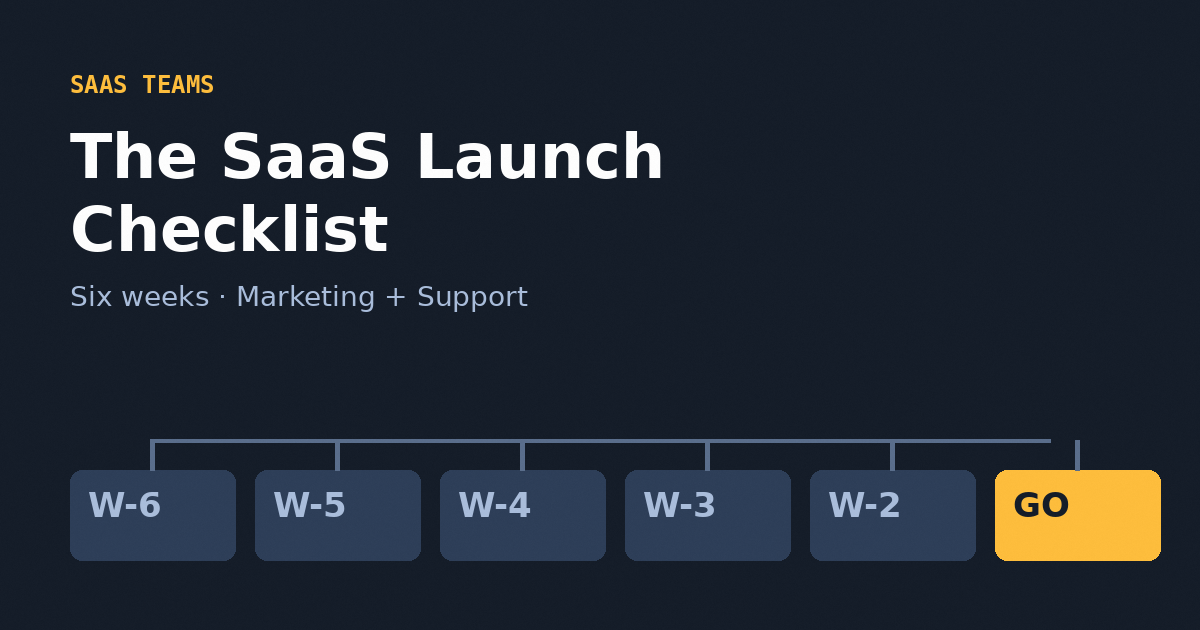
Most SaaS launches are planned around the product: features, pricing, the demo environment, the release date. The marketing and support machinery that must surround the launch is often improvised in the last week, and it shows. Tracking is missing on launch day, the search engines have never seen the domain, nobody is answering the chat window, and the first hundred visitors, the most valuable ones you will have for a while, leave without a trace.
This checklist spreads that work across six weeks, so that launch week is a reveal rather than a scramble. It covers technical foundations, search visibility, measurement, paid and email campaigns, social distribution and support coverage. It draws on services we provide, such as website development, SEO and online advertising, and on tools we build ourselves, which we use here as examples rather than requirements. It complements our guides on SEO for SaaS and PostRSS for SaaS teams.
Before You Start: Decide What Launch Means
A launch can mean a private beta, a public release, a rebrand or a major feature. The checklist scales, but three decisions must be made up front.
- The goal: sign-ups, trials, demo bookings, waiting-list entries or paid conversions. Pick one primary number.
- The audience: the one customer profile you most want. A launch aimed at everyone persuades no one.
- The owner: a named person who can say yes or no on launch day, and a named person for support.
Write these on one page and keep them visible. When a decision gets difficult in week five, the page settles it.
Week 6 Before Launch: Foundations
Domain, hosting and environments
Choose the production domain and stick with it. Set up a staging site that visitors and search engines cannot reach, protected by a password rather than only a robots file. Confirm hosting capacity for a traffic spike, and see our guide on choosing between shared, VPS and dedicated hosting if you are unsure what fits. Enforce HTTPS, and decide on the canonical hostname (with or without www) so that only one version exists.
Email and domain reputation
Configure SPF, DKIM and DMARC for the sending domain before you send a single message; our explanation of SPF, DKIM and DMARC shows the steps. New domains have no reputation, so warm them up with small, engaged sends rather than a blast on day one.
Legal basics
Publish privacy policy, terms and cookie information, and configure consent before tracking scripts run. Our guide to cookie consent and GDPR compliance lists what to have. Check that the product name and logo do not conflict with existing marks; see our trademarks page for what to register early.
Week 5: Site Structure and SEO Groundwork
Information architecture
List the pages that must exist at launch: home, product overview, features, pricing, documentation entry, about, contact, and one page for each major use case or audience. Build the navigation so that each page is reachable in two clicks or fewer.
Keyword and intent mapping
Assign one primary topic to each page and avoid two pages targeting the same query. If you are new to the subject, start with keyword research fundamentals. For SaaS, the pages that convert are usually comparison, alternative and use-case pages, not only feature pages.
Technical SEO essentials
- Unique titles and meta descriptions for every page.
- Clean, readable URLs and a sitemap ready for submission.
- Canonical tags and structured data for the organisation and breadcrumbs, plus hreflang if you launch in several languages; see international SEO and hreflang.
- A crawlable site: content in HTML rather than hidden behind scripts that search engines may not run.
- A robots configuration that allows crawling on production, and blocks staging. Forgetting to remove a staging block at launch is a classic and costly mistake.
Set up Search Console
Verify the domain in Google Search Console and Bing Webmaster Tools before launch, so that indexing and error data start from day one.
Week 4: Measurement and Tracking
If measurement is not live on launch day, the most informative data you will ever get is gone. Build and test it now.
- Define the events: sign-up started, sign-up completed, trial activated, demo requested, pricing viewed.
- Implement analytics and ad tags through a tag manager, sending events from a data layer where possible.
- Connect consent management and verify that tags respect the banner.
- Test every conversion end to end with real journeys and compare against backend records.
- Add UTM parameters to every link you will publish, with a consistent naming convention, so campaigns can be told apart.
Product analytics inside the application complements web analytics. Together they show which channel produces users who actually reach the activation moment, which matters far more than raw sign-ups.
Do Not Neglect the Pricing Page
For a SaaS product, the pricing page is often the most visited page after the home page and the one closest to the decision. Show plans clearly, explain what each includes, state whether a card is required for a trial, and answer the usual objections: cancellation, data export, security, and what happens when limits are exceeded. Keep the numbers on the page consistent with the ones in ads, emails and the application itself; a mismatch is the quickest way to lose a prospect’s trust. If plans and prices may change, keep a single source of truth and link to it rather than repeating figures in ten places.
Week 3: Content, Email and Social Preparation
Launch content
Prepare a small set of assets: a clear explanation of the problem and solution, screenshots and a short demo, a pricing page that answers objections, and two or three educational articles that target search queries your customers already use. Educational content keeps working after the launch spike fades.
Email sequences
Write a waiting-list announcement, a welcome and onboarding series for new sign-ups, and a follow-up for people who registered but did not activate. Our guide to email marketing fundamentals covers building campaigns people open, and lifecycle sequences such as onboarding are the highest-impact ones for SaaS.
Social distribution
Plan how each announcement and article will reach your channels. Publishing manually across many networks is a good way to forget one. Feeding your blog’s RSS feed into a tool such as PostRSS means each new article can reach connected networks automatically from a template you control, and it is worth setting up and testing before launch rather than during it. Choose networks where your buyers actually are; for B2B products that often means LinkedIn first, as we discuss in LinkedIn for B2B.
Week 2: Paid Campaigns and Support Readiness
Paid acquisition
Prepare campaigns, but launch them small. Search campaigns targeting high-intent queries, and retargeting for visitors who saw pricing but did not sign up, are usually the best first bets; see Google Ads remarketing and Facebook Ads retargeting funnels for structure. Build dedicated landing pages for campaigns, and verify that conversion tracking works before spending anything.
Support before it is needed
Launch traffic asks questions you have not anticipated. Prepare a help centre with the ten questions you expect, a status page, and a live chat setup with clear hours. An AI first line, such as Talkmio, which reads your site and documents and answers visitors and hands difficult questions to your team, can cover evenings and time zones while a small team focuses on complex cases. Decide who covers the human queue, and write handoff rules; see chat triggers and rules for how to time proactive messages.
Rehearse
Run a dress rehearsal on staging: sign up as a new user, pay, cancel, request support, receive every email. Fix whatever breaks. Have someone outside the team try it without help; their confusion is your future support load.
Week 1: Freeze, Test and Prepare to Respond
- Freeze non-essential site changes three days before launch.
- Take full backups and confirm you can restore them.
- Run a performance test and fix the largest bottlenecks; our article on Core Web Vitals lists the usual suspects.
- Check uptime monitoring and alerting, and confirm who is on call, using the approach in our uptime guide.
- Check that no staging blocks, test scripts or placeholder text remain.
- Prepare a short incident message for the status page in case something fails.
Launch Week: Day by Day
| Day | Focus | Key tasks | Owner | Watch |
|---|---|---|---|---|
| Before launch | Final checks | Sitemap submitted, tracking verified, support rota confirmed | Launch owner | Anything unfinished; delay if tracking is broken |
| Launch day | Announce and monitor | Publish, email the waiting list, share on social, start small paid campaigns | Marketing | Errors, uptime, sign-up completion rate |
| Day 2 | Respond | Reply to every question, fix small issues, review chat transcripts | Support | Repeated questions that point to unclear pages |
| Day 3 | Learn | Compare channels by activation, not just sign-ups | Marketing and product | Channels with high volume but low activation |
| Day 5 | Adjust | Change ad copy and landing pages, publish the first follow-up article | Marketing | Budget going to poor performers |
| Day 7 | Review | One-page report on goal, results and next steps | Launch owner | Conclusions drawn from small samples |
After Launch: The First Thirty Days
Use what visitors tell you
Chat transcripts, support tickets and search queries show what your pages fail to explain. Turn recurring questions into help articles and page improvements. Our piece on what chat transcripts reveal explains how to mine them.
Keep the content engine running
Publish on a regular schedule, refresh your best pages and connect articles to product features. Resist the urge to publish many similar articles on one topic; a few strong pages beat many that overlap.
Review and prune
At day thirty, look at which channels produced activated users, which content attracted qualified visitors, and where support time went. Stop what does not work, double down on what does, and schedule a quarterly review.
Common Launch Mistakes
- Launching with staging noindex left on, so search engines ignore the site for weeks.
- No tracking on day one, and no way to tell which effort worked.
- Judging by sign-ups alone, ignoring whether users activate.
- Unstaffed support, with a chat window promising help that never arrives.
- Spending the whole ad budget in the first days, before the data shows what works.
- Announcing on every channel at once, without templates, so messages become inconsistent or forgotten.
- Treating launch as an event rather than the start of a sequence of improvements.
Frequently Asked Questions
How early should I start planning a SaaS website launch?
Six weeks is a comfortable minimum for technical foundations, SEO, tracking and campaign preparation. Smaller launches can compress the plan, but tracking, support readiness and email authentication should never be left to the last week.
Do I need paid ads for a SaaS launch?
No. Ads accelerate learning about messaging and demand, but a launch can rely on email lists, content, communities and partnerships. If you do run ads, start small, verify tracking first and send traffic to dedicated landing pages.
When will search engines start sending traffic to a new site?
It varies. Submitting a sitemap and verifying Search Console helps discovery, but new domains typically need weeks or months to build visibility. Plan launch traffic around email, social and paid channels rather than waiting for organic search.
What support coverage does a launch need?
Enough to answer every question quickly for at least the first week. A help centre and an AI first line handle repeated questions at any hour, while a named person covers escalations. Publish realistic response times.
Which metric best measures launch success?
The one you chose as the primary goal, typically activated users rather than raw sign-ups. Track how many new users reach the moment where the product proves its value, and attribute them to channels.
Should the launch be a single big announcement or a gradual rollout?
Many teams do best with a staged approach: private beta, then a limited public release, then wider promotion. It allows fixes before large audiences arrive. The choice depends on risk and how well you can support early users.
The Bottom Line
A launch is won or lost in the weeks before it. Build the foundations early, get search and tracking live, prepare campaigns and content, staff support properly and rehearse the full journey as a customer. On launch day the job is to watch, respond and learn, and in the thirty days afterwards, to keep improving what the first visitors showed you.
If you are preparing a launch and want a partner for the website, SEO, advertising or infrastructure side, contact our team and we will help you build the plan around your product.