

 English
 Lietuvių
 Latviešu
 Eesti
Eesti Русский
 Polski
 Українська
 Deutsch
 Italiano
 Español
 Français
 Português
 Čeština
 Magyar
 Română
 Ελληνικά
 Türkçe
 日本語
日本語 العربية
 हिन्दी
 Bahasa Indonesia
 Bahasa Melayu
 ไทย
ไทย Tiếng Việt
 বাংলা
বাংলাUTM Parameters for Auto-Posted Social Traffic With PostRSS
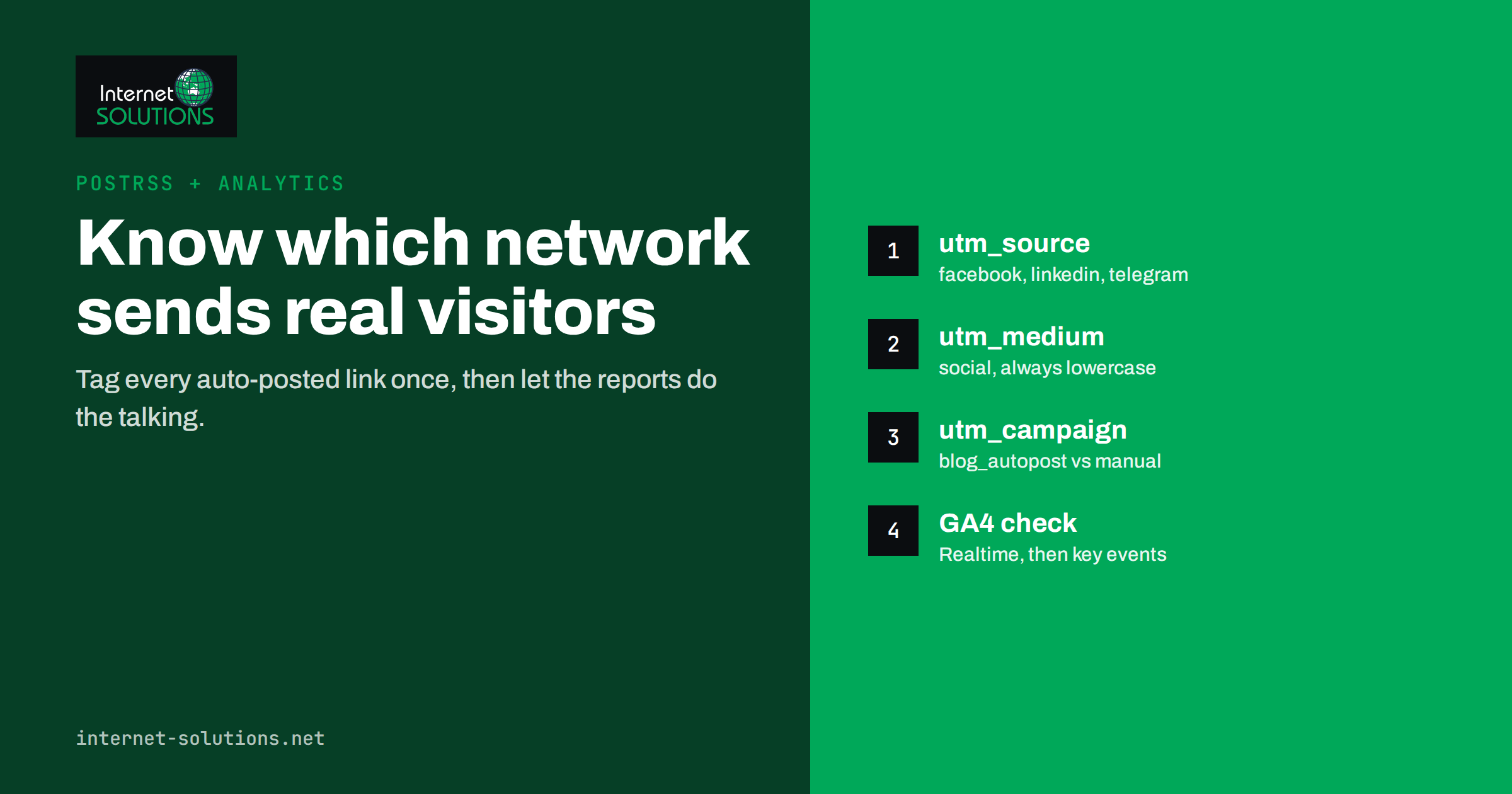
Automating social posting solves one problem and quietly creates another. Once new articles, products or updates go out to a dozen networks without anyone touching them, it becomes surprisingly hard to answer a simple question: which of those networks actually sends visitors who read, sign up or buy? UTM parameters are the standard answer. They are small labels added to a link that tell your analytics tool where a visit came from, and they work the same way whether a person or an automation tool posted the link.
This guide explains how UTM parameters work, how to design a naming scheme that stays clean when posting is automated, how to set them up for auto-posted links using PostRSS as a working example, and how to read the results in Google Analytics 4 without fooling yourself. The principles apply to any automation; PostRSS is simply the tool we build and know best.
Why Auto-Posted Traffic Is Hard to Measure
Without tagging, analytics tools rely on the referrer: the address of the page a visitor came from. For social traffic, the referrer is unreliable for several reasons:
- Apps strip it. Clicks from mobile apps often arrive with no referrer at all and end up as “direct” traffic.
- Link wrappers hide it. Many networks route clicks through their own short domains, so the referrer may show a redirect service rather than the network.
- Messengers and team chats rarely pass it. A link opened from a Telegram channel or a workplace chat frequently looks like a typed-in visit.
- Automation and manual posting look the same. Even when the network is recognised, you cannot tell whether the visit came from your automated feed post or from a colleague sharing the same article by hand.
The result is a large “direct” bucket and an incomplete picture of what your distribution is worth. UTM parameters fix this by putting the source information into the link itself, where no app or redirect can remove it.
How UTM Parameters Work
A UTM-tagged link is a normal URL with extra query parameters at the end:
https://www.example.com/blog/new-guide/?utm_source=linkedin&utm_medium=social&utm_campaign=blog_autopost
When someone clicks it, the analytics tag on your page reads those parameters and attributes the session accordingly. Google documents the parameters in its guide to collecting campaign data with custom URLs, and offers a free Campaign URL Builder for building links by hand.
| Parameter | What it answers | Example for auto-posting |
|---|---|---|
utm_source | Which site or platform sent the visit? | facebook, linkedin, telegram |
utm_medium | What kind of channel was it? | social |
utm_campaign | Which initiative or stream does it belong to? | blog_autopost, new_products |
utm_content | Which variant or placement was clicked? | feed_title_only |
utm_term | Which keyword (mainly paid search)? | Usually left empty for social |
Two rules make or break UTM data. First, values are case-sensitive: LinkedIn and linkedin become two different sources in reports. Second, the medium decides the channel: Google Analytics 4 groups traffic into default channels such as Organic Social or Paid Social based largely on utm_medium and the source. Use a recognised value such as social for organic posts, or your auto-posted visits may land in “Unassigned”.
Designing a Naming Scheme That Survives Automation
When posting is manual, a messy naming scheme causes occasional confusion. When posting is automated, the same mistake is repeated on every post, on every network, every day. It is worth deciding the scheme once, writing it down and sticking to it.
Recommended conventions
- Lowercase everything, and use underscores or hyphens instead of spaces.
- Use the network’s plain name as the source:
facebook,x,linkedin,mastodon,telegram. - Keep the medium small and fixed:
socialfor networks,chatormessagingonly if you want to report messengers separately, and nothing else. - Use the campaign to separate automation from people:
blog_autopostfor the automated stream, a different value for hand-made campaigns. - Use content for experiments: if you test two message templates, label them in
utm_content.
What not to put in UTMs
- Personal data such as email addresses or names. It ends up in analytics, where it does not belong and may breach privacy rules.
- Dates or post titles. Your analytics already records dates and landing pages; repeating them only fragments reports.
- UTMs on internal links within your own site. They overwrite the original source of the visit and corrupt your attribution.
Setting Up UTM Tagging in PostRSS
PostRSS watches RSS or Atom feeds and publishes each new item, with its image and link, to the networks you connect. According to the live PostRSS features page, it supports 66 networks, checks feeds every 5 minutes on all plans (every minute on Enterprise), and lets you add your own query parameters, such as utm_source=postrss, to every link it posts. That last feature is what this guide is about.
Step 1: Decide the parameter set
Write down the exact values before you start: for example utm_medium=social and utm_campaign=blog_autopost, plus a source value. Agree it with whoever reads the analytics reports, so the labels make sense to them.
Step 2: One set per target where you can
In PostRSS the same feed can be connected to several targets, each with its own settings. The most useful setup gives each network a source value that names it, so your reports show LinkedIn, Facebook and Telegram as separate rows. If you prefer a single shared parameter set, use a source such as postrss: you will see all automated social traffic as one row, which still separates automation from manual sharing, but not network from network.
Step 3: Check how the link looks
Your feed links may already contain parameters, for example from a shop platform. Check one published post: the final link should contain a single ?, with additional parameters joined by &, and no duplicated UTM keys. Click it and confirm that the page loads correctly.
Step 4: Verify in real time
Open the Realtime report in Google Analytics 4, click a freshly posted link from a phone, and confirm that the visit appears with the expected source and medium. Do this once per network; it takes a few minutes and saves weeks of misattributed data.
Step 5: Make sure the canonical tag is in place
Tagged URLs are technically different addresses. Every page on your site should carry a canonical tag pointing to the clean URL, so search engines never index the UTM versions. Most modern CMS setups do this by default, but it is worth checking.
Reading the Results in Google Analytics 4
Once tagged traffic starts arriving, the useful reports are in Acquisition. The Traffic acquisition report, viewed by “Session source / medium”, shows each network as a separate row. Switching the dimension to “Session campaign” separates your automated stream from manual campaigns.
What to look at, in order of usefulness:
- Engaged sessions and engagement rate per source. A network that sends fewer visits but much higher engagement may be worth more attention.
- Key events (conversions) per source: newsletter signups, contact form submissions, purchases. This is the number that justifies or questions each network.
- Landing pages per source. Some topics perform far better on certain networks; that is useful input for your content plan.
- Trends after changes. When you change a message template or posting window, compare the same source before and after.
Conversion numbers are only as good as your event tracking. If you are not sure your forms and purchases are recorded correctly, start with our guide to conversion tracking that holds up before drawing conclusions from social data.
Messengers, Team Chats and Other Non-Social Targets
Many automated feeds do not go only to social networks. PostRSS, for example, also publishes to messaging channels such as Telegram and Discord, to team chats such as Google Chat and Mattermost, and to blogging platforms. These targets behave differently, and your tagging should reflect that.
- Public channels (a Telegram channel, a Discord server) are audience channels. Tag them like social networks, with their own source value, so you can compare them directly.
- Internal team chats are not marketing at all. If a feed of your own articles goes into a company chat, consider leaving those links untagged or using a separate campaign value such as
internal_feed, so staff clicks do not inflate your social results. - Republished copies on blogging platforms carry links back to your site. Tag them consistently, and check that the copy points readers to the original.
The aim is simple: every row in your acquisition report should mean something you can act on.
Common UTM Mistakes With Automated Posting
Inconsistent capitalisation
One target sends Facebook, another facebook. GA4 shows both, and every report needs manual merging. Fix it at the source and keep lowercase.
Missing or unusual medium
Without a medium, or with an invented value like autopost, visits may not be classified as social at all. Keep the medium to recognised values and put the “automation” label in the campaign instead.
Tagging links that are not yours
If your feed includes links to other websites, UTM parameters on those links send your campaign data to someone else’s analytics. Tag only links to your own domain.
Expecting UTMs to fix everything
UTMs record where a click came from. They do not record impressions, reach or engagement on the network itself; for that, use each network’s own insights. And a visitor who sees a post, does not click, and searches for you later will still appear as organic search.
Never looking at the data
The most common failure is the simplest: tagging is set up carefully, and nobody reviews the reports. A short monthly check is enough to spot which networks earn their place.
Turning the Numbers Into Decisions
The point of measuring auto-posted traffic is to decide where to invest attention. A few practical patterns we see:
- Keep automation broad, focus manual effort narrow. Automated posting costs almost nothing per network, so it is reasonable to keep many targets running. Manual community work, replies and paid boosts should go to the two or three networks that convert.
- Adjust templates per network. If one network shows high clicks but poor engagement, the post text may be promising something the page does not deliver.
- Use filters to send the right content to the right place. PostRSS supports include and exclude keyword filters per source, which helps route technical articles to professional networks and product news elsewhere.
- Review posting times. Paid PostRSS plans allow posting windows and exact times; compare engagement by hour before changing them.
If you would like help connecting distribution, analytics and conversion goals into one reporting setup, that is part of our e-marketing services.
Frequently Asked Questions
Do UTM parameters affect SEO?
Not when your pages carry a canonical tag pointing to the clean URL. Search engines then treat tagged versions as duplicates of the original and index only the canonical address.
Which utm_medium should I use for automated social posts?
Use a value that analytics recognises as social, such as social. Keep the information that the post was automated in utm_campaign, for example blog_autopost, so the traffic is still grouped as Organic Social.
Can PostRSS add UTM parameters automatically?
Yes. PostRSS lets you add your own query parameters, such as utm_source=postrss, to every link it publishes, so each automated post carries your tracking labels without manual editing.
Why does some social traffic still show as direct?
Untagged links shared by other people, copied URLs and some in-app browsers still arrive without source information. UTMs cover the links you publish, not every share of your content.
Are UTM values case-sensitive?
Yes. Facebook and facebook are recorded as two different sources. Use lowercase everywhere and keep a written list of approved values.
Should I add UTM parameters to links inside my own website?
No. Internal UTMs start a new attribution and overwrite the real source of the visit. Use them only on links placed outside your website.
The Bottom Line
Automated posting is only half a distribution strategy; the other half is knowing which channels are worth the effort. UTM parameters close that gap with very little work: a short written naming scheme, one parameter set per network where possible, a quick realtime check, and a monthly look at engagement and conversions by source. With PostRSS, the parameters are added to every link automatically, so the data keeps arriving long after you have stopped thinking about the setup. The discipline that remains is simply to read it and act on it.