

 English
 Lietuvių
 Latviešu
 Eesti
Eesti Русский
 Polski
 Українська
 Deutsch
 Italiano
 Español
 Français
 Português
 Čeština
 Magyar
 Română
 Ελληνικά
 Türkçe
 日本語
日本語 العربية
 हिन्दी
 Bahasa Indonesia
 Bahasa Melayu
 ไทย
ไทย Tiếng Việt
 বাংলা
বাংলাPostRSS for Matrix and Nostr: Auto-Posting to Open Networks
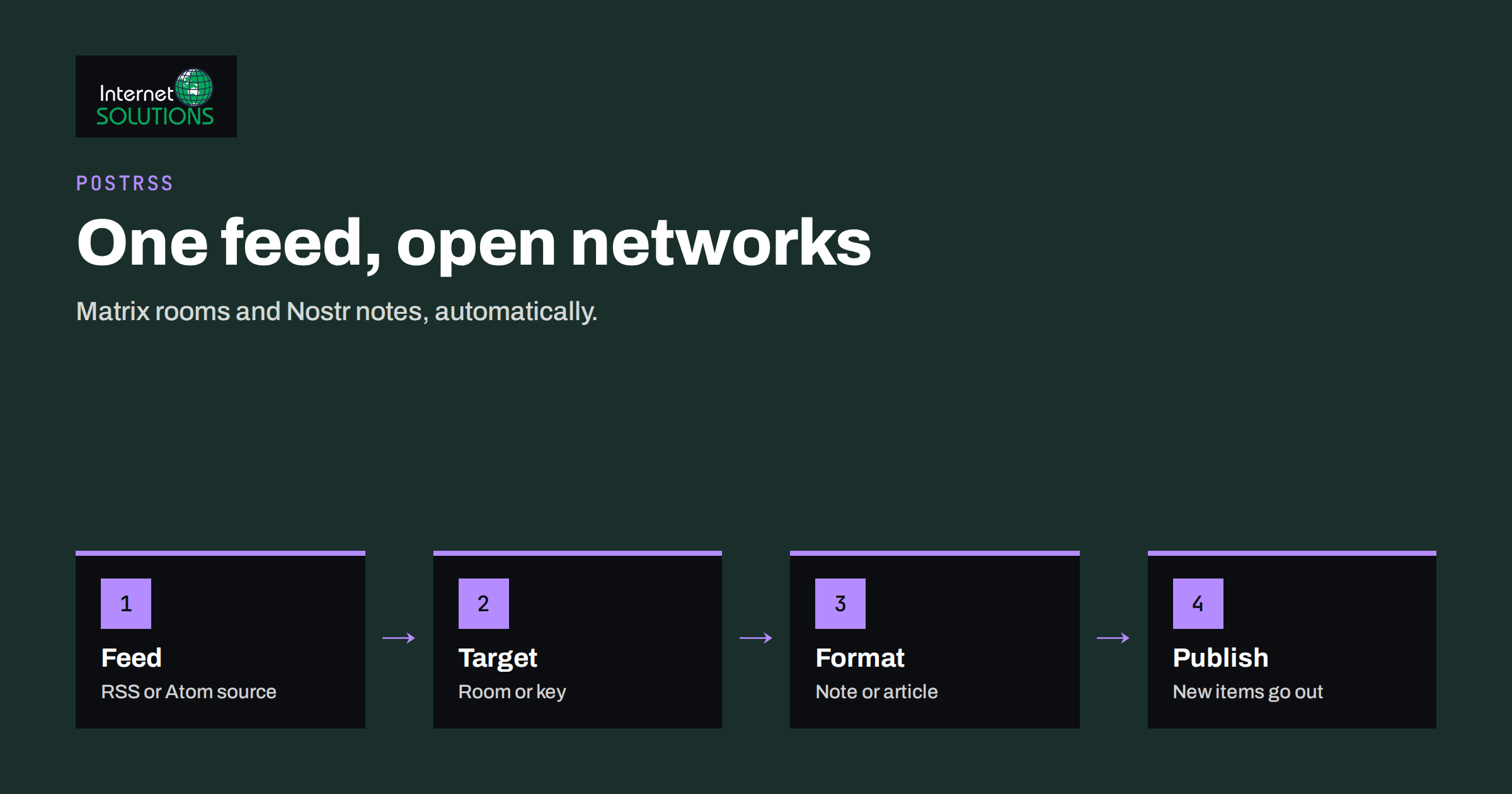
PostRSS for Matrix and Nostr lets a website publish its new articles to two open, decentralised networks without anyone copying and pasting links. Both networks are built on open protocols rather than on a single company’s platform. Matrix is a chat network in which people talk in rooms hosted on servers that anyone can run. Nostr is a protocol for short public notes and long articles that are signed with a cryptographic key and distributed through relays. PostRSS connects the RSS or Atom feed of your site to both, so that every new item appears in your Matrix room or as a Nostr note shortly after you publish.
This guide explains what each network is, who you reach there, how the connection works, which settings and safeguards matter and how to decide whether these channels are worth your time. It is written for publishers, software projects, communities and businesses whose audience includes privacy-minded, technical or open-source readers. The product facts come from the PostRSS pages for Matrix and Nostr.
Why Open Networks Are Different
Most social networks are owned by one company, which controls the rules, the audience, the application programming interface and, increasingly, the cost of access. Posting there means working inside that company’s approval process, terms and changes. Open networks work differently. No central owner decides who may publish, there is usually no application review, and users can move between servers or clients while keeping their identity or their content.
For a business, this has practical consequences. The audiences are smaller than on the largest platforms, but they are often highly engaged and include developers, researchers, journalists, hobbyists and communities that dislike advertising-driven feeds. A technical blog, a security advisory feed, an open-source project, a podcast or a niche publication can find readers there who would be hard to reach elsewhere.
- No gatekeeper: you connect with credentials you control, not through a platform approval queue.
- Portability: your room or key is not tied to a single provider’s business decisions.
- Community culture: readers expect useful links and plain language rather than promotion, which suits informative content.
How Matrix Works in Brief
Matrix is an open standard for real-time communication, and its rooms are comparable to channels in a team chat. Each user belongs to a homeserver, which may be the large public matrix.org server, a community server or one that an organisation runs itself. Rooms can be public or private, and messages are replicated between the servers whose users take part. The full technical description is in the Matrix specification.
PostRSS posts to a room on whichever homeserver you use. Access is based on an access token issued by your own homeserver, so there is no app review and no business verification. A typical use is a room for announcements: each new article from your feed appears as a message with the title and link. Another is a project’s community room where releases, documentation updates or blog posts are shared automatically.
Matrix also has bridges, which connect rooms to other chat networks. According to the PostRSS page, bridges can extend the reach of one automated room to people who read somewhere else. Whether that is available depends on the bridges that the room’s administrators have set up, so check with them before planning around it. The overview of Matrix bridges explains how they work.
How Nostr Works in Brief
Nostr, short for notes and other stuff transmitted by relays, has a very simple architecture. A user has a pair of keys: a public key that acts as the identity and a private key that signs everything the user publishes. Clients are the apps that people use to read and write. Relays are servers that store and forward signed events. There are no accounts in the usual sense; anyone holding a private key can publish, and relays decide independently what they accept. The core rules are described in the public Nostr protocol specifications.
PostRSS signs each note with the key you provide and sends it to a list of relays. By default it uses relay.damus.io, relay.primal.net and nostr.mom, and you can list your own relays instead. The article’s image is attached so that clients can show it with the title and link. You can publish each feed item either as a short note or as a long-form article, which uses the format known as NIP-23 and is documented in the long-form content specification.
Matrix and Nostr Compared
| Aspect | Matrix | Nostr |
|---|---|---|
| What it is | Open chat network with rooms and servers | Open protocol of signed notes passed through relays |
| Identity | User account on a homeserver | Key pair; the public key is the identity |
| What PostRSS needs | A room and an access token from your homeserver | A private key (nsec) and a list of relays |
| Where posts appear | As messages in the chosen room | As notes or long-form articles on the relays |
| Audience behaviour | Members who joined the room and read it like a channel | Followers and anyone browsing the relays and clients |
| Moderation | Room administrators set the rules | Each relay and client applies its own rules |
| Availability in PostRSS | Included from the Start plan | Included from the Start plan |
Both networks are among the 66 that PostRSS supports. The same feed can feed several targets at once, and each connected account counts as one target, so you can publish to Matrix, Nostr and mainstream networks from a single source. Our article on Mastodon, Bluesky and Threads covers the other open and semi-open networks.
Setting Up the Connection
The setup follows the same pattern as any PostRSS target. You add your RSS or Atom feed as a source, connect the network as a target and choose how often the feed is checked. The general steps are covered in our PostRSS setup guide. The network-specific parts are as follows.
For Matrix
- Create or choose a room for your announcements and decide whether it is public or private.
- Create a dedicated user, sometimes called a bot account, on your homeserver and invite it to the room with permission to send messages.
- Obtain an access token for that user from your homeserver, following its documentation or your client’s session tools.
- Add the room and the token in PostRSS under Accounts and connect the target.
- Publish a test article and confirm that the message appears with a working link.
For Nostr
- Decide on the identity. Create a key pair that will be used for your site or project. PostRSS recommends a separate key used only for PostRSS, not your personal one.
- Add the private key in PostRSS under Accounts, and choose whether to use the default relays or your own list.
- Choose between short notes and long-form articles for each target.
- Publish a test item and look for it in a Nostr client, using the public key to find your profile.
Share the public key on your site so that readers can verify that the notes come from you. If a message does not appear, our article on troubleshooting RSS feeds lists the usual causes.
Protecting Keys and Tokens
Open networks put control in your hands, which also means responsibility. A Nostr private key cannot be reset by a support team, because there is no account provider. Anyone holding it can publish as you, and a leaked key cannot be revoked by a central authority. A Matrix access token gives the same power over the bot account. Treat both as secrets.
- Use dedicated credentials. Create a key or bot account used only for automation, so that a problem does not touch your personal identity.
- Limit permissions. A Matrix bot needs only the right to post in one room, not administrator powers.
- Store secrets safely. Keep a copy in a password manager, never in a chat message, shared document or code repository.
- Know the recovery plan. If a key is exposed, stop the target in PostRSS, create a new identity, announce the change on your site and update links.
- Limit who can change targets. Use a strong password and multi-factor authentication on the PostRSS account.
The principles are the same as in our guide to multi-factor authentication and password managers.
Writing Posts for These Audiences
Readers on open networks are used to plain, informative posts. PostRSS lets you choose the format of each post from the item title, description, page title or your own text. A title and a link are usually the best start, and a short description can add context for longer pieces. Our guide to PostRSS message formats explains the combinations.
- Write honest titles. Clickbait is poorly received in technical and community spaces.
- Use a clear image. On Nostr the image is shown with the note, so it should be meaningful and not cropped awkwardly.
- Add context in descriptions for software releases, such as the version number and the main change.
- Keep promotional wording out of channels that exist for information.
- Use filters. If your feed contains different kinds of content, choose which items go to which target so that a room about releases does not receive every marketing post.
Frequency and Moderation
A Matrix room is read by people who chose to join it, so flooding it is the quickest way to be muted or removed. Check the feed at a sensible interval, limit the number of posts per update and avoid posting your whole back catalogue at once. When you connect an older feed, set the start date so that only new items are posted. Our article on the auto-posting schedule explains how to control timing and volume.
On Nostr, each relay may have its own acceptance rules, and some require payment or limit certain kinds of events. If your notes do not appear on one relay, try another or add your own to the list. Also remember that content published to relays is public and copied widely. Deleting a note later cannot guarantee that every relay or client removes it, so do not publish anything that you would not want to stay visible.
Measuring Results
Do not expect large numbers. Success on these networks looks like a handful of qualified visits, mentions by people who matter to your field and a community that knows you exist. Add tracking parameters to the links in your messages so that your analytics shows what each channel brings, using the approach in our article on UTM parameters for auto-posted social traffic. Review the numbers after a few weeks. If the channel brings engaged readers, keep it; if it brings nothing, disconnect the target, which costs you only a few minutes.
When These Channels Are Worth It
- You publish for developers, security professionals, researchers, journalists or open-source communities.
- Your project already has a Matrix room or a Nostr following that expects announcements.
- You want a presence that does not depend on a single company’s policies.
- You can spare the care needed to guard keys and check the channels occasionally.
If your audience is mainly local consumers, start with the networks where they already spend time. If you manage many sites or client accounts, take a look at the approach in PostRSS, which brings all the targets into one account.
Frequently Asked Questions
Do I need a paid PostRSS plan for Matrix and Nostr?
Both are included from the Start plan, according to the PostRSS network pages. The Free plan covers a smaller set of networks, so check the current plan details on the pricing page before you connect.
Can I use my own Matrix homeserver?
Yes. PostRSS posts to a room on whichever homeserver you use, whether it is matrix.org, a community server or one you run yourself, using an access token issued by that server.
Which Nostr relays does PostRSS use?
By default it sends notes to relay.damus.io, relay.primal.net and nostr.mom. You can list your own relays instead if you prefer.
Should I use my personal Nostr key?
PostRSS recommends a separate key used only for PostRSS. That keeps your personal identity apart from the automated publication and limits the damage if the key is ever exposed.
Can I publish long articles on Nostr?
Yes. Each item can be published as a short note or as a long-form article using the NIP-23 format, depending on the target settings.
How often can the feed be checked?
PostRSS can check a feed as often as every minute, and you can choose a slower interval. New items reach the network after the next check.
The Bottom Line
Matrix and Nostr suit publishers who value open standards and want to reach engaged technical and community audiences without depending on a single platform. With PostRSS the setup is short: connect the feed, add a room or key, choose the format and let new articles flow. Protect your keys, keep the tone informative, watch the volume and judge the channel by the quality of visits rather than their number. If it fits your audience, it is one of the cheapest and most independent ways to extend the life of every article you publish.