

 English
 Lietuvių
 Latviešu
 Eesti
Eesti Русский
 Polski
 Українська
 Deutsch
 Italiano
 Español
 Français
 Português
 Čeština
 Magyar
 Română
 Ελληνικά
 Türkçe
 日本語
日本語 العربية
 हिन्दी
 Bahasa Indonesia
 Bahasa Melayu
 ไทย
ไทย Tiếng Việt
 বাংলা
বাংলাBing Webmaster Tools and IndexNow: Get New Pages Discovered Faster
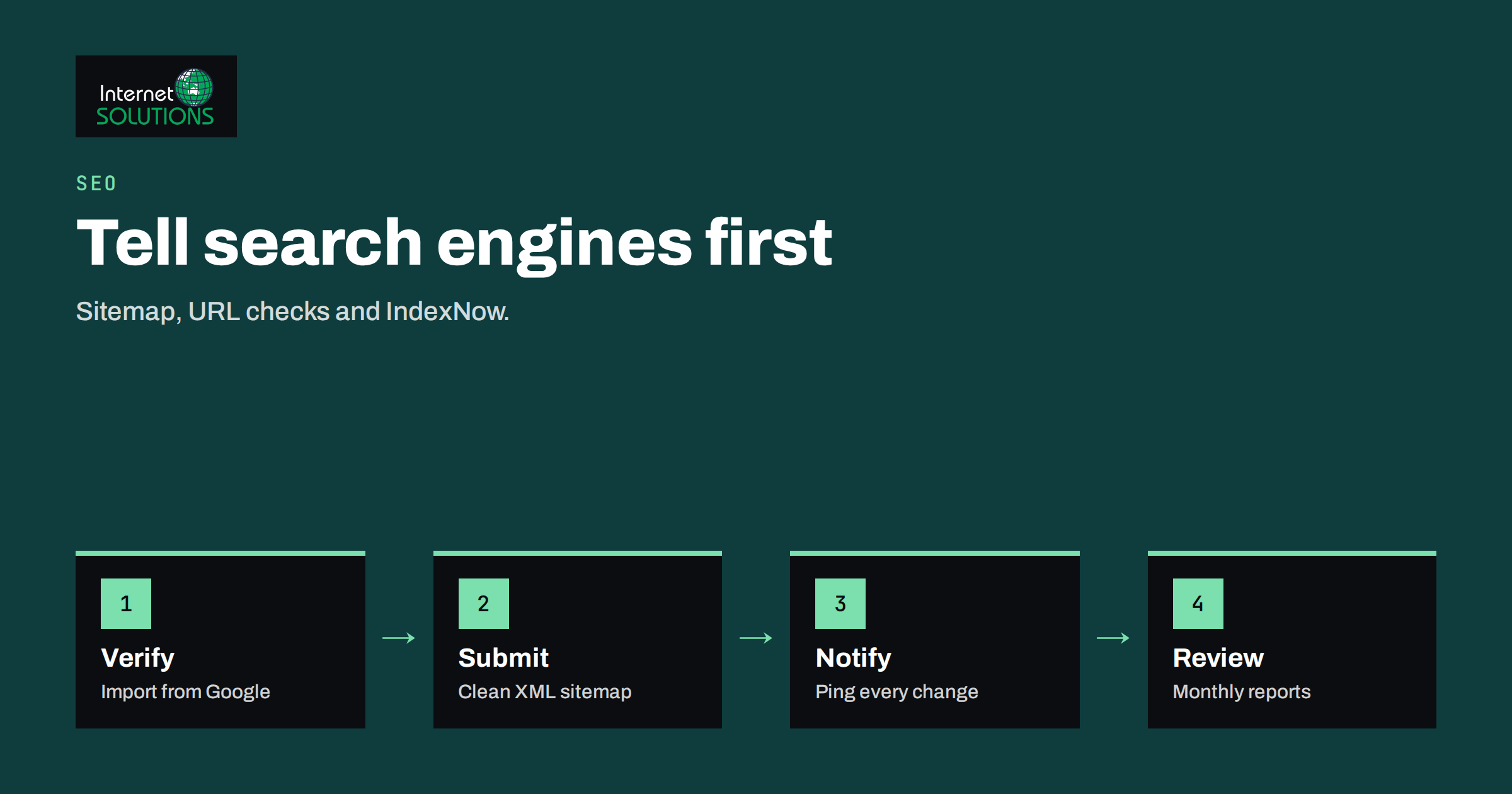
Bing Webmaster Tools is the free dashboard that Microsoft provides for site owners, and it is often the most neglected tool in a business’s search setup. Most teams configure Google Search Console, glance at the results and stop there. That leaves a second major search engine, plus several smaller ones that share its index or its signals, with no monitoring at all. Bing Webmaster Tools takes about fifteen minutes to set up, and it comes with a feature called IndexNow that lets your website tell search engines the moment a page is created, changed or removed.
This article explains what the dashboard offers, how to verify your site, which reports are worth opening, how IndexNow works, how to turn it on for a WordPress site, and where its limits lie. It is written for owners and marketers of business websites who want new pages to be found quickly without paying for anything extra.
Why a Second Webmaster Tool Is Worth Your Time
Google handles the larger share of searches in most countries, so it deserves the most attention. Even so, three reasons justify a short setup on Bing. First, a meaningful number of people use Bing, Windows search features and browsers that default to it, particularly in office environments. Second, other search products draw on Bing’s results, so being indexed there can extend your reach beyond the Bing website. Third, the tool is a second opinion: it tells you about crawl errors, blocked resources and markup problems from a different crawler, and issues that appear in both tools are almost always real.
None of this replaces Google’s tool. If you have not set that up, start with our guide to Google Search Console and return here afterwards.
Verify Your Site
You can sign in with a Microsoft, Google or Facebook account. Bing then offers several ways to prove ownership:
- Import from Google Search Console. The quickest route if your Google property is verified. Bing copies your verified sites and sitemaps.
- Add an XML file to the root of the site.
- Add a meta tag to the home page head section.
- Add a CNAME record in DNS, which is useful if you cannot edit the site but control the domain.
Whichever method you use, leave the verification token in place. Removing it later can end your access. Add each version of your site that matters, and make sure the preferred one redirects properly from the others, as covered in our article on 301 redirects for SEO.
Sitemaps and URL Submission
Submit your XML sitemap in the Sitemaps section. A sitemap lists the pages you want indexed, together with optional last-modified dates. Keep it clean: only canonical, indexable URLs that return a 200 status. Large or messy sitemaps waste crawl time and make reports harder to read. Our guide to robots.txt and XML sitemaps shows how to build and test one.
The URL Submission tool lets you send individual pages for crawling, within a daily quota that Bing sets and can change. Use it for a handful of important new pages, such as a product launch or a corrected article. For sites that publish regularly, an automatic method is better, which is where IndexNow comes in.
The Reports Worth Opening
Search performance
This report shows clicks, impressions, average position and click-through rate for your pages and queries on Bing. It is useful for spotting queries where you appear but rarely get clicked, which often means a title or description that needs work. For tips on that, see our article on title tags and meta descriptions.
URL inspection
Paste a page address and see whether Bing has indexed it, when it last crawled it and what it found, including any issues with markup or blocked resources. Use it when a new page does not appear in results after a few days.
Site scan and SEO reports
Site Scan crawls your pages and flags common problems such as missing titles, duplicate descriptions, large images and broken links. It is a quick, free technical check, although treat each warning as a prompt to investigate, not as an order.
Backlinks and crawl information
The backlinks report lists links that Bing knows about, which gives you another data source for your link profile. Crawl settings allow you to ask the crawler to visit at lower-traffic hours if your server is small. If your site struggles under crawler load, that setting is worth a look, and so is the capacity advice in our guide to server capacity planning.
What IndexNow Is
IndexNow is an open protocol that lets a website notify participating search engines when a URL has been added, updated or deleted. Instead of waiting for a crawler to rediscover the change, the site sends a short message and the engine can schedule a crawl sooner. Bing supports it, as do several other engines, including Yandex, Naver and Seznam. A notification sent to one participating engine is shared with the others, so one ping covers them all. You can read the specification and the list of participants at indexnow.org.
It does not guarantee indexing. A notification asks for attention, not for inclusion, and search engines still decide whether a page is worth keeping. It also does not cover Google, which at the time of writing does not use IndexNow. For Google you still rely on sitemaps, internal links and Search Console. Treat IndexNow as a free speed boost for the engines that support it.
How IndexNow Works in Practice
- Generate a key. This is a random string of letters and numbers.
- Host the key. Place a text file named after the key in the root of your site, containing the key itself. This proves that you control the site.
- Send the notification. Make an HTTP request to the IndexNow endpoint with the changed URL or a list of URLs and your key. A single request can carry many URLs.
- Repeat on change. Send a ping whenever a page is created, significantly updated or removed.
Only notify about real changes. Sending the same unchanged URLs again and again is wasteful and can cause engines to ignore your pings. The documentation on the IndexNow site lists the exact request format and response codes.
Turning It On for WordPress and Other Platforms
You rarely need to write code. Several popular WordPress SEO plugins include IndexNow support, as does a plugin published by Microsoft, and some content delivery networks can send notifications on your behalf. Check the settings of the tools you already use before adding another plugin, in line with the advice in our guide to choosing WordPress plugins safely. For custom sites, a small hook in your publishing code can send a request whenever an article is saved. Store the key outside any public repository where practical, although note that the key file itself is, by design, public.
After enabling it, publish a test page, then look in the plugin or Bing Webmaster Tools for a record of the submission. If nothing appears after a day or two, check that the key file is reachable and returns exactly the key.
Comparing the Ways to Tell Search Engines About a Page
| Method | Speed | Effort | Covers | Best for |
|---|---|---|---|---|
| Normal crawling and internal links | Slow to variable | None | All engines | Baseline discovery |
| XML sitemap | Moderate | Low, automatic in most CMSs | All engines that read sitemaps | Complete list of pages |
| Manual URL submission | Fast | High per page | One engine at a time | A few key pages |
| IndexNow | Fast | Low once automated | Participating engines | Frequent publishing and changes |
A Practical Example: Launching a New Service Page
Suppose a company adds a new service page on a Tuesday morning and wants it found quickly. Here is how the pieces fit together. The page is published with a clear title, a unique description and links from the home page and the related category. The CMS updates the XML sitemap automatically and, through the IndexNow setting in the SEO plugin, sends a notification to the participating engines. Within a day or two the owner opens the URL Inspection tool in Bing Webmaster Tools, pastes the address and checks the last crawl date and indexing status. If the page is indexed, the owner moves on. If not, the report usually points to one of a short list of causes: a stray noindex directive, a canonical tag that points to a different page, a robots.txt rule that blocks the folder, or content so similar to another page that the engine chose not to keep it.
For Google the same page relies on the sitemap, the internal links and a request in Search Console. Doing both takes less than five minutes per launch once the plugin is configured, and the record of what was sent and when makes later troubleshooting far simpler. A habit of checking one new page per week in both tools is enough to reveal systematic problems, such as a template that adds noindex to every new custom post type.
Access, Roles and Housekeeping
Give access to the people who need it, usually the marketing owner, the developer and the agency that supports you, and review the list a few times a year. Bing Webmaster Tools lets you add users with different permission levels, so an external contractor can read reports without being able to change settings. Remove access when a contract ends, as you would for any other business system. Keep a note of which account owns each verified property, so that a departing employee does not take the only login with them.
Common Problems and Fixes
- Pages stay out of the index. Check for a noindex tag, a robots.txt block, a canonical pointing elsewhere or thin content. Our article on why pages are not indexed walks through these causes, and most apply to Bing as well.
- Key file errors. The file must be reachable at the stated location, return a 200 status and contain only the key.
- Too many pings. Notify only about added, changed or deleted pages, not about the whole site on every save.
- Redirected or blocked URLs in the sitemap. Remove them, so reports stay trustworthy.
- Verification lost. A site rebuild or theme change can drop a meta tag. Prefer DNS or file verification, which survives such changes.
A Ten-Minute Monthly Check
- Open the search performance report and note queries with many impressions and few clicks.
- Check the sitemap status and the count of indexed pages against what you expect.
- Review Site Scan warnings for new issues after a redesign or migration.
- Confirm that IndexNow submissions are still being sent, and that the key file is reachable.
If your site has recently moved or been rebuilt, read our checklist on migrating a website without losing SEO rankings before you make changes. For help with a broader technical review, see our SEO services.
Frequently Asked Questions
Is Bing Webmaster Tools free?
Yes. It is free for any site owner who can verify ownership of the site.
Do I need it if I already use Google Search Console?
It is not required, but it is cheap insurance. It shows how a second crawler sees your site and lets you use IndexNow. The setup is short, especially if you import your Google property.
Does IndexNow make Google index my pages faster?
No. At the time of writing Google does not participate in IndexNow. Keep your sitemap current and use Google Search Console for Google.
How many URLs can I submit?
Limits vary and can change. The URL Submission tool has a daily quota set by Bing, and the IndexNow protocol allows many URLs in one request. Check the current documentation before planning a large batch.
Will IndexNow guarantee my page appears in search results?
No. It prompts a crawl. Search engines still evaluate quality, duplication and relevance before indexing a page.
Is the IndexNow key a secret?
Not in the usual sense. The key file must be public so engines can verify it. Its purpose is to show that the pinging party controls the site, not to protect confidential data.
The Bottom Line
Set up Bing Webmaster Tools by importing your Google property, submit your sitemap, and turn on IndexNow through the SEO plugin or platform you already use. Then spend ten minutes a month on the search performance, indexing and Site Scan reports. It will not replace your work on content and links, but it speeds up discovery, gives you a second technical audit and costs nothing. If you want a specialist to review your indexing and crawl setup, our SEO page is the place to start.