

 English
 Lietuvių
 Latviešu
 Eesti
Eesti Русский
 Polski
 Українська
 Deutsch
 Italiano
 Español
 Français
 Português
 Čeština
 Magyar
 Română
 Ελληνικά
 Türkçe
 日本語
日本語 العربية
 हिन्दी
 Bahasa Indonesia
 Bahasa Melayu
 ไทย
ไทย Tiếng Việt
 বাংলা
বাংলাCanonical Tags and Duplicate Content: A Practical SEO Guide
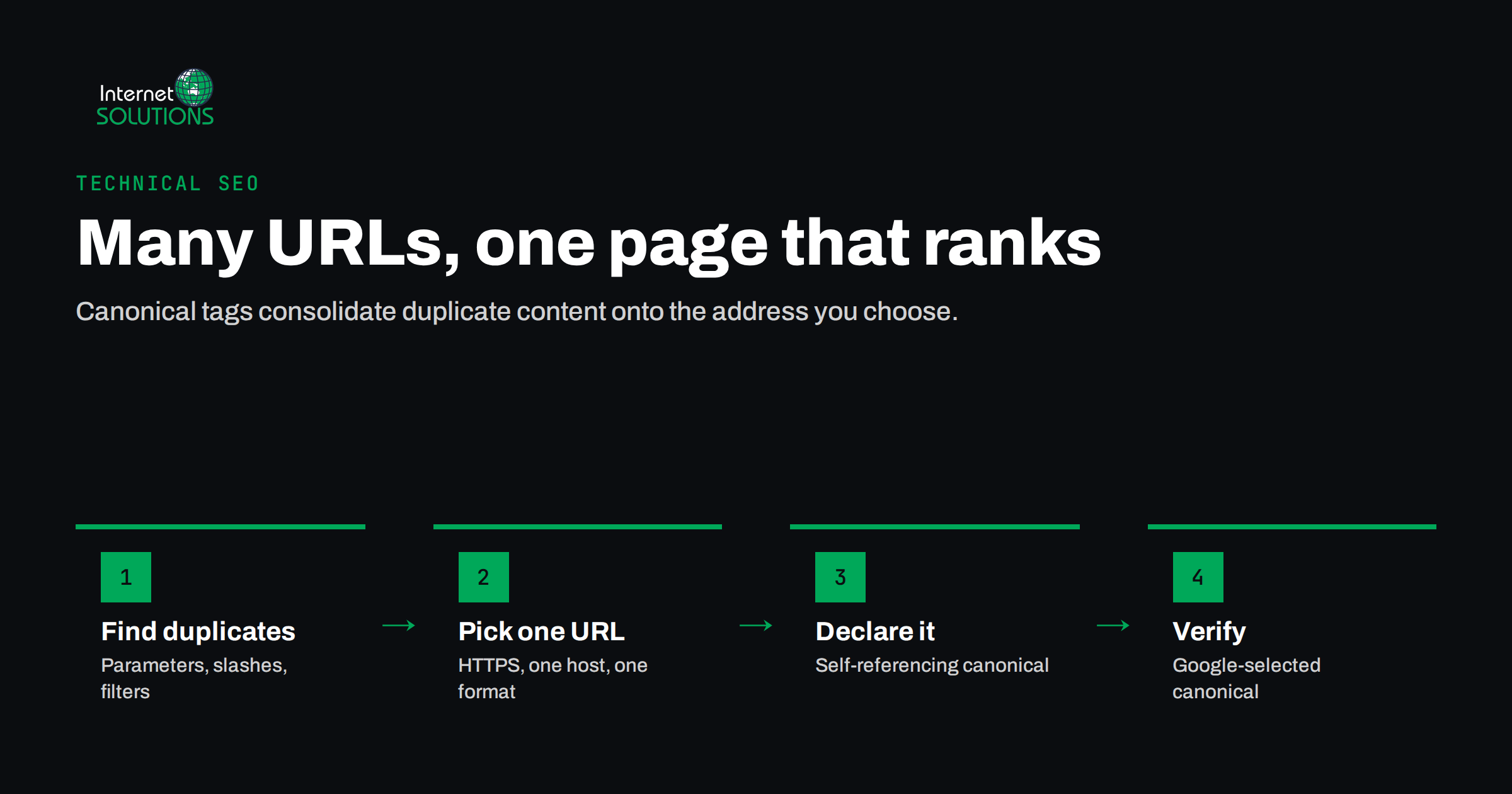
Most business websites publish the same content at more than one address without anyone deciding to. A product reachable through two category paths, a page that loads with and without a trailing slash, tracking parameters added by an email tool, a print version, a filtered listing in a shop. Canonical tags are how you tell search engines which of those addresses is the real one, so that ranking signals collect on a single URL instead of being split across several near-identical copies.
This guide explains what duplicate content actually is (and what it is not), how canonical tags work, where they go wrong in practice, how they compare with redirects and noindex, and how to check what Google has really chosen for your pages. It is written for business owners and marketing teams who do not want to become technical SEO specialists, but who do want to understand why a page is not ranking the way it should.
What Duplicate Content Really Means
“Duplicate content” sounds like a penalty waiting to happen. In most cases it is not. Google has said for years that it does not penalise ordinary sites for having the same content at several URLs; deliberate scraping and spam are a different matter. The real cost of duplication is quieter:
- Split signals. Links, internal links and engagement point to different versions of the same page, so none of them is as strong as one consolidated page would be.
- The wrong URL ranks. Search engines pick one version to show. If you have not said which one you prefer, they may choose the parameter-laden or the print version.
- Wasted crawling. On larger sites, crawlers spend time fetching endless variations of the same listing instead of discovering new pages.
- Messy reporting. Analytics and Search Console split traffic between addresses, which makes it harder to see how a page is actually performing.
Duplicates usually come from the way a website is built rather than from copying text. Typical sources include:
httpandhttps, orwwwand non-wwwversions that both load;- trailing slash and non-trailing slash versions of the same path;
- URL parameters for tracking (
?utm_source=), sorting, filtering and session IDs; - products that sit in several categories, each with its own path;
- printer-friendly pages, AMP versions or separate mobile URLs;
- content syndicated to partner sites or republished on platforms such as Medium or LinkedIn.
How Canonical Tags Work
A canonical tag is a single line in the <head> of a page:
<link rel="canonical" href="https://www.example.com/services/web-design/" />
It tells search engines: “of all the versions of this content, this address is the one I want indexed and shown.” Every duplicate points at the preferred URL, and the preferred URL points at itself. The second part matters more than many people expect: a self-referencing canonical on every indexable page protects you against all the variations you have not thought of, such as a parameter added by a newsletter tool next month.
The rel="canonical" link relation is defined in RFC 6596, and Google documents how it treats it in its guide to consolidating duplicate URLs. The single most important point in that documentation is that a canonical tag is a strong hint, not a command. Google weighs it together with other signals: redirects, internal links, sitemap URLs, HTTPS versus HTTP, and how similar the pages really are. When those signals contradict your tag, Google may pick a different canonical.
Other ways to declare a canonical
- HTTP header. For files without an HTML head, such as PDFs, the canonical can be sent as a
Linkheader from the server. - XML sitemap. Listing only preferred URLs in your sitemap is a weaker signal, but it supports the tag.
- Internal links. Linking consistently to one version is one of the clearest signals you can give.
- 301 redirects. A redirect removes the duplicate entirely and is the strongest signal of all.
Canonical, Redirect or Noindex: Choosing the Right Tool
Canonical tags are often used where another tool would be better. The deciding question is simple: does the duplicate URL need to exist for visitors?
| Situation | Best tool | Why |
|---|---|---|
| Old URL replaced by a new one | 301 redirect | Visitors and crawlers should never see the old address again. |
| http, non-www or slash variants | 301 redirect at server level | One version should be the only one that loads. |
| Tracking or sorting parameters | Canonical to the clean URL | The parameter version must work for visitors, but should not be indexed. |
| Product in several categories | Canonical to one product URL (or one URL structure) | Visitors can browse any path; search sees one page. |
| Article republished on a partner site | Cross-domain canonical on the partner copy | The original keeps the credit, if the partner agrees to add it. |
| Thin internal pages (internal search results, cart) | Noindex or robots rules | These pages should not be in search at all, not merged into another page. |
| Genuinely different pages that look similar | Neither: make them distinct | Two city service pages with only the city name changed need real, different content. |
A common mistake is combining a canonical tag pointing elsewhere with a noindex on the same page. The two send conflicting messages: one says “this is a copy of that page, consolidate them”, the other says “drop this page”. Pick one.
Common Canonical Mistakes We See in Audits
When we review sites as part of our SEO work, canonical problems are among the most frequent technical findings, largely because a single theme or plugin setting can affect every page at once.
Every page canonicalised to the homepage
A misconfigured template sometimes outputs the homepage URL as the canonical for the whole site. Google usually ignores such an obviously wrong hint, but not always, and it can keep important pages out of the index for weeks.
Canonicals pointing to redirects or errors
If the canonical URL redirects, returns 404 or is blocked in robots.txt, you are asking search engines to prefer a page they cannot use. Canonical targets should return 200 directly.
Relative or mixed-protocol URLs
Relative canonicals (href="/page/") are technically allowed, but they break easily when a staging site or a scraper copies your HTML. Absolute HTTPS URLs are safer.
Multiple canonical tags
An SEO plugin and a theme both adding a canonical tag is surprisingly common. When a page carries two different canonicals, search engines may ignore both.
Paginated series pointing to page one
Page 2 of a blog archive or a product category is not a duplicate of page 1; it lists different items. Canonicalising every page in a series to the first page can hide the products or articles on later pages. Each page in a series should normally carry its own self-referencing canonical.
Canonical and hreflang in conflict
On multilingual sites, each language version should canonicalise to itself and reference the others through hreflang. A German page with a canonical pointing at the English page tells Google the German version is just a copy, and it may disappear from German results.
Duplicate Content on E-commerce and WordPress Sites
Online shops generate duplicates faster than any other type of site. Filters for colour, size and price can create thousands of URL combinations from a single category. The usual approach is to decide which filtered views have real search demand (for example “men’s waterproof jackets”) and make those proper, indexable landing pages with unique copy, while canonicalising or excluding the rest.
Product variants deserve a separate decision. If a T-shirt in six colours has one page with a colour selector, there is no duplication. If each colour has its own URL with identical text, either give each variant a reason to exist (unique photos, colour-specific copy) or canonicalise them to the main product.
WordPress adds its own sources of duplication: tag and category archives that repeat the same excerpts, attachment pages for every uploaded image, author archives on single-author sites, and date archives. Most SEO plugins can handle these, but the defaults are not always right for your site, which is why we check them during a technical SEO audit of a WordPress site.
Syndication and Republished Content
Republishing your articles on partner sites, industry portals or platforms like LinkedIn can bring readers, but it can also mean the copy outranks the original. A few rules reduce that risk:
- publish on your own site first and let it be crawled before the copy appears;
- ask partners to add a cross-domain canonical pointing to your original, or at least a clear link back to it;
- if a canonical is not possible, consider republishing a shortened version or an introduction with a link to the full article;
- never accept a partner setting a canonical to their copy of your content.
How to Check What Google Has Chosen
Your canonical tag shows what you asked for. Search Console shows what Google decided. The two are not always the same, and the difference is where the useful information is.
- URL Inspection. Inspect an important URL and compare the “User-declared canonical” with the “Google-selected canonical”. If they differ, Google disagrees with your signals.
- Page indexing report. Look for “Duplicate without user-selected canonical”, “Duplicate, Google chose different canonical than user” and “Alternate page with proper canonical tag”. The last one is usually fine; the first two deserve a closer look.
- Crawl the site. A crawler lists every page whose canonical points elsewhere, points to a non-200 URL, or is missing. Sort by template, because canonical problems almost always come from templates rather than individual pages.
- Check the rendered HTML. If canonicals are added by JavaScript, confirm that the rendered page still shows the right value, and that the raw HTML does not contain a different one.
If you are new to Search Console, our guide to finding quick wins in Search Console explains where these reports live and how to read them.
A Practical Canonical Checklist
- Choose one protocol and host (HTTPS, with or without www) and 301-redirect everything else to it.
- Choose one trailing-slash convention and redirect the other.
- Add a self-referencing absolute canonical to every indexable page.
- Make sure there is exactly one canonical tag per page.
- Point canonicals only to URLs that return 200 and are not blocked or noindexed.
- Link internally to canonical URLs only, and list only canonical URLs in the sitemap.
- Give paginated pages their own canonicals; align canonical and hreflang on multilingual sites.
- Decide deliberately which shop filters deserve indexable pages.
- Agree canonical rules with any partner who republishes your content.
- Review the Google-selected canonical for your top pages after every redesign or migration.
Frequently Asked Questions
Will duplicate content get my website penalised?
Ordinary technical duplication, such as parameters, print versions or products in several categories, does not lead to a penalty. The problem is diluted signals and the wrong URL ranking. Deliberately copied or scraped content is treated differently and can affect how a site is seen.
Does every page need a canonical tag?
It is good practice for every indexable page to carry a self-referencing canonical. It costs nothing and protects you against parameter variations and copies you have not anticipated.
Why did Google ignore my canonical tag?
Canonical tags are hints. Google may choose another URL if your internal links, sitemap, redirects or the content itself point to a different version, or if the pages are not similar enough to be duplicates. URL Inspection in Search Console shows which canonical Google selected.
Should I use a canonical tag or a 301 redirect?
Use a 301 redirect when visitors no longer need the duplicate URL, for example after a migration or for http and non-www versions. Use a canonical tag when the duplicate must keep working for visitors, such as filtered or tracked URLs.
Can a canonical tag point to another domain?
Yes. Cross-domain canonicals are supported and are the cleanest way to handle content republished on a partner site, provided the partner adds the tag to their copy.
Should paginated pages canonicalise to page one?
Usually not. Each page in a series lists different items, so each should carry its own self-referencing canonical. Pointing them all at page one can hide the content on later pages.
The Bottom Line
Canonical tags are a small piece of HTML with an outsized effect. Used well, they quietly consolidate ranking signals onto the pages you care about and keep parameter clutter out of search results. Used carelessly, a single template setting can tell search engines that your most important pages are copies of something else. The fix is rarely complicated: one host, one URL format, a self-referencing canonical on every indexable page, consistent internal links, and a regular look at what Google has actually selected. If you would like a second pair of eyes on your site’s canonical setup, get in touch with our team.