

 English
 Lietuvių
 Latviešu
 Eesti
Eesti Русский
 Polski
 Українська
 Deutsch
 Italiano
 Español
 Français
 Português
 Čeština
 Magyar
 Română
 Ελληνικά
 Türkçe
 日本語
日本語 العربية
 हिन्दी
 Bahasa Indonesia
 Bahasa Melayu
 ไทย
ไทย Tiếng Việt
 বাংলা
বাংলাHomepage Design for Business Websites: What Belongs Above the Fold
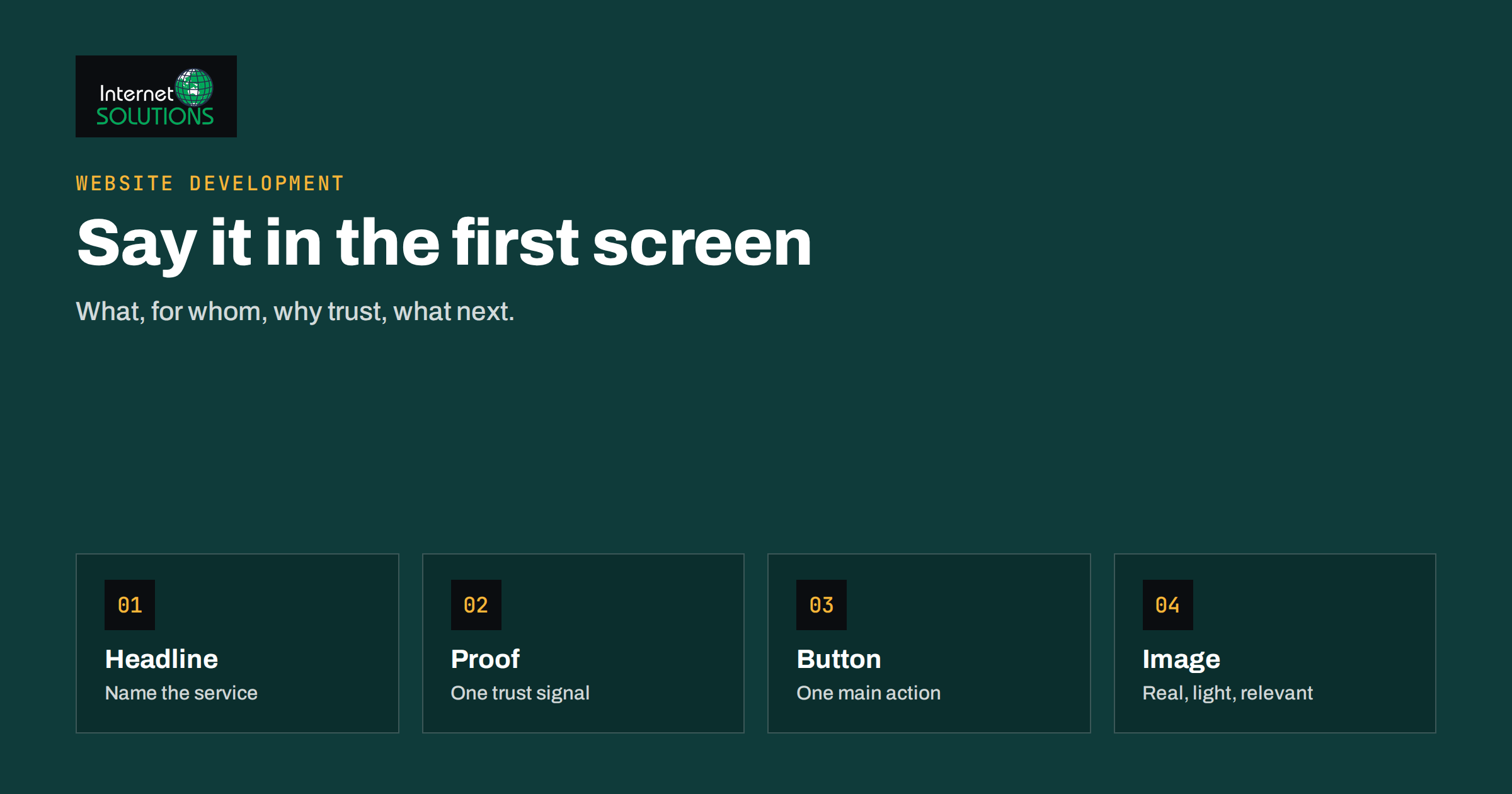
Homepage design for business websites comes down to one hard question: what must a visitor understand in the first few seconds, before they scroll, decide to leave or press a button? The part of the page that is visible without scrolling, often called above the fold, is not the whole homepage, and it does not need to hold everything. But it carries the first impression, and it decides whether the rest of your work is ever seen. This guide explains what belongs there, what should come after, how to adapt it for phones, and how to review your own homepage with a simple checklist rather than opinions.
The advice suits service companies, shops, agencies, clinics, manufacturers and local businesses alike. The details change by industry, but the logic is the same: tell people what you do, show that you can be trusted and make the next step obvious.
What Visitors Do in the First Seconds
People arrive at a homepage with a question, even if they could not phrase it: “Am I in the right place? Is this for me? Can I trust it? What do I do next?” They answer by scanning, not reading. Research on web reading has shown for many years that visitors scan headings, images and links, and leave quickly when the page does not match what they expected. The Nielsen Norman Group article on how users read on the web is a classic summary.
That has a direct consequence for design. The top of the homepage must answer the four questions immediately, using a few words and one strong visual, not paragraphs. Everything else on the page exists to support the visitor who decides to stay.
| Visitor’s question | Where it is answered | Typical element |
|---|---|---|
| Am I in the right place? | Headline and subheading | One clear sentence about what you do and for whom |
| Is this for me? | Subheading and imagery | The audience, location or industry named in plain words |
| Can I trust it? | Logo, proof, contact details | Years in business, client logos, rating, certifications |
| What should I do next? | Primary button and menu | One main action, such as request a quote or call |
The Essentials Above the Fold
A good first screen contains a small number of elements, each with a job.
1. A headline that says what you do
The most common mistake is a clever line that tells the visitor nothing: “Excellence in every detail” or “Your success is our mission”. A headline should name the service and the customer. “Web design and online shops for small businesses” is less poetic but far more useful. If your brand is well known, a slogan can work, but pair it with a subheading that makes the offer concrete.
2. A subheading with the main benefit
Use one or two sentences to say why a customer should choose you: speed, price clarity, specialisation, location, guarantee, experience. Say only what is true and provable. If you have been in business since 2011, say so; a date is more convincing than “years of experience”.
3. One primary call to action
Decide what you want most visitors to do first and make that button the most noticeable on the page. “Get a quote”, “Book a call”, “Shop the range” or “See pricing” are clear. A second, quieter action, such as “See our services”, can sit beside it. Many weak homepages offer five equal buttons, so the visitor chooses none.
4. Navigation that is short and honest
Six or seven top-level items are usually enough: services or products, about, pricing if you can show it, resources, contact. Use words customers use. Our guide to website navigation and menus goes deeper on structure.
5. One image that shows the real thing
A photograph of your team, your product, your premises or the result of your work is stronger than a stock image of handshakes. If you must use illustrations, make them specific to the subject. Avoid sliders that rotate through several messages: few visitors wait, and the first slide is usually the only one seen.
6. A trust signal within reach
Place one or two signals of credibility close to the top: a rating with the number of reviews, logos of well-known clients you may name, a certification, a line such as “Since 2011”, or a direct phone number and address. Proof placed far down the page does not help the visitor who is deciding in the first seconds.
What to Put Below the Fold
Once a visitor scrolls, they have shown interest. The sections below should answer the next layer of questions in a logical order. A reliable sequence for a service business looks like this.
- What we offer. Three to six services or categories, each with a short line and a link to its page.
- Why choose us. Three or four reasons that are specific and checkable, not generic claims.
- How it works. Three to five steps from first contact to result, to reduce the fear of the unknown.
- Proof. Testimonials, short case studies, numbers, awards. Our article on case studies and testimonials shows how to collect them.
- Answers. A short FAQ for the questions that block a decision, such as price, timing and what happens next.
- Final call to action. A repeated invitation with the contact options, because visitors who read to the bottom are ready.
For an online shop, replace the middle with featured categories, bestsellers, delivery and returns information and reviews. For a local business, add the address, map, opening hours and parking information early. The pattern remains the same: orient, reassure, offer, prove, invite.
Resist the temptation to include everything. A homepage is a signpost, not an archive. Each block should either move the visitor toward a service page, a product page or a contact point, or reduce a doubt that would otherwise stop them.
The Fold Is Different on Every Screen
There is no single fold. A large desktop monitor shows far more than a laptop, and a phone shows less than half of that. Rather than designing for a particular pixel line, design the order of importance so that the page works at every size: the most important content comes first and still makes sense when only the first block is visible.
On phones, the first screen is often taken up by the logo bar, the menu button and a large image. If the headline and the button are pushed below it, the visitor sees only a picture. Test your homepage on a real phone, with the browser toolbars visible, and check that the headline and the primary button appear without scrolling. Our article on mobile-first design lists the usual problems, such as small tap targets, covered content and overly large hero images.
Speed Is Part of the Design
A homepage that takes several seconds to show its main content fails before any design choice is noticed. The largest image or heading in the first view is usually the element that decides how fast the page feels, and it is also one of the measures search engines use. Compress the hero image, serve it in a modern format and with the right dimensions, avoid loading heavy videos on arrival, and keep third-party scripts, such as chat widgets and trackers, from blocking the first view. The guide to website speed and Core Web Vitals explains what your team can fix.
Accessibility Helps Everyone
An accessible homepage is easier for all visitors, not just those with disabilities. Use text with enough contrast against its background, particularly over photographs. Provide a visible focus state for keyboard users. Describe images that carry meaning with alternative text. Make buttons large enough to tap and do not rely on colour alone to convey information. The WCAG quick reference lists the success criteria, and a short test with the keyboard alone, using the Tab key to move through your homepage, will reveal problems quickly.
A Homepage Review Checklist
Rather than debate taste, run a structured review. Ask someone who does not know your business to look at the homepage for five seconds, then close it and answer three questions: what does this company do, who is it for and what would you do next? If they cannot answer, the top of the page needs work. Then go through this list yourself.
- The headline names the service and the customer in plain words.
- The subheading gives a concrete reason to choose you.
- There is one obvious primary button, with a label that says what happens.
- The menu has few items, using customer vocabulary.
- The main image is real, relevant and compressed.
- A trust signal and the contact details appear without scrolling far.
- Services or products are listed with links to their own pages.
- Proof is specific: names, numbers, dates.
- The page loads quickly on a phone with a mobile connection.
- Text is readable, links are distinguishable and buttons are easy to tap.
- Nothing blocks the first view, such as a banner or pop-up that cannot be closed.
Change one thing at a time and watch the numbers: the share of visitors who click the main button, the proportion who leave without any click, and the number of enquiries. A homepage is never finished, but small, measured changes accumulate.
Common Mistakes
| Mistake | Effect on visitors | Better approach |
|---|---|---|
| Vague slogan as the only headline | Visitors cannot tell what you sell | Name the service and customer, then add the slogan if you wish |
| Rotating banner with many messages | Most people see only the first slide | One strong message, one image |
| Five equal buttons | No clear next step | One primary action and one secondary |
| Stock photos of generic offices | Reduces trust | Real photographs of people, products or work |
| Autoplay video with sound | Annoys and slows the page | Short muted clip or a still image with a play button |
| Contact details hidden in the footer only | Visitors who want to call cannot find the number | Show phone or button in the header |
| Huge page with every service explained | Overwhelms; service pages are never reached | Summarise and link to detailed pages |
When to Redesign and When to Refine
Not every weak homepage needs a new site. If the structure is sound and the problems are the headline, the button, the images and the proof, a refresh is quicker and carries less risk, including for your search rankings. If the layout cannot be fixed on phones, the platform is outdated or the content is out of step with the business, a bigger rebuild may be justified. Our decision guide, redesign or refresh: how to decide and protect SEO, sets out the questions to ask.
If you would like a second opinion or a design that follows these principles, our website development team builds business websites and e-shops.
Frequently Asked Questions
Is “above the fold” still relevant?
Yes, as a priority rule rather than a fixed line. Visitors do scroll, but they decide whether to scroll based on what they see first. The first screen must show what you do and what to do next.
How much text should a homepage have?
Enough to explain the offer and support a search engine’s understanding of the page, but not an essay. Many good homepages have a few hundred words in short blocks, with links to detailed pages for the rest.
Should I use a video in the hero section?
Only if it shows something an image cannot and it does not slow the page. Use a short muted clip or a lightweight poster image, and never autoplay sound.
How many calls to action should the homepage have?
One primary action, repeated at sensible points, and a small number of secondary links. Too many equal choices reduce the number of people who choose any.
What is the best way to test a new homepage?
Run a five-second test with people outside your company, look at click and scroll data, and compare enquiries before and after. For larger sites with enough traffic, an A/B test of one change at a time gives the clearest answer.
Does the homepage matter for SEO?
It matters for brand searches and as the hub that links to your key pages. Clear text, fast loading, and links to service and product pages help both visitors and search engines.
The Bottom Line
A strong homepage design for a business website shows, in the first screen, what you do, who it is for, why you can be trusted and what to do next, and it supports those claims with a short, logical path of services, proof, answers and a final invitation. Keep the headline literal, the main action single, the images real, the page fast and the layout sound on phones, then review it with a simple checklist and measure the effect of each change.