

 English
 Lietuvių
 Latviešu
 Eesti
Eesti Русский
 Polski
 Українська
 Deutsch
 Italiano
 Español
 Français
 Português
 Čeština
 Magyar
 Română
 Ελληνικά
 Türkçe
 日本語
日本語 العربية
 हिन्दी
 Bahasa Indonesia
 Bahasa Melayu
 ไทย
ไทย Tiếng Việt
 বাংলা
বাংলাCross-Posting to Other Blogs: Canonicals, Excerpts and Duplicates
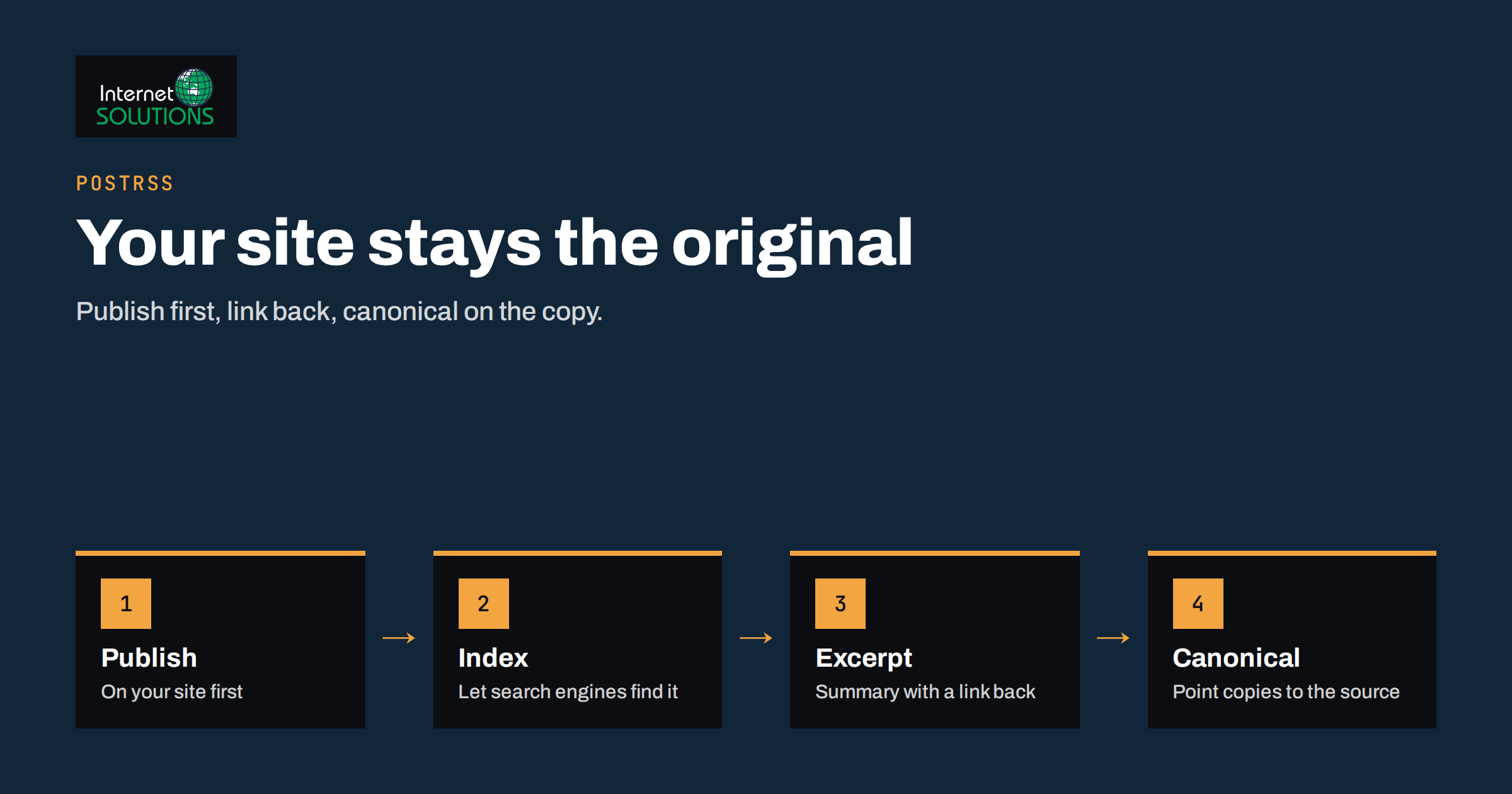
Cross-posting to other blogs sounds like free reach: you write an article once and it appears on several publishing platforms, each with its own audience. Done carelessly, it does the opposite. Search engines see the same text on several addresses, choose one to show, and it is not always yours. Readers who find the copy never visit your site, and the platform that hosts it collects the attention you paid to earn. This guide explains how to cross-post so that your own website stays the original, which parts of an article to copy and which to leave out, how canonical links help, and how a feed-based tool such as PostRSS fits into the routine.
The advice applies to any business blog. Whether you publish company news, product updates or how-to articles, the same four questions decide the outcome: where should the original live, how much of it should be repeated, how will search engines know which copy is the source, and how will readers get back to you?
What Cross-Posting Really Means
Cross-posting is publishing the same article, or a close version of it, on more than one site. The common cases are a company blog that is mirrored to a publishing network, an article syndicated to a partner website, and a short summary posted to a community blog or microblog with a link to the full piece. These are different activities with different risks, so it helps to name them.
- Full copy. The whole article, word for word, appears on another site. This carries the highest duplicate-content risk.
- Excerpt with a link. A title, an image, the first paragraph or a summary appears elsewhere with a clear link to the original. This is the safest approach and the one most automation tools use by default.
- Rewritten version. The idea is the same, but the text is new. Search engines treat it as a separate page, so it needs real added value to be worth publishing.
- Link post. Only a short comment and a link are posted. This is how most social networks work and it does not create a duplicate at all.
Only the first case is truly “duplicate content”, yet the second can look like it when an excerpt is long. Keep that in mind as you decide how much to publish elsewhere.
Why Duplicate Content Matters Less Than People Fear, and More Than They Hope
There is no penalty for having two copies of an article online. Search engines state that duplicates are normal, and they try to group them and show one version. The risk is not punishment; it is choice. When several addresses carry the same text, the engine picks the one it believes is the best representative, using signals such as which page was found first, which has stronger links and which is a canonical target. If a large platform with a strong reputation carries your article, it may be shown instead of your page, especially if your site is young or small.
That has practical consequences. Your page may drop out of results for the very article you wrote. The platform may collect the traffic and the readers’ data. Your internal analytics will show less demand than really exists. And if the other site later changes its layout or removes your article, your visibility changes with it, outside your control.
There is a more hopeful side. Properly marked cross-posts can bring readers who never would have found your site, and links from a reputable platform can support your authority. The aim is to take the reach without giving up the original. For the technical background on how search engines group duplicates, the Google Search Central guide to consolidating duplicate URLs explains canonicalisation in detail, and our article on canonical tags and duplicate content covers the same ground for your own site.
Decide Where the Original Lives
Before you copy anything, settle which address is the original. For a business, the answer is nearly always your own website. It carries your brand, your calls to action, your analytics and your internal links. Every other copy should point back to it.
Three habits protect that position.
- Publish on your site first. Let the article be indexed before it appears anywhere else. A short delay of a day or two is often enough for search engines to find the original, which helps them treat it as the source.
- Keep your page better than the copy. Include the full text, the original images, the table of contents, the related links and the call to action on your own page. A copy that is shorter and more generic loses nothing by being outranked.
- Use a stable address. Do not change the original URL after cross-posting, or the links that point to it break and the copies point to nothing.
If your article is part of a site that is still being built or migrated, do not cross-post until the final addresses exist. A rushed launch checklist, such as the one in our website launch checklist, should include confirming that each article has its permanent URL and canonical tag.
How Canonical Links Work Across Sites
A canonical link is a small hint placed in the head of a page that says “the preferred version of this content lives at this address”. When your article is republished elsewhere, the best arrangement is for the copy to carry a canonical link that points to your original. Search engines then understand that the copy is a courtesy, and they credit your page.
Whether this is possible depends on the platform that hosts the copy.
| Situation | What you can do | Risk level |
|---|---|---|
| The platform has a canonical or “original source” field | Enter the address of your original article | Low |
| The platform imports from a feed and adds the canonical itself | Check one published copy and confirm the link points to you | Low |
| The platform has no such field | Publish an excerpt only, with a visible link to the original | Medium |
| The platform republishes the full text and ignores canonicals | Avoid the platform, or request a noindex setting if offered | High |
| You publish the copy on a partner site you do not control | Agree in writing that the copy will link to and canonicalise to your page | Depends on the agreement |
Do not assume that a platform handles this for you. Publish one test article and look at the source of the published copy: view the page source and search for “canonical”. If it points to your own address or to the copy itself, you know which row of the table you are in. Also test whether the copy is indexable, because some platforms add a noindex instruction to imported items, which removes the duplicate problem entirely.
Full Text or Excerpt: Choose by Goal
The decision between a full copy and an excerpt should follow your goal, not habit.
When an excerpt is better
Choose an excerpt when the aim is to bring readers to your website, build your own audience and keep the original page as the only full version. An excerpt is typically the title, a lead image, the first paragraph or two and a “read the full article” link. It gives readers enough to judge the topic and creates a click that supports your analytics and conversions.
When a full copy can be acceptable
A full copy makes sense when the platform’s audience is the goal, for example a professional community that rarely leaves the site, and when you can set the canonical to your original. In that case treat the copy as advertising for your brand: end with a clear bio and a link back, and expect modest direct traffic.
A middle path
Many teams publish a shortened and adapted version. They keep the structure, but cut examples, tables and extras, and replace them with a link to the complete guide. The copy then reads as a preview rather than a duplicate, and the original remains the richer page.
Feeds make this choice for you in an indirect way. If your website’s feed carries only a summary, a tool that reads it can only pass on that summary. We discuss this setting in our guide to full-text and excerpt feeds.
Where PostRSS Fits In
PostRSS reads an RSS or Atom feed and turns each new item into a post on the networks you connect. Besides social networks and messengers, its list of targets includes blogging and publishing platforms such as WordPress, Blogger, Ghost, WriteFreely, Webflow CMS, Wix Blog, DEV and Telegraph, and the available networks depend on your plan. That makes it a convenient way to cross-post without copying and pasting, but it also means the output needs the same care as a manual copy.
Several settings help you stay in control.
- Message format. PostRSS can build each post from the item title, the item description, the page title or your own static text, in nine combinations. A format that uses the title and a short description gives a preview rather than the entire article. We describe the combinations in our message formats guide.
- Real images. The tool takes the picture from the feed item or from the page’s Open Graph tags, so every cross-post carries the image that belongs to the article.
- UTM parameters. You can add your own query parameters, such as a source name, to every link. That lets you see in analytics how many readers came back from each cross-posting target.
- Keyword filters. Include or exclude rules for the title and description let you send only the articles that suit a given audience, for instance developer guides to a developer community and news to a general one.
- Order and volume. You can choose which items go first and how many are published per update, so a back catalogue does not flood a blog in one burst.
Whatever the tool does, check the first published item on each target. Look at what text appeared, whether the link back is present and clickable, whether the image is the right one, and whether the canonical or source field is correct. One careful test saves a long clean-up later. Our article on UTM parameters for auto-posted traffic shows a simple naming scheme that keeps reports readable.
A Step-by-Step Cross-Posting Routine
A repeatable routine matters more than any single setting. This sequence works for most business blogs.
- Publish the original on your own site with a self-referencing canonical tag, a clean URL and full structured data.
- Confirm indexing. Use the URL Inspection tool in your search console to check that the page is indexed and to request indexing, or simply wait for it to appear in results, which usually takes a few days.
- Select targets. Pick the platforms where your readers actually are. Three well-chosen targets beat ten random ones.
- Prepare the copy. Decide excerpt or full text, write a short introduction for the platform’s audience if needed, and add the link back near the top as well as the end.
- Set the canonical or source field wherever the platform allows it.
- Publish and test. Open the copy as a visitor, click the link back and check the page source for the canonical.
- Measure. After a month, compare visits, sign-ups and enquiries from each target, and drop those that bring nothing.
Common Mistakes
| Mistake | What goes wrong | Fix |
|---|---|---|
| Posting the copy before the original is indexed | The platform may be seen as the source | Wait a day or two; publish on your own site first |
| Copying the full article with no link back | Readers and search engines never find your site | Put a visible link to the original near the top |
| Cross-posting everything everywhere | Low-quality copies dilute your brand | Choose targets and article types deliberately |
| Ignoring images and formatting | The copy looks broken or generic | Check the first item on each target |
| Editing the original and forgetting the copies | Corrections never reach the copies | Keep a list of where each article is republished |
| Changing the original URL | Canonicals and links point to a dead address | Keep addresses stable or add redirects |
Updates, Corrections and Removal
Cross-posted copies age. If you correct a fact, update a price or retire an article on your site, copies elsewhere can continue to show the old version for years. Keep a simple register with the title, the original address, each copy’s address and the date it was published. When you update the original, update the copies or replace them with an excerpt that links to the current version.
If you remove an article, remove the copies too, or ensure they redirect to something useful. Copies that remain after the original disappears can leave readers with outdated advice and your brand attached to it. Where a platform does not let you delete content that was imported from a feed, check its settings before you connect the feed rather than after.
It also pays to keep an eye on third parties. Scrapers copy articles without permission, and a canonical link on a good platform will not stop them. If a copy appears elsewhere without a link back, a polite request usually works, and a formal notice is the next step for stubborn cases.
Measuring Whether It Works
Judge cross-posting by outcomes, not by the number of copies. Four measures are enough:
- Referral visits from each target, tracked with your own link parameters.
- Engagement of those visits, such as time on page, pages per visit and whether they read a second article.
- Conversions, meaning sign-ups, enquiries or purchases that started with a cross-post.
- Search visibility of the original, checked in your search console to see that it still ranks for its topic.
If the original loses impressions after a cross-post appears, you have a signal that the copy is competing. Switch to excerpts or ask for a canonical. If a target sends visitors who convert, give it more attention and shape articles for its audience. Treat the findings as part of your wider content system; the ideas in our article on repurposing a blog post into many formats help you decide which pieces deserve extra formats and which do not.
Frequently Asked Questions
Will cross-posting hurt my search rankings?
Not by itself. Duplicates do not trigger a penalty, but a copy on a stronger site can be shown instead of your page. Publishing on your site first, linking back and using a canonical where possible keeps your page in front.
Should I post the full article or only an excerpt?
An excerpt with a clear link is the safest choice when you want visitors on your own site. A full copy is reasonable only on a platform that lets you set the canonical to your original, and where the audience is worth reaching there.
How long should I wait before cross-posting?
A day or two is a practical minimum, long enough for search engines to find and index the original. Longer is better for new sites with little authority.
Can I cross-post old articles?
Yes, but do it gradually. Old articles that are still accurate can be reintroduced as excerpts, at a modest pace, so no blog receives dozens of items at once. PostRSS lets you choose the date to start from and a limit on the number of posts per update.
Do cross-posts give me backlinks?
They can, but the value varies. Links from reputable platforms may help discovery, yet many links on user-publishing platforms are marked so that they pass little or no ranking value. Treat the visitors as the main benefit.
What if a platform copies my article without asking?
Ask the site owner to add a link to the original and a canonical, or to remove the copy. If that fails, most platforms and hosts have a form for reporting copied content.
The Bottom Line
Cross-posting to other blogs works when your site remains the original. Publish there first, let it be indexed, and send other platforms an excerpt with a visible link back, or a full copy only when the platform lets you set the canonical to your page. Test the first item on each target, measure the visits and conversions each one produces, and keep a register so corrections reach every copy. Automation such as PostRSS removes the copying work, but the decisions about text, canonical and targets are still yours, and a few careful tests are worth more than any number of unchecked posts. If you would like help with the technical side of your own articles, such as canonical tags and structured data, see our SEO services.