

 English
 Lietuvių
 Latviešu
 Eesti
Eesti Русский
 Polski
 Українська
 Deutsch
 Italiano
 Español
 Français
 Português
 Čeština
 Magyar
 Română
 Ελληνικά
 Türkçe
 日本語
日本語 العربية
 हिन्दी
 Bahasa Indonesia
 Bahasa Melayu
 ไทย
ไทย Tiếng Việt
 বাংলা
বাংলাAI Document Analysis: Summarizing PDFs and Contracts With Ask Mio AI
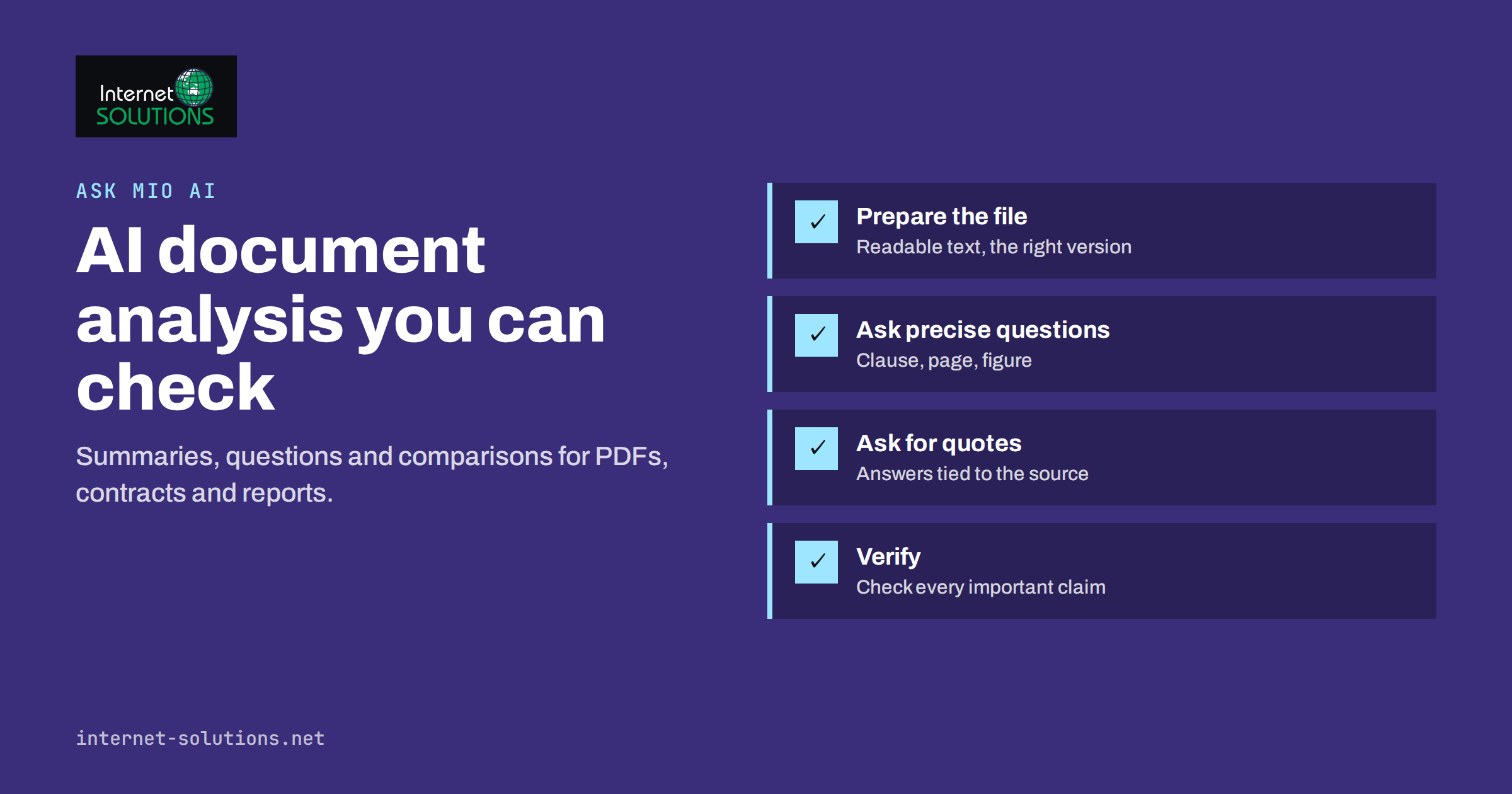
AI document analysis can save hours every week. Contracts, tender documents, technical specifications, annual reports, policies and long email threads all contain information people need, buried in pages they do not have time to read closely. An AI assistant can summarise a fifty-page PDF in seconds, find the clause that matters and compare two versions of a document. It can also, if used carelessly, produce a confident summary that misses the one sentence that changes everything. The difference lies in how you prepare the document, how you ask and how you check the answer.
This guide explains a practical workflow for analysing PDFs, contracts and reports with Ask Mio AI, the AI assistant built by our team, and with AI assistants generally: preparing files, asking precise questions, getting answers tied to the source, and verifying what matters before you act on it.
What AI Document Analysis Is Good At
Language models are strong at reading and restructuring text. In document work, that translates into several reliable uses:
- Summaries of long documents at the level of detail you choose: one paragraph for a manager, a page of notes for a specialist.
- Finding information such as deadlines, obligations, payment terms, contact details or technical requirements.
- Extracting structured data into tables, for example all deliverables with their due dates, or all prices in a supplier offer.
- Comparing documents, such as two contract versions or offers from three suppliers.
- Explaining technical or legal language in plain words, so non-specialists understand what they are reading.
- Drafting follow-up work such as questions for the other party, a checklist from a specification or a reply to a tender.
In Ask Mio, the Research mode is designed for this kind of work: it handles PDF and document analysis and summaries and separates facts from opinions. Files you upload stay searchable in later chats, and Mio finds the relevant paragraph by meaning and quotes it, which makes checking much easier.
Where It Needs Care
AI analysis has known weaknesses. Knowing them is what makes the workflow safe:
- Omissions. A summary is a selection. An exception in a footnote or an annex may be left out, even though it matters for your decision.
- Misreadings. Tables, scanned pages, unusual layouts and documents with several columns can be parsed incorrectly.
- Confident errors. Models can state something that is not in the document, especially when asked about details the document does not cover.
- Missing context. A contract clause may depend on applicable law, previous agreements or industry practice that is not in the file.
Frameworks such as the NIST AI Risk Management Framework emphasise human oversight proportional to the impact of a decision. For document work, that means the more a conclusion matters, the more carefully you verify it against the original.
Step One: Prepare the Document
Good answers start with a good input:
- Use the right version. Confirm you have the latest draft or the signed version, not an older copy from an email thread.
- Prefer text-based files. PDFs exported from a word processor are easier to analyse than scans. If you only have a scan, check that the text is readable and pay extra attention to numbers.
- Include annexes and referenced documents that the main document depends on, such as general terms, price schedules or technical appendices.
- Remove what is not needed. If you only need to analyse one section, a shorter file reduces noise.
- Consider confidentiality. Check your company’s policy before uploading sensitive documents. Ask Mio runs on EU servers, and according to its own documentation chats are never used to train AI models, but your own rules on client data and confidentiality still apply.
Step Two: Ask Precise Questions
“Summarise this contract” produces a generic summary. Specific questions produce answers you can use. Compare:
| Vague request | Precise request |
|---|---|
| Summarise this contract | List our obligations, the other party’s obligations, payment terms, termination conditions and liability limits, each with the clause number |
| Is this offer good? | Extract all prices, included services, exclusions and validity dates into a table |
| What does this report say? | Summarise the main findings in five bullet points and list every figure mentioned with its page number |
| Compare these two versions | List every change between version 1 and version 2 that affects price, deadlines or responsibilities |
| Explain this specification | Turn the technical requirements into a checklist with one requirement per line and its section reference |
Three habits make requests more reliable:
- Ask for references. Request clause numbers, page numbers or direct quotes for every important point.
- Ask what is missing. “Which of these topics does the document not address?” reveals gaps that a summary would hide.
- Define the reader. “Explain for a project manager without legal training” or “for our finance team” changes the level of detail and vocabulary.
Our guide to writing better AI prompts at work covers these techniques in more depth.
Step Three: Use the Right Mode and Context
Ask Mio offers several ways to give the analysis the right context:
- Experts. You can turn Mio into a specialist such as a lawyer or accountant for the whole chat, which shapes how it reads and explains the document. This improves the framing of answers; it does not replace professional advice.
- Projects. Group related chats into a project with its own instructions and files, for example one project per tender or client, so every new question uses the same documents and rules.
- Connectors. When you ask it to, Mio can read files from connected sources such as Google Drive or OneDrive, so you do not need to download and re-upload documents.
- Calculations. For tables and figures, Mio can run code in a sandbox to compute totals or analyse a spreadsheet exactly, rather than estimating from text.
Step Four: Verify What Matters
Verification does not mean rereading the whole document. It means checking the points your decision depends on. A practical routine:
- Open the quoted passages for every key claim and confirm they say what the summary says.
- Check all numbers: amounts, dates, percentages and quantities. These are the details most likely to be misread and the most costly when wrong.
- Read the sections the AI says are missing or that it did not mention, especially exceptions, annexes and definitions.
- Ask a second question from a different angle, for example “What clauses could be risky for the buyer?” after a neutral summary. Inconsistencies between answers point to areas to read yourself.
- Escalate to a qualified professional for legal, financial or safety-critical decisions.
Our article on fact-checking AI answers at work describes a broader verification routine you can apply to any AI output.
Practical Use Cases
Contracts and Terms
Ask for a structured overview of obligations, payment terms, renewal and termination, liability, confidentiality and governing law, with clause references. Then ask which clauses are unusual compared with typical terms in that type of agreement. Use the result to prepare questions for your lawyer or the other party, not as the final review of a significant contract.
Tenders and Requests for Proposals
Extract every requirement, deadline, evaluation criterion and mandatory document into a checklist. This turns a long tender into a working plan and reduces the risk of missing a formal requirement that disqualifies a bid.
Reports and Research
Summarise key findings, extract figures with their sources and ask which conclusions are supported by data and which are opinions. Research mode is designed to separate facts from opinions and to provide links you can check.
Policies and Internal Documents
Turn long policies into short notes for staff, or ask questions such as “What does our travel policy say about booking flights?” Keeping policies in a project makes them searchable for everyone working in it.
Supplier Offers
Upload several offers and ask for a comparison table of prices, included services, exclusions, delivery times and validity. Then verify each figure in the original offers before deciding.
Prompt Templates You Can Reuse
Recurring document tasks benefit from saved prompts. A few templates that work well:
- Contract overview: “Create a table with these rows: parties, term, renewal, our obligations, their obligations, payment terms, liability limits, termination, confidentiality, governing law. For each row, give the clause number and a short quote. Then list anything unusual or missing.”
- Tender checklist: “List every mandatory requirement, required document, deadline and evaluation criterion as a checklist, one item per line, with the section reference. Mark items that could disqualify a bid if missed.”
- Report digest: “Summarise the five most important findings for a management audience. Then list every figure mentioned with its page number and say whether each conclusion is supported by data in the report.”
- Version comparison: “Compare version A and version B. List every change that affects price, scope, deadlines, responsibilities or liability, with the old and new wording.”
- Plain-language explanation: “Explain section 7 for a colleague without legal or technical training, in under 200 words, and list the questions they should ask before agreeing.”
Keep templates in a shared place, or as instructions in a project, so everyone in the team gets consistent, comparable results.
When Not to Rely on AI Analysis
Some situations call for reading the document yourself or involving a professional from the start: final review of high-value contracts, regulatory filings, documents where a single number decides a large payment, and anything involving personal safety. AI can still help prepare, for example by drafting questions or a first overview, but the decision should rest on a careful human reading.
Building a Team Workflow
Individual use becomes much more valuable with a few shared rules:
- Agree which documents may be uploaded and which require approval or anonymisation first.
- Save good prompts as templates for recurring tasks such as contract overviews or tender checklists.
- Use projects for ongoing work so context is not lost between chats.
- Record verification: when a summary is used for a decision, note who checked the key points against the original.
- Keep the original as the source of truth. AI summaries are working notes, not replacements for the document.
If your team is starting with AI assistants, the European Commission’s overview of the EU regulatory framework for AI is useful background on transparency and responsible use.
Measuring the Time Saved
To decide whether AI document analysis is worth building into your processes, measure it on a few real tasks. Note how long a contract overview, tender checklist or report digest took before, then how long it takes with AI including verification. Also record the issues found during verification. If the time saving is large and verification rarely finds serious errors, extend the workflow to similar documents. If verification keeps catching problems, improve the prompts, the file quality or the scope before relying on it more widely.
Frequently Asked Questions
Can AI document analysis replace a lawyer’s contract review?
No. It is excellent for orientation, finding clauses and preparing questions, but significant contracts still need review by a qualified professional.
Which file types work best?
Text-based PDFs and word processor documents work best. Scanned documents can be analysed, but check numbers and tables carefully.
How do I know a summary is accurate?
Ask for clause or page references and quotes, then check the key points and every important number against the original document.
Does Ask Mio use my documents to train AI models?
According to Ask Mio, it runs on EU servers and chats are never used to train AI models. Your own confidentiality rules still decide what you upload.
Can I ask questions about a document in a later chat?
Yes. Files you upload stay searchable in later chats, and Mio finds the relevant paragraph by meaning and quotes it. Projects keep documents together for ongoing work.
Can it compare two versions of a document?
Yes. Upload both and ask for changes that affect specific topics such as price, deadlines or responsibilities, then verify the listed changes.
The Bottom Line
AI document analysis turns long, dense documents into answers you can work with, provided you treat it as a skilled assistant rather than an oracle. Prepare the right version of the file, ask precise questions, request references and quotes, and verify the numbers and clauses your decision depends on. Use projects for ongoing work, experts for framing and calculations for figures, and keep the original document as the source of truth. Done this way, Ask Mio AI saves hours without adding risk. You can try it on the free plan; if you have questions, contact our team.