

 English
 Lietuvių
 Latviešu
 Eesti
Eesti Русский
 Polski
 Українська
 Deutsch
 Italiano
 Español
 Français
 Português
 Čeština
 Magyar
 Română
 Ελληνικά
 Türkçe
 日本語
日本語 العربية
 हिन्दी
 Bahasa Indonesia
 Bahasa Melayu
 ไทย
ไทย Tiếng Việt
 বাংলা
বাংলাFaceted Navigation and Pagination SEO for Online Stores
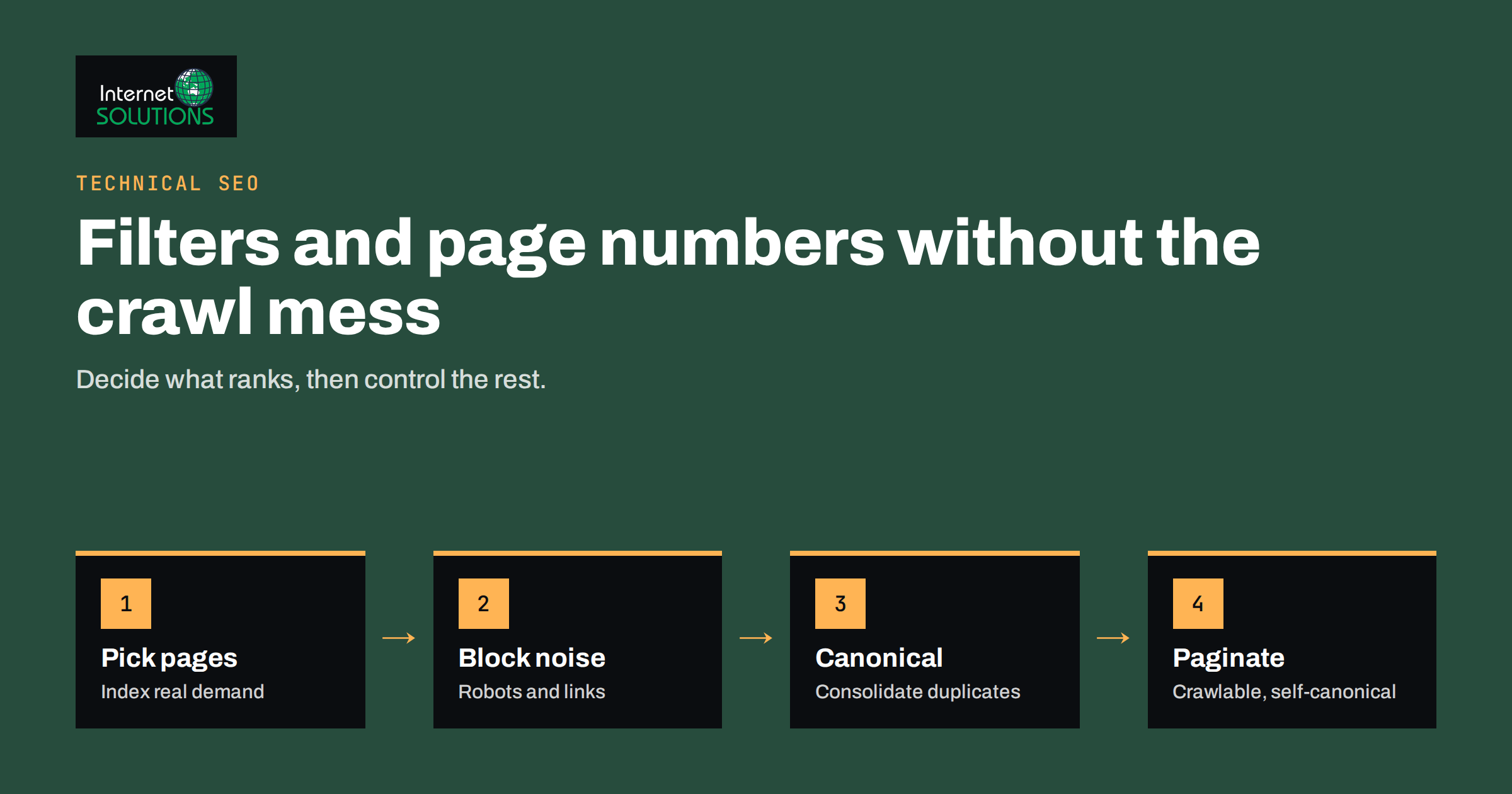
Faceted navigation and pagination are two features that make online stores easier to use and, if they are set up carelessly, much harder for search engines to crawl. Filters for size, colour, brand and price let shoppers narrow thousands of products to a handful. Page numbers let them browse long categories. The same features can also produce millions of near-duplicate URLs, waste crawl budget, split ranking signals and bury the pages you actually want to rank. Faceted navigation and pagination SEO is the work of keeping the usability and removing the damage.
This guide explains how filters and page numbers create URL problems, which pages deserve to be indexed, which tools to use for each case and how to test the result. It is written for store owners, marketers and developers, and it builds on our guidance for SEO for online stores and our SEO service.
Why Filters and Page Numbers Cause Trouble
Imagine a category of 400 shoes with filters for size (12 options), colour (10), brand (25) and price band (6). Every combination can produce its own URL, and the order in which filters are applied can create further versions of the same page. A shopper might see a few hundred useful combinations; a crawler can discover millions. Add sorting options, items-per-page controls and session or tracking parameters, and the number grows again.
That causes four practical problems.
- Wasted crawling. Search engines spend their visits on endless variations instead of new products and important categories.
- Duplicate and thin content. Many filtered pages show nearly the same products with the same text, which dilutes relevance.
- Split signals. Links and engagement spread across several URLs that show almost identical content.
- Index bloat. Low-value pages in the index can lower the overall quality picture of the site and make real problems harder to spot in reports.
Pagination has a different issue. Products on page 7 of a category may only be reachable through a chain of links, so if the chain is broken, those products can be hard to discover at all.
Decide Which Filtered Pages Deserve to Rank
Before touching any technical setting, decide on the pages that should be found in search. The question is not “how do we block filters” but “which filter combinations match what people search for”.
People do search for “black leather ankle boots” or “Nike running shoes”, and a page for that combination can be valuable if it has real products, a clear heading, a short helpful introduction and a clean URL. They rarely search for “size 42, price 50 to 70, sorted by newest”. The first kind of page is a landing page worth indexing. The second is a utility view that should not appear in search at all.
- Use keyword research. Look at search demand for category plus attribute combinations, such as colour, material, brand or use case. The process is the same as in our guide to keyword research fundamentals.
- Check your own data. Internal site search queries and Search Console queries show which combinations shoppers already want.
- Keep a short list. Make a controlled set of indexable facet pages. Everything else is a utility view.
The Main Tools and What Each One Does
No single directive solves every case. The right tool depends on whether you want a page crawled, indexed or neither. The table compares the most common options.
| Tool | What it controls | Good for | Watch out for |
|---|---|---|---|
| Robots.txt disallow | Crawling | Stopping crawlers from wasting time on endless parameter combinations | Blocked pages cannot pass on canonical or noindex signals; already indexed URLs may linger |
| Canonical tag | Which URL is treated as the main version | Consolidating near-duplicates onto the unfiltered or preferred page | It is a hint, not a command, and the page still gets crawled |
| Noindex meta tag | Indexing | Keeping thin or utility views out of search results | The page must be crawlable to be seen; many noindex pages still consume crawling |
| Clean links and URL design | Discovery | Helping crawlers find only the combinations you want | Requires development work and discipline |
| Fragments (#) or scripts for filters | Whether a filter creates a new crawlable URL | Pure usability filters that should never be pages | Not a fit for combinations you want to rank |
Google’s documentation on managing crawling of faceted navigation URLs describes the same trade-offs, including the preference for preventing crawling of filter URLs you do not need rather than relying only on signals that require the page to be fetched first.
A Practical Faceted Navigation Setup
A workable setup for most stores combines several tools, each with a clear job.
1. Give valuable combinations clean, stable URLs
For the short list of facet pages you want to rank, use readable paths such as /boots/black/ instead of long parameter strings. Keep the order of attributes consistent so the same combination always produces the same URL. Give each page a unique title, heading and a short introduction written for people, and make sure it is linked from the main category and from sitemap files.
2. Make the rest of the filters non-crawlable
For combinations you do not want in search, prevent crawlers from following them. This can be done by loading the filter results with scripts without generating new links, using URL fragments, or disallowing the filter parameters in the robots.txt file. Our robots.txt and sitemap guide explains how to write and test such rules safely. Be careful: an overly broad rule can block pages you want crawled, so test with real URLs before deploying.
3. Use canonical tags for near-duplicates
Where several URLs show the same product set, such as sorted or tracked versions, point them to a single preferred URL with a canonical tag. Read the principles in our guide to canonical tags and duplicate content. Remember that a canonical tag is a strong hint, not a guarantee, and that the canonical target must be indexable and relevant.
4. Handle empty and near-empty results
A filter combination with zero products should return a proper “not found” response or not be linkable at all, rather than a normal page that says “no results”. Thousands of empty pages returning a success status are a common source of low-quality indexing.
5. Remove internal links to unwanted variants
Every internal link is an invitation to crawl. If your template links to sorted, tracked or deeply filtered views, crawlers will follow them. Audit your category pages and mark or remove links that lead to variants you do not want discovered.
Pagination: Keep Every Product Reachable
Pagination is simpler than faceted navigation, but there are still rules worth following. Google has said it no longer uses the old “previous” and “next” link hints, so you should not rely on them for indexing. Its pagination best practices recommend giving each page its own URL, linking pages with ordinary anchor links, and not canonicalizing every page to the first one.
- Use real links. Pages must be reachable through standard HTML links, not only through buttons that run scripts on click.
- Give each page a unique URL. Avoid fragment identifiers for page numbers, because crawlers generally ignore them.
- Self-canonical pages. Page 2 should usually point to page 2, not to page 1, because it shows different products.
- Do not noindex deep pages by default. Doing so can cut the path to products that are only linked from those pages. Provide other routes, such as links from related products, brand pages and sitemaps.
- Distinguish page titles. Adding “Page 2” to the title or heading avoids confusion between pages, though the exact approach is a judgement call.
- Be careful with infinite scroll. If you load more products on scroll, make sure each batch also exists at a crawlable paginated URL.
- Consider “view all” carefully. A single page with every product can be convenient, but it is a problem if it becomes huge and slow. Check page speed first.
Parameters You Can Usually Neutralize
Some parameters never change the main content and are safe candidates for blocking, canonicalizing or removal from internal links.
- Session identifiers and tracking tags (for example campaign parameters).
- Sorting options such as price ascending or newest first.
- Items-per-page selectors.
- View toggles, such as grid or list.
Parameters that change the product set, such as colour or brand, need more care because they may represent valuable landing pages. Make an explicit list and document which parameters are indexable, which are canonicalized and which are blocked, so that future developers do not undo the setup by accident.
Internal Linking and Sitemaps
Search engines learn what matters from your links. Link prominently to the category and facet pages you want to rank, from navigation, breadcrumbs, related categories and relevant articles. Keep the XML sitemap clean: it should list only canonical, indexable URLs that return a success status. If your sitemap includes thousands of filtered or redirected URLs, it sends mixed signals. For more on architecture, see our article on internal linking for SEO.
How to Audit What You Have Today
- Crawl the store. Use a crawler configured to follow links like a search engine would, and count URLs with parameters.
- Compare with the index. In Search Console, look at indexed pages and the “crawled, currently not indexed” and “duplicate” statuses to see which variants Google has found.
- Read the server logs. Log files show which URLs search bots really request. If most requests go to filter combinations, you have a crawl budget problem. Our guide to server log analysis explains how.
- Sample page types. Check a category, a filtered page, a deep paginated page and an empty result page for status code, canonical tag, robots directives and internal links.
- Prioritize. Fix the issue that affects the largest number of URLs first, usually unconstrained filter parameters.
Common Mistakes
- Blocking in robots.txt and expecting noindex to work. A blocked page cannot be crawled, so its noindex tag is never seen.
- Canonicalizing page 2 and beyond to page 1. This tells search engines the later pages are duplicates and may hide the products listed there.
- Letting every filter create an indexable page. It creates volume without value.
- Changing everything at once. Roll out changes in stages and watch crawling and indexing reports after each step.
- Ignoring mobile and speed. A filter that is slow on a phone also hurts conversions.
If your store has crawling or indexing problems and you would like an experienced review, you can contact us.
Frequently Asked Questions
Should I index faceted navigation pages?
Index only the combinations that match real search demand and have enough products and unique copy to be useful, such as category plus colour or brand. Keep utility combinations, such as sorted or multi-filter views, out of the index and out of crawling where possible.
Is noindex or robots.txt better for filter pages?
They do different jobs. Robots.txt prevents crawling and saves crawl resources, while noindex keeps a crawled page out of results. Use robots.txt for endless parameter combinations and noindex for pages that must stay crawlable but should not appear in search.
Should paginated pages have canonical tags to page one?
Usually not. Each paginated page shows different products, so it should normally have a self-referencing canonical tag. Pointing every page to the first one can make later products harder to discover.
Does Google still use rel prev and next?
No. Google has stated it no longer uses these link relations for indexing. They are harmless and some other tools may read them, but you should rely on crawlable links and unique URLs instead.
How do I know if faceted navigation is wasting crawl budget?
Check your server logs and crawl statistics. If a large share of bot requests goes to URLs with filter or sort parameters, or Search Console shows many discovered but unindexed variants, crawl resources are being wasted.
Can infinite scroll hurt SEO?
It can, if products appear only after scripts run and no paginated URLs exist. Provide crawlable paginated URLs behind the scroll so that every product can be found through ordinary links.
The Bottom Line
Faceted navigation and pagination SEO is about control. Decide which filter combinations are genuine landing pages and give them clean URLs, unique copy and prominent internal links. Stop crawlers from exploring the endless remainder with a mix of non-crawlable filters, robots.txt rules and canonical tags, and make sure empty results do not masquerade as pages. Keep paginated pages crawlable, self-canonical and reachable through real links. Then audit with crawls, Search Console and logs, and change one layer at a time. A store that gets this right ranks its best category pages more reliably and wastes far less of every search engine visit.