

 English
 Lietuvių
 Latviešu
 Eesti
Eesti Русский
 Polski
 Українська
 Deutsch
 Italiano
 Español
 Français
 Português
 Čeština
 Magyar
 Română
 Ελληνικά
 Türkçe
 日本語
日本語 العربية
 हिन्दी
 Bahasa Indonesia
 Bahasa Melayu
 ไทย
ไทย Tiếng Việt
 বাংলা
বাংলাPhishing Awareness for Small Teams: Spotting and Reporting Attacks
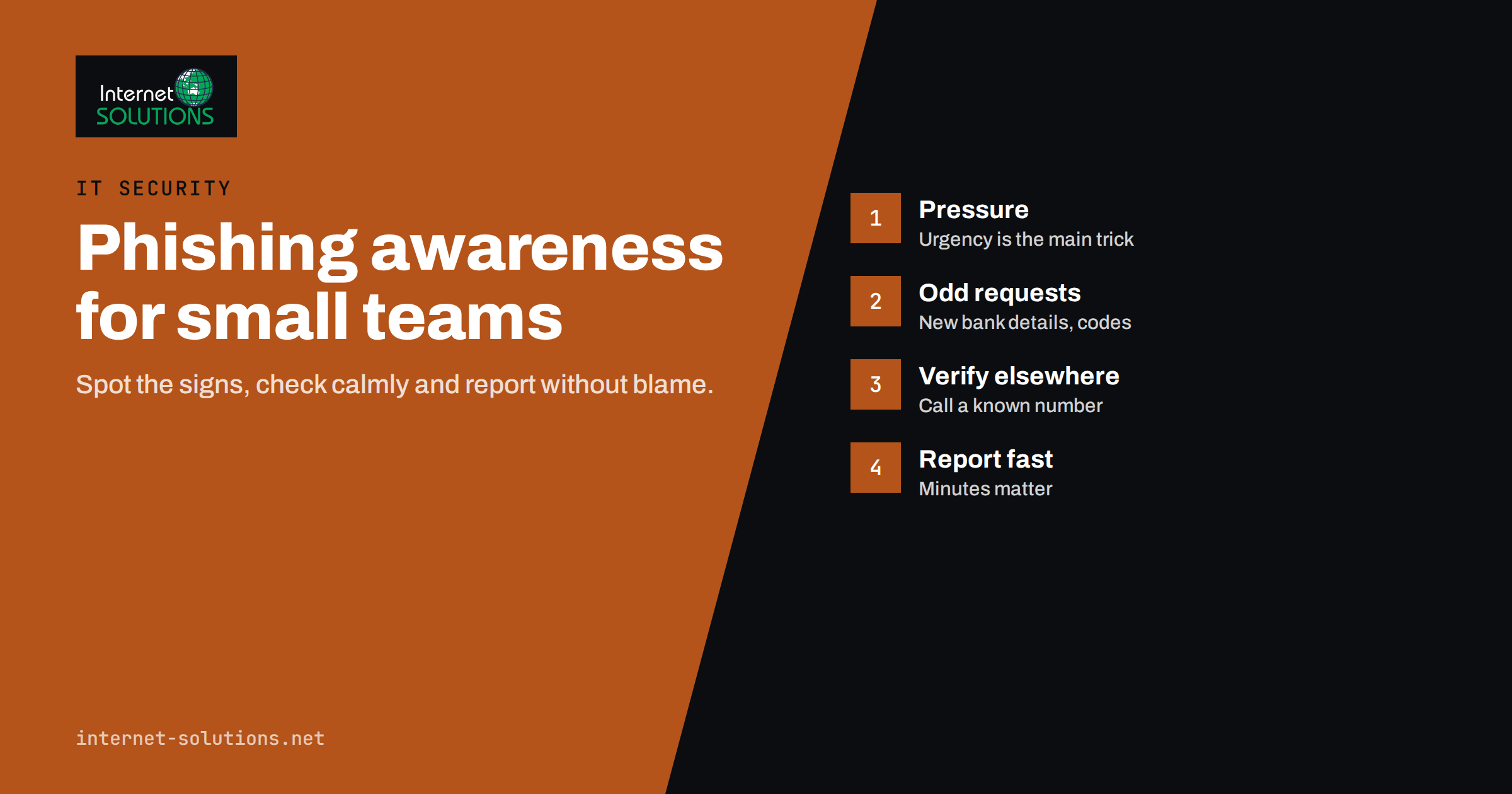
Phishing awareness is one of the most cost-effective security measures a small business can invest in. Most successful attacks on small companies do not start with sophisticated hacking. They start with an email, a text message or a phone call that persuades someone to click a link, open an attachment, enter a password or approve a payment. Firewalls and antivirus software help, but they cannot stop a person from willingly handing over access when the request looks convincing enough.
The aim of phishing awareness is not to turn every employee into a security expert. It is to make suspicious messages easier to recognise, make reporting quick and blame-free, and make sure that a single mistake does not turn into a disaster. This guide explains how modern phishing works, the warning signs worth teaching, how to build a simple reporting routine and which technical safeguards back people up. It reflects the practical approach our IT maintenance team uses with small and medium-sized clients.
What Phishing Looks Like Today
Phishing has moved far beyond badly written emails from distant princes. Attackers now copy real brands carefully, use correct language and target specific people. The UK National Cyber Security Centre’s guidance on defending against phishing describes how varied these attacks have become. The most common forms small teams encounter are:
- Credential phishing. A message imitating Microsoft 365, Google Workspace, a bank, a courier or a shared document service asks the recipient to sign in. The login page is fake and captures the password.
- Invoice and payment fraud. An email that appears to come from a supplier, or from someone inside the company, asks for an urgent payment or announces new bank details.
- Executive impersonation. A message that seems to come from the owner or a manager asks for a quick favour: buying gift cards, sending a document, approving a transfer.
- Malicious attachments. Files disguised as invoices, CVs, delivery notes or contracts contain code or links that install malware.
- Smishing and vishing. The same tricks by text message and phone call, sometimes combined with an email to make the story more believable.
- Multi-factor fatigue and code theft. Attackers who already have a password send repeated sign-in approvals or call pretending to be IT support and ask for the verification code.
- QR code phishing. A QR code in an email or on a printed notice leads to a fake login or payment page, bypassing some email link checks.
Some of these messages are generated at scale, while others are carefully written for one target using information from the company website, LinkedIn or earlier leaks. Well-written, personalised messages are now common, which is why spelling mistakes are no longer a reliable warning sign.
Why Small Teams Are Attractive Targets
Small businesses often assume they are too small to be interesting. In practice, they are attractive for several reasons:
- They handle real money and customer data, but rarely have a dedicated security person.
- Employees often wear several hats, so the person approving payments may also answer customer emails and manage the website.
- Processes are informal: a quick message from the owner is enough to get something done.
- They are suppliers to larger organisations, which makes them a convenient stepping stone.
A single compromised mailbox can be used to send convincing fraudulent invoices to every customer in the address book. That is why phishing awareness protects not only your company but also the people who trust it. The NCSC’s small business guide lists phishing defence among a handful of basic measures every small organisation should have in place.
The Warning Signs Worth Teaching
Effective training focuses on a short list of signals that apply across many types of attack, rather than a long catalogue of examples that people will forget.
1. Urgency and Pressure
“Your account will be closed today.” “Payment must be made before 3 pm.” “I’m in a meeting, just do this quickly.” Pressure is the attacker’s main tool, because it discourages people from stopping to check. Any message that pushes for speed and secrecy deserves a pause.
2. Unusual Requests
Requests that break normal routines are a strong signal: a supplier changing bank details by email, a manager asking for gift cards, a colleague sharing a document through an unfamiliar service, or IT support asking for a verification code. Legitimate IT staff never need your multi-factor code.
3. Mismatched Senders and Links
The display name may say a familiar name while the actual address is different. Links may show one text but point somewhere else. Teach people to hover over links on a computer, or long-press on a phone, and to check the real domain carefully, including subtle misspellings and extra words.
4. Unexpected Attachments and Sign-In Prompts
Be cautious with attachments you did not expect, especially archives, macros in office documents and files that ask you to “enable content”. Be equally cautious when a link leads to a sign-in page. If in doubt, close the message and open the service directly from a bookmark or by typing the address yourself.
5. Something Simply Feels Off
Tone that does not match the sender, a request at an odd time, a greeting that is too generic or too familiar. People often sense that something is wrong before they can explain why. Training should encourage them to trust that feeling and check.
How to Check a Suspicious Message
Give everyone the same simple routine to follow when a message seems doubtful:
- Do not click, reply or open attachments until you have checked.
- Verify through another channel. Call the person or supplier using a number you already have, not one from the message. Ask the colleague in person or through your usual chat.
- Go directly to the service. If the message says there is a problem with your account, log in through your usual bookmark and check there.
- Report the message using the agreed method, even if you are not sure.
- Delete it only after reporting, so the person handling security can see it and warn others if needed.
Building a Reporting Culture
The most important outcome of phishing awareness is fast reporting. A suspicious email reported within minutes can be removed from other mailboxes, a leaked password can be changed and a fraudulent payment can sometimes be stopped. A mistake hidden for days out of embarrassment is far more damaging.
Make Reporting Easy
Use a single, obvious method: a “report phishing” button in the mail client, a dedicated email address or a channel in your team chat. Explain it during onboarding and repeat it regularly.
Make It Blame-Free
Thank people for every report, including false alarms. If someone clicked a link or entered a password, the right response is “thank you for telling us quickly”, followed by immediate action. Punishing mistakes teaches people to hide them.
Close the Loop
Let reporters know what happened: whether the message was dangerous and what was done. Short feedback reinforces the habit and helps everyone recognise similar messages in future.
Extra Guidance for High-Risk Roles
Some people in a small company are targeted more often, or can cause more damage if deceived. They deserve a few additional rules.
Finance and Administration
People who pay invoices are the main targets of payment fraud. Give them written permission to delay any payment until it is verified, even if the request appears to come from the owner. A short checklist next to the banking login, covering new bank details, unusual amounts and unusual urgency, turns that permission into a habit.
Owners and Managers
Leaders are impersonated most often, and they also receive targeted attacks themselves. They can help by telling staff clearly that they will never ask for payments, gift cards or codes by email or text, and by following the same verification rules they expect from everyone else.
Administrators
Anyone with administrator access to email, websites, hosting or cloud services should use separate administrator accounts, phishing-resistant multi-factor authentication and extra caution with sign-in prompts.
Training Approaches Compared
| Approach | What it involves | Strengths | Limitations |
|---|---|---|---|
| Annual presentation | One session per year for all staff | Easy to organise | Quickly forgotten; little practice |
| Short regular briefings | Five to ten minutes monthly, using real examples | Keeps awareness fresh; low effort | Needs someone to prepare examples |
| Simulated phishing | Safe test emails sent to staff, followed by guidance | Realistic practice; shows trends | Can damage trust if used to shame people |
| Onboarding module | Phishing basics included in every new starter’s first week | Covers people at their most vulnerable moment | Needs follow-up later |
| Role-specific guidance | Extra training for finance, management and administrators | Targets the highest-risk roles | Requires knowing who handles what |
For most small teams, the best combination is a short onboarding module, brief monthly reminders built around real messages your company received, occasional simulations used for learning rather than punishment, and extra guidance for people who handle payments or administrator accounts.
Technical Safeguards That Back People Up
Awareness reduces risk, but people will occasionally make mistakes, especially when tired or busy. Technical controls make sure a single click does not lead to a serious incident.
- Multi-factor authentication on email, cloud services, banking and administrator accounts. Phishing-resistant methods, such as security keys or passkeys, offer the strongest protection. Our guide to multi-factor authentication and password managers explains how to roll them out.
- Password managers, which fill passwords only on the real website and therefore refuse to fill them on a look-alike domain.
- Email authentication and filtering: SPF, DKIM and DMARC for your own domain, and filtering that flags external senders and known malicious links.
- Updated devices and software, so malicious attachments have fewer vulnerabilities to exploit.
- Least privilege: everyday accounts without administrator rights, so malware has less power if it runs.
- Payment controls: a rule that any change of bank details or unusual payment is confirmed by phone using a known number, and that larger payments need a second approval.
- Backups that are separate from everyday systems, so data can be restored if an attack leads to ransomware. Our article on ransomware protection for small businesses covers this in more detail.
What to Do After Someone Clicks
Have a short, written plan so that nobody needs to improvise under stress:
- Disconnect if malware is suspected. Take the device off the network, but do not wipe it before it has been looked at.
- Change the affected password immediately from a different, trusted device, and sign out all sessions.
- Check multi-factor settings and mailbox rules. Attackers often add forwarding rules or their own authentication methods.
- Contact the bank at once if a payment was made; speed matters for any chance of recovery.
- Warn colleagues and, if needed, customers or suppliers who may receive messages from the compromised account.
- Record what happened and review it afterwards to improve training and controls.
Depending on the data involved, you may also have legal obligations, for example to notify the data protection authority under GDPR within the required time.
Frequently Asked Questions
How often should a small team have phishing awareness training?
Short, regular reminders work better than one long annual session. A brief onboarding module plus five to ten minutes a month using real examples keeps awareness fresh without taking much time.
Are simulated phishing emails a good idea?
They can be, if used for learning. Follow each simulation with friendly guidance, never public shaming, and use the results to see which types of message need more attention.
Can multi-factor authentication stop phishing completely?
It stops many attacks that rely on stolen passwords, but some techniques capture codes or trick people into approving sign-ins. Phishing-resistant methods such as security keys and passkeys offer the strongest protection.
What should I do if I entered my password on a fake page?
Change the password immediately from a trusted device, sign out of all sessions, check your multi-factor settings and mailbox rules, and report it to whoever handles IT in your company.
How can we protect against fake invoice and bank detail changes?
Agree a rule that any change of bank details or unusual payment request is confirmed by phone using a number you already have, and require a second approval for larger payments.
Is phishing only an email problem?
No. The same tricks arrive by text message, phone calls, messaging apps, social networks and QR codes. Training should cover all of these channels.
The Bottom Line
Phishing awareness works when it is practical, regular and free of blame. Teach a handful of warning signs, give everyone a simple way to check and report suspicious messages, and thank people for every report. Back them up with multi-factor authentication, password managers, email filtering, payment verification rules and reliable backups, so that one mistake stays a small incident. If you would like help setting up these safeguards or training your team, our IT maintenance specialists can review your current setup and suggest the next steps.