

 English
 Lietuvių
 Latviešu
 Eesti
 Русский
 Polski
 Українська
 Deutsch
 Italiano
 Español
 Français
 Português
 Čeština
 Magyar
 Română
 Ελληνικά
 Türkçe
 日本語
 العربية
 हिन्दी
 Bahasa Indonesia
 Bahasa Melayu
 ไทย
 Tiếng Việt
 বাংলা
Live Chat for Law Firms: Intake Questions Without Giving Legal Advice
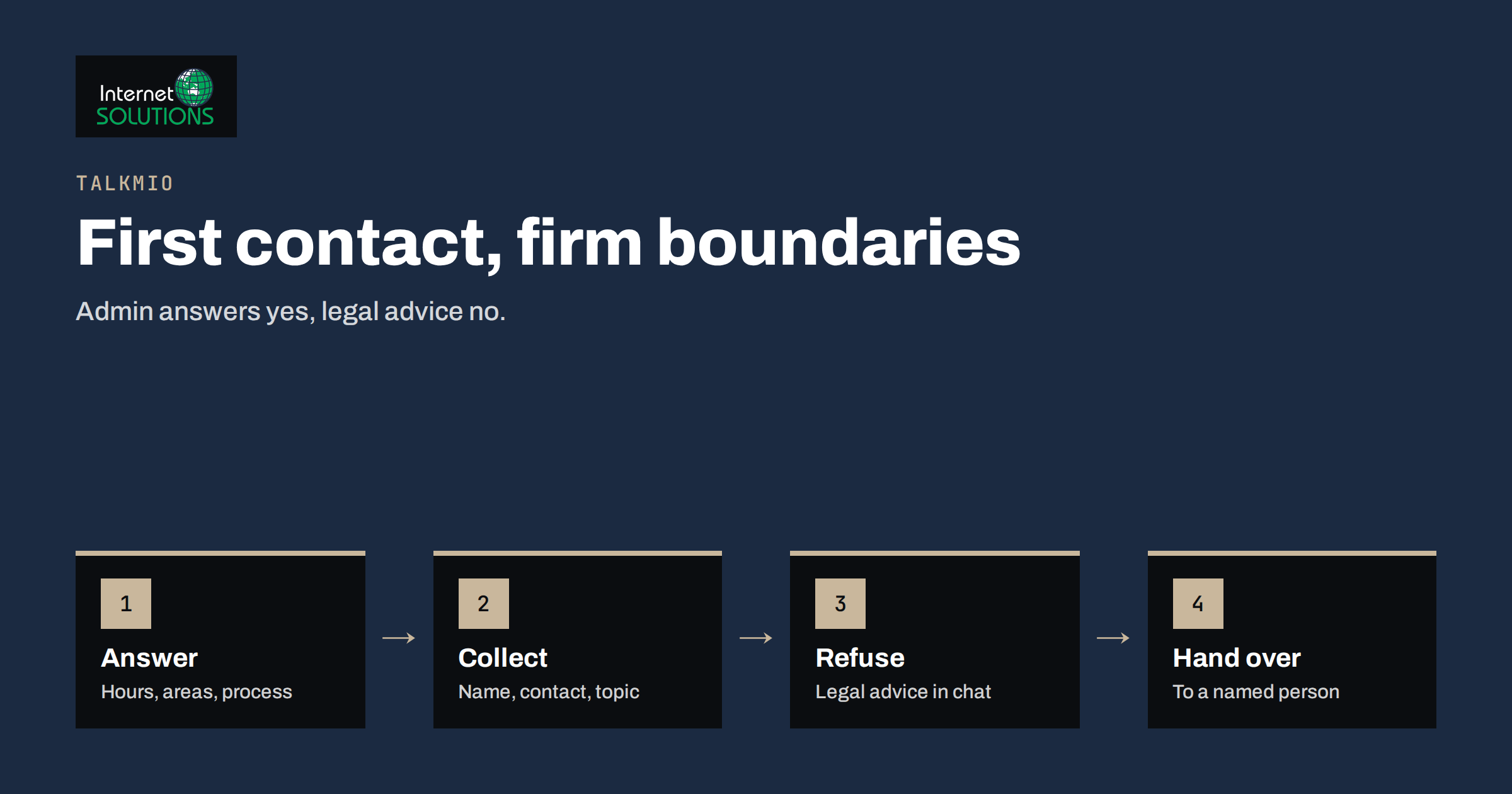
Live chat for law firms has a delicate job. A person who visits a law firm website is often worried, in a hurry and unsure whether the firm can help. They want to know if you handle their kind of matter, how to start, what it may cost, how long it takes and whether they can speak to someone today. Those questions are administrative, and answering them promptly can decide whether the visitor calls you or the next firm in the search results. At the same time, a law firm has duties that most businesses do not: it must not give advice to a person who is not yet a client by an unsupervised channel, it must protect confidential information from the very first message and it must follow rules on advertising, conflicts of interest and client acceptance.
This article explains how a law firm, notary office or similar practice can use Talkmio on its website for the administrative side of first contact, what to teach it, where to draw firm lines, how to hand over to staff, how to protect confidentiality and what to measure. It is general information and not legal or regulatory advice. Professional rules differ by country and by bar or law society, so involve your compliance officer and check your regulator’s current guidance before you switch on a new channel.
What Talkmio Does for a Practice
Talkmio places a chat widget on your website. An AI assistant called Mio answers visitors from the content you give it: your website pages, a question-and-answer list and documents such as PDF, Word or text files. According to the Talkmio site, it replies in the language the visitor writes in, supports more than thirty languages and is designed not to invent prices or policies. When it is unsure, or when the visitor needs a person, it hands the conversation to your team, and the full history appears in your inbox. If nobody is online, the visitor can leave an email address and your answer goes out as an email. Customer emails can also become numbered tickets.
For a law firm, that means the repetitive administrative questions can be answered at any hour from material that you have approved, while anything that looks like a request for legal advice, a description of a case or a time-critical problem goes to a human. Setup uses one line of code or a WordPress plugin, and a free plan with one operator and one website allows you to test the idea before you decide.
What Prospective Clients Actually Ask
Before you configure anything, read the last fifty enquiry emails and call notes and group the questions. Most firms find that the same topics come up repeatedly.
- Do you handle my type of matter? Practice areas, jurisdictions, languages and whether you act for individuals or businesses.
- How do I start? The intake process, the information you need, the documents to prepare and how to book a first meeting.
- What does it cost? How fees are calculated, whether a first consultation is free or fixed, payment options and what is not included.
- How long does it take? General stages of a typical process, without promising outcomes.
- Where and when? Office address, opening hours, parking, remote meetings and accessibility.
- Who will I speak to? Names and roles of lawyers and staff, and languages spoken.
- Urgent situations. What to do if there is a deadline, a court date or a police matter.
Anything on this list that is hard to find on your website is a content gap, and the chat questions will show you where it is. Our article on what chat transcripts reveal about your website explains how to use that evidence.
Drawing the Line: What the Chat Must Not Do
The most important design decision is what Mio must not answer. Write the rules down, add them to the knowledge base and test them before launch.
- No legal advice. The assistant should never assess a person’s situation, predict an outcome, interpret a contract or tell someone what to do. A polite hand-over works: “I cannot give legal advice here. I can explain how to book a consultation, or connect you with our team.”
- No establishment of a lawyer-client relationship by chat. The widget greeting and the answers should say that using the chat does not create a client relationship and that a lawyer must confirm that the firm can act.
- No collection of case details. If a visitor starts describing facts, names or documents, the assistant should stop and direct them to a secure form or a phone call. Unsolicited details can create confidentiality and conflict issues before you have checked anything.
- No statements about success, speed or results. Advertising rules for lawyers are strict in many countries, and promises about results are often prohibited.
- No accepting or declining of matters. Client acceptance requires a conflict check and a lawyer’s decision.
- No urgent-matter guidance. A visible notice should tell people with urgent or time-limited problems to call the office or the relevant emergency service, and that a chat message may not be read immediately.
Rules on first contact, prospective clients and advertising are set by your bar association, law society or regulator. The Solicitors Regulation Authority standards in England and Wales and the Council of Bars and Law Societies of Europe are examples of bodies that publish professional conduct guidance, and your own jurisdiction will have its equivalent. Ask your compliance officer to review the wording of the widget greeting, the knowledge base and the hand-over messages.
Teaching Mio About Your Firm
The quality of the answers depends on the content that you provide, so spend your effort here.
- Connect your website so that Mio reads your practice area, team, fees, location and contact pages.
- Add a question-and-answer set for the topics above in plain and specific sentences. “The first consultation lasts thirty minutes and costs the fixed amount shown on the fees page” is better than “see our fees”.
- Upload documents such as a client information leaflet, an engagement letter template for explanation and a preparation checklist, using the same wording as in your printed material.
- Write hand-over rules for anything that involves a described case, a deadline, a complaint, a fee dispute or a media enquiry.
- Keep content current. Changes in fees, staff and opening hours must be updated at once, because an outdated answer from a chat looks like an official statement.
Our guide to the Talkmio knowledge base shows how to test answers before launch. Ask Mio your twenty most common questions in the languages you serve, and then ask the questions that it must refuse, such as “Can I sue my landlord?” and “Will I win my case?”. Check that each reply is a calm hand-over, not an attempt to help.
Handing Over to the Team
Decide in advance who watches the inbox, at which hours and what happens when nobody is there. A firm that closes at five should say clearly what happens in the evening: the chat can answer administrative questions, and enquiries will be answered on the next working day. Set that expectation in the greeting and use business hours so that the widget shows when people are online. Our article on chat staffing and response times provides a framework.
| Situation | Without chat | With Talkmio | Your action |
|---|---|---|---|
| Visitor asks at 21:00 whether you handle family law | Waits for the morning or leaves for another site | Instant answer from the practice areas page | Keep the practice pages precise |
| Visitor from abroad writes in another language | Email, delay, manual translation | Reply in the visitor’s language, with a hand-over if needed | Test main policies in your key languages |
| Visitor begins to describe a dispute | Call or email with sensitive details | Polite stop and redirection to a secure intake | Define and test the refusal |
| Visitor asks about fees | Phone call to reception | Explains the fee model from the fees page and offers a consultation | Keep fee wording consistent with advertising rules |
| Existing client asks about their file | Phone call or email to the lawyer | Hand-over to the named contact, without discussing the file in the chat | Decide who handles client messages |
Confidentiality and Data Protection
A law firm owes confidentiality to clients, and in many countries a lesser but real duty to people who have approached it for help. The safest design is to avoid collecting confidential facts in the chat at all. If a conversation includes them by accident, treat it according to your policy and delete it where your obligations allow.
- Privacy notice. Tell visitors that the chat is operated with a provider, what is stored and for how long, and link to your privacy policy before the conversation begins.
- Purpose limitation. Use the chat for administrative questions only, and say so in the greeting.
- Special categories. Legal matters often involve sensitive data such as health, criminal records or family circumstances. The GDPR gives such data stricter conditions, as described in Article 9, so do not invite it.
- Processing agreements. Check the terms that apply to the service, and review how conversations can be exported or deleted. Talkmio states that conversations belong to you and that you can export or delete them at any time.
- Access. Limit who can see conversations, use individual accounts and review them at regular intervals.
- Retention. Decide how long chats are kept and delete them on schedule.
- Conflict checks. If a visitor provides names or details despite your rules, record them in your conflict system according to your procedures.
Our article on live chat and GDPR covers the general points. Your regulator and your data protection adviser remain the final reference.
Measuring Whether It Helps
Judge the chat by the quality of enquiries and the load on staff, not by the number of conversations. Review the figures monthly.
- Enquiries that arrive through chat and the share that become consultations.
- Questions answered without staff and the topics where hand-overs occur most.
- Refusals and hand-overs that worked as designed, and the cases where the assistant went too far or not far enough.
- Response time for hand-overs during opening hours.
- Content gaps found in the transcripts, which you can fix on the website.
The metrics discussed in our article on live chat metrics help to set targets that suit a professional practice.
A Worked Example
A six-lawyer firm in a mid-sized city handles employment, property and family matters. Reception spends about two hours a day answering the same questions: which areas the firm covers, what a first consultation costs and how to bring documents. The managing partner writes a one-page guide with approved answers, adds the fees page and the client leaflet to the knowledge base, connects the website and sets business hours. She adds hand-over rules for any description of facts or deadlines and a notice that the chat does not create a client relationship. The compliance officer reviews the greeting and approves it.
Before launch, the team tests thirty questions in two languages, including ones that must be refused. Two answers were too confident about fees for a particular service, so the fees page is clarified. In the first month, the chat handles most administrative questions, reception receives fewer calls in the morning, and the hand-overs arrive with their history, so staff can reply without asking the person to repeat. The partner reads transcripts weekly, adds three new answers and removes one page that confused visitors.
Common Mistakes
- Letting the assistant comment on a person’s legal situation or chances of success.
- Failing to state that the chat does not create a client relationship.
- Inviting visitors to describe their cases in the widget.
- Publishing fee or result statements that conflict with advertising rules.
- Launching without testing refusal cases and other languages.
- Leaving outdated staff, fee or hours information in the knowledge base.
- Not deciding who answers hand-overs and when.
- Skipping the privacy notice and retention rules.
Frequently Asked Questions
Can the chat give a quote for legal work?
It can explain how your fees are calculated and quote only what your fees page states, for example a fixed consultation fee. A quote for a specific matter requires a lawyer to assess it, so hand over.
Will it give legal advice?
It should not. Configure and test it so that any request for advice leads to a hand-over and a short explanation, and never teach it substantive legal guidance for individual situations.
Is it suitable for notaries and small practices?
Yes. The administrative questions are similar: services, fees, documents to bring, hours and appointments. The same limits on advice and confidentiality apply.
What languages does it support?
Talkmio replies in the language the visitor writes in, including Lithuanian, English, German, Polish, Russian, Spanish, French and more than twenty-five others. Test your key policies in each language that matters to your clients.
Do I need approval from my regulator?
That depends on your jurisdiction and the rules for advertising and client contact. Check your regulator’s guidance and involve your compliance officer before launch.
How much does it cost to try?
There is a free plan with one operator, one website and a monthly allowance of AI answers, with no card needed. Paid plans add operators, websites, AI answers, the email channel and reports.
The Bottom Line
For a law firm, live chat works best as a fast, careful front desk: it answers questions about practice areas, fees, hours and how to start from approved content, and it hands everything that resembles advice, a case description or an urgent problem to a person. Define what the chat must refuse, state that it creates no client relationship, keep confidential facts out of the widget, test the answers in your languages and agree who responds to hand-overs. To see how the tool works and what the plans include, visit the Talkmio page.