

 English
 Lietuvių
 Latviešu
 Eesti
 Русский
 Polski
 Українська
 Deutsch
 Italiano
 Español
 Français
 Português
 Čeština
 Magyar
 Română
 Ελληνικά
 Türkçe
 日本語
 العربية
 हिन्दी
 Bahasa Indonesia
 Bahasa Melayu
 ไทย
 Tiếng Việt
 বাংলা
Live Chat for Car Dealers and Garages: Bookings and Quotes
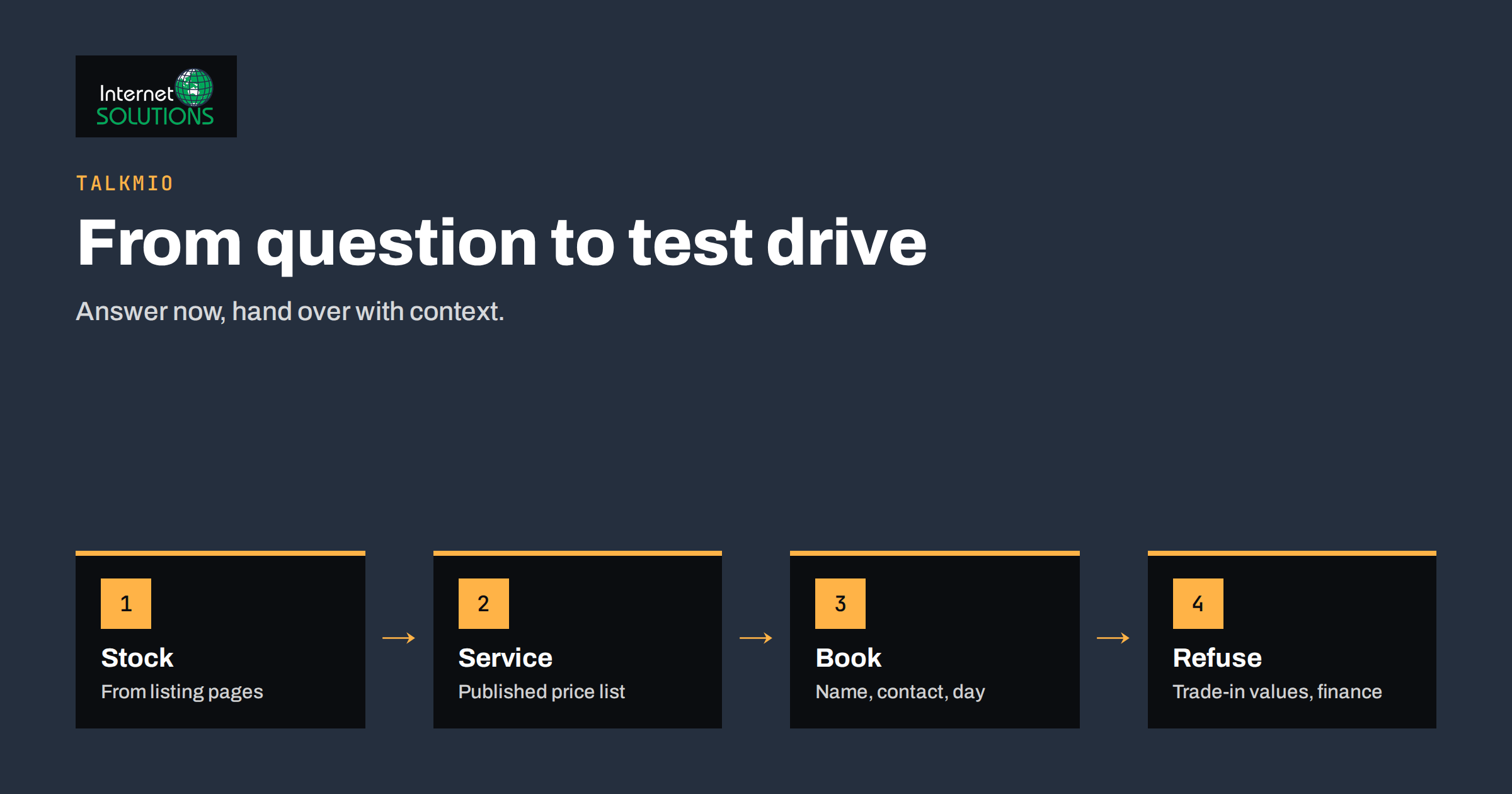
Live chat for car dealers and garages is a natural match, because a car purchase or a repair starts with questions that the customer wants answered now: is this model still available, can I drive it this week, how much is a service for my car, do you have time on Friday? A dealership or workshop that replies within seconds keeps a customer who would otherwise open three other tabs. One that answers by email the next day often learns that the customer has already booked somewhere else. The trouble is that sales staff and mechanics are busy with people in front of them, so the website chat goes unanswered at precisely the moment it matters.
This article explains how a dealership, independent garage, tyre centre or body shop can use Talkmio, the AI live chat and helpdesk from Internet Solutions, to answer routine questions at any hour, capture test drive and service requests and hand real conversations to staff with the context. It covers what to teach the assistant, which questions it should never answer alone, how to build useful paths for sales and for workshop customers, how to handle personal data and how to measure results. It describes features Talkmio presents on its own site and does not promise sales figures.
What Customers Ask a Dealer or a Garage
Read the last fifty enquiries from your website, phone log and email, and sort them. Most businesses find that a small number of topics dominate.
- Stock and availability: Is this car still for sale? Do you have a similar model in a different colour? When does the next delivery arrive?
- Viewing and test drives: Can I try it on Saturday? Do I need to bring a licence? How long does a test drive take?
- Prices and costs: Is the price negotiable? What does the listing price include? What are registration and delivery costs?
- Trade-in and finance: Will you take my current car? How is its value estimated? Can I pay in instalments?
- Service and repair: How much is a basic service? Do you work on my make? How long will it take? Can I get a courtesy car?
- Parts and tyres: Do you have this part? Can you fit tyres without an appointment? What about seasonal tyre storage?
- Documents and inspections: What do I bring for an annual inspection? What are your opening hours and address?
Some of these have a firm answer on your site, such as hours and the booking process. Others, such as the exact trade-in value, depend on a person looking at the car. The art of a good chat design is to let the assistant handle the first group and pass the second group on with the details collected.
What Talkmio Does for a Garage or Dealership
Talkmio adds a chat widget to your website with one line of code, or a WordPress plugin. An AI assistant, called Mio, reads your website pages, a list of questions and answers, and documents such as price lists, and answers visitors from that material in the language they write in. It supports more than thirty languages and is designed not to invent prices or policies, and it hands over when a human is needed. Your team uses a web inbox where chats, emails and tickets sit together, with the full conversation history, quick replies, internal notes and assignments. You can also see who is on the site right now, with their country, page, device and source, and start a conversation before they leave. There is a free plan with one operator, one website and a monthly allowance of AI answers, so you can test it on your own site.
| Situation | Without chat | With Talkmio | Your action |
|---|---|---|---|
| Evening visitor asks about the opening hours and address | Waits for the next day | Instant answer from the contact page | Keep the contact page accurate |
| Buyer asks if a listed car is still available | Phone call or form | Answers from the listing page and says a salesperson will confirm | Remove sold cars from the site quickly |
| Customer wants a test drive on Saturday | Form, then a call back | Collects name, contact and time preference, then hands over | Decide who confirms and how fast |
| Owner asks about the price of a service | Phone | Quotes from your published price list or hands over | Publish price ranges you can honour |
| Driver stranded with a breakdown | Calls the number in the footer | Shows the emergency number and hours | Make the phone path obvious |
| Visitor writes in another language | Email and translation delay | Reply in the visitor’s language | Test main questions in key languages |
Teaching the Assistant Your Business
The quality of the answers depends on the content you give it. Treat the knowledge base as two layers: stable information about the business and changing information about stock and offers.
Stable Content
- Opening hours, address, directions, parking and how to reach the workshop reception.
- How test drives work, what to bring and how far ahead to book.
- The services you offer, the makes you work on, and the typical process and duration of a service.
- Published price lists or ranges for common jobs such as oil change, brake inspection, tyre fitting and annual inspection preparation, only where you can stand behind them.
- Your policies on warranties, courtesy cars, payment methods and cancellations.
- A short list of answers to the twenty most common questions, in plain sentences.
Changing Content
Connect your website so that Mio reads the stock pages. Complete pages produce good answers, and thin ones do not. Keep sold or reserved cars off the site, since the assistant answers from what the page says. A safe rule for availability is to have it state what the listing shows and say that a salesperson will confirm, because a listing may lag behind a sale made an hour ago. Our guide to the Talkmio knowledge base explains how to test answers before launch. Ask the twenty questions in each language you serve and compare each reply with your own records.
Lines the Assistant Should Not Cross
Cars involve large sums, legal obligations and safety. Decide in advance what the assistant must never do alone.
- Negotiating or confirming a price. It may repeat the published price, and a salesperson handles any discussion.
- Valuing a trade-in. It can explain how you value cars and collect the make, model, year, mileage and photos if you accept them by another channel, but the value comes from a person who has inspected the car.
- Finance decisions. It can explain that finance is available and what documents are usually needed, and hand over for the offer and credit questions. Regulated information should come from authorised staff.
- Diagnosing faults. A description of noises or warning lights is a reason to book an inspection, not a place for a remote verdict.
- Safety advice for a breakdown. For urgent or dangerous situations, show the emergency number and say clearly that chat is not an emergency service.
- Promises about timing. It should not promise that a car will be ready on a certain day unless a person has confirmed it.
When a visitor asks for something on this list, the assistant should say that it will connect them with the team, and the conversation should appear in your inbox with the history. If nobody is online, it can take an email address for a reply the next working morning, as described in our article on after-hours live chat.
From Chat to Booked Test Drive or Service
A chat is useful if it ends with an action, and for a dealership or garage the actions are a test drive, a service slot or a quote request. Design these paths in advance.
- Offer the booking at the right moment. After answering a question about a car, the assistant can suggest booking a test drive. After a price question about a service, it can suggest booking a slot.
- Collect only what you need. Name, phone or email, the vehicle (a car for sale or the visitor’s own make, model and year) and a preferred day. A longer form belongs on a booking page.
- Hand over with context. The inbox keeps the whole conversation, so the staff member who calls back knows what was asked.
- Confirm quickly. Decide who confirms the appointment and within what time, and tell the visitor the same.
- Follow up. Use internal notes and assignments so that nothing falls between the sales desk and the workshop. Our guide to the Talkmio inbox workflow describes quick replies, notes and service targets.
The general principles for businesses that quote and book are covered in our article on live chat for service businesses, and much of it applies to a workshop.
Mobile Visitors and Languages
Many car shoppers browse on a phone, often from a parking lot or a sofa. Make sure the widget does not cover the buttons that call or book, and that it loads without slowing the page. Our guide to live chat on mobile websites covers placement and speed. In regions with several languages or many foreign drivers and buyers, the ability to answer in the visitor’s language is a practical advantage, and our article on multilingual live chat explains how to test it. On the higher plans, Talkmio also adds Facebook, Instagram and WhatsApp channels to the same inbox, which may suit dealers who already receive messages there. Check the current plan details on the Talkmio site.
Privacy and Records
A chat about a car purchase or a repair collects personal data: names, phone numbers, and sometimes vehicle registration numbers and addresses. Tell visitors briefly what you do with their message and link to your privacy information. Keep the data to what you need, set sensible retention, and restrict access to staff who need it. Talkmio states that conversations belong to you and that you can export or delete them. The European Commission data protection overview gives the general rules, and our article on live chat and GDPR covers the chat details. Ask visitors not to type payment card numbers in the chat. Consumer rights when buying vehicles and services, including guarantees, are summarised on the Your Europe consumer pages, and your information in chat must match them.
Measuring Whether It Works
- Volume and topics. Which questions are asked most? Use them to improve the website itself.
- First-reply time. It should be seconds when the assistant answers and minutes when a person takes over.
- Solved by the assistant. The share of conversations that needed no human help, balanced against satisfaction ratings.
- Bookings. Test drives, service appointments and quote requests that started in chat, tracked by a note or a tag.
- Out-of-hours conversations. How many arrive when the showroom is closed, and how many turn into appointments.
- Missed handovers. Conversations that waited too long for a person.
Our article on live chat metrics explains how to read these numbers.
A Worked Example
An independent garage with a small used car forecourt has two receptionists in the morning and none after five. The owner installs Talkmio and teaches it the opening hours, a price list for standard services, the process for annual inspection preparation and the listing pages of the cars for sale. She sets rules: the assistant never discusses discounts, never values trade-ins, never diagnoses faults and always shows the emergency number for breakdowns.
In the first week, most chats are about opening hours, service prices and whether a listed car is still there. The assistant answers the first two directly, and for availability it quotes the listing and adds that the sales team will confirm. Three evening visitors request a Saturday test drive and leave their contact details, and a receptionist calls them back in the morning. One visitor asks about a strange noise from the brakes, and the assistant suggests booking an inspection and hands the chat to the workshop. After a month, the owner reviews the transcripts, adds six new questions to the knowledge base and removes two sold cars that were still on the site. The number of evening enquiries that turn into appointments is now visible, and the receptionists spend more time with customers who are in the building.
Common Mistakes
- Leaving sold cars on the site, so that the assistant describes them as available.
- Letting the widget promise prices, trade-in values or finance terms.
- Installing chat with nobody responsible for the handover.
- Hiding the emergency phone number behind the chat.
- Not setting business hours, so visitors expect an answer that never comes.
- Asking for payment or identity details in the chat.
- Never reading the transcripts to find gaps in the knowledge base.
Frequently Asked Questions
Can the assistant tell customers whether a car is still available?
It can say what the listing page shows, but because sales happen quickly, the answer should add that a salesperson will confirm. Keep sold and reserved cars off the website so the information stays accurate.
Can it give a price for a repair?
It can quote prices or ranges that you have published and teach it, and it should hand over for anything that depends on inspecting the vehicle. Avoid giving a firm price for a job that you have not seen.
What happens when nobody is in the showroom?
The assistant answers from your content, takes a name and contact details for requests that need a person and the team replies in the inbox when they are back. Business hours and an offline message make this clear to the visitor.
Does it work in languages other than ours?
Yes. Talkmio replies in the language the visitor writes in and supports more than thirty languages. Test your main questions in the languages your customers use, and check them against your own records.
Can we use it for a small garage with one employee?
Yes. The free plan allows one operator and one website, which suits a small garage that wants to test chat on real questions before deciding anything more.
Do I need to replace my phone line?
No. Keep the phone for urgent and sensitive matters, and use chat for quick questions and out-of-hours enquiries. Show both clearly on the contact page.
The Bottom Line
Live chat helps car dealers and garages answer routine questions quickly, collect test drive and service requests at any hour and hand real conversations to staff with the full history. Teach the assistant your hours, services, published prices and stock pages, keep it away from negotiation, valuations, finance decisions and diagnosis, show an emergency number, set business hours and review the transcripts regularly. Start on the free plan with your most common questions, measure the appointments it brings and expand from there. To see how it fits your business, visit the Talkmio page.