

 English
 Lietuvių
 Latviešu
 Eesti
Eesti Русский
 Polski
 Українська
 Deutsch
 Italiano
 Español
 Français
 Português
 Čeština
 Magyar
 Română
 Ελληνικά
 Türkçe
 日本語
日本語 العربية
 हिन्दी
 Bahasa Indonesia
 Bahasa Melayu
 ไทย
ไทย Tiếng Việt
 বাংলা
বাংলাEmail Warm-Up: Building Sender Reputation for a New Sending Domain
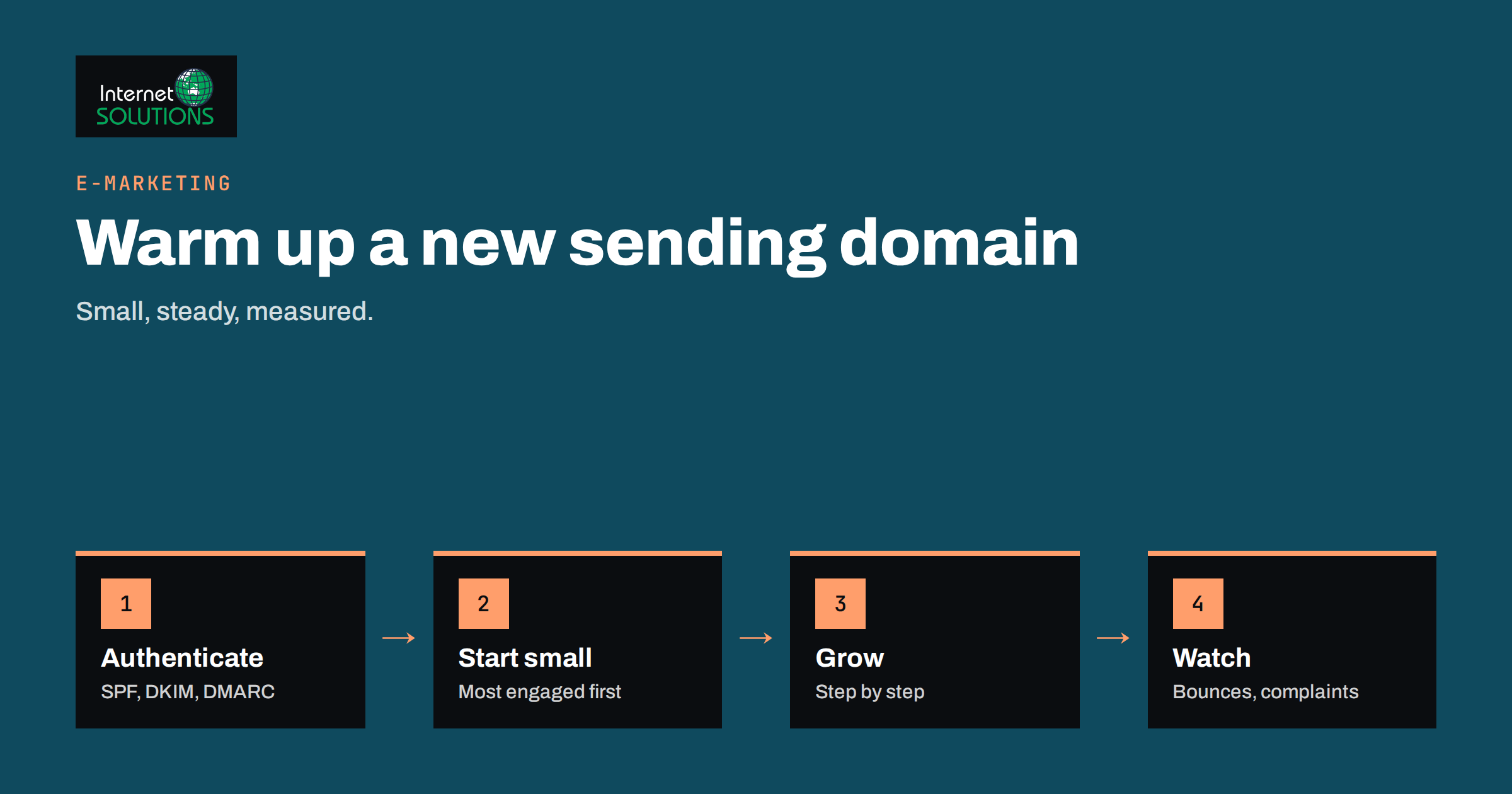
Mailbox providers decide what reaches the inbox largely on reputation, and a brand-new sending domain or address has none. To a spam filter, a domain that suddenly sends thousands of messages looks very much like a spammer who registered it yesterday. Email warm-up is the careful, gradual process of building a positive sending history so that your legitimate mail is trusted from the start. Done well, it protects your campaigns, your invoices and your day-to-day business email. Done badly, it can land you in the spam folder for months.
This guide explains what sender reputation is, which checks to complete before sending a single campaign, how to plan a gradual increase in volume, which signals to watch, and what to do when something goes wrong. It extends our guide to SPF, DKIM and DMARC, which covers the authentication records referred to below, and our broader e-marketing services.
What Sender Reputation Is
Sender reputation is the track record that mailbox providers keep for the domains and IP addresses that send them mail. They watch how many messages bounce, how many recipients report spam, how many open, click or reply, how many messages go to addresses that should not exist, and whether the mail is properly authenticated. Over time these signals add up to a judgement: trusted, uncertain or suspicious.
Reputation attaches to more than one thing. The sending domain, the domain used in the visible From address, the IP address and sometimes the content and links all contribute. Large providers now put a lot of weight on domain reputation, because IP addresses are often shared or change. That is why a new domain needs a plan even when your email service provider supplies a well-regarded shared IP.
It also helps to know what warm-up cannot do. It cannot make poor email good. If you send unwanted messages to purchased lists, no schedule will save you. Warm-up gives a good sender the chance to prove it is one, gradually and measurably.
When You Actually Need to Warm Up
Not every situation needs the same effort. The cases below cover the common ones, and the right approach differs for each.
| Situation | Warm-up needed? | What to do |
|---|---|---|
| Brand-new domain for marketing mail | Yes | Authenticate, start small with engaged contacts, grow gradually |
| New dedicated IP address | Yes | Follow a volume schedule agreed with your provider |
| Shared IP from an email service provider | Partly | The provider manages IP reputation, but your domain still builds its own history |
| Moving to a new provider with the same domain | Usually a little | Keep sending patterns steady and move in stages |
| Dormant domain that has not sent for a long time | Yes | Treat it like a new domain and clean the list first |
| Normal business email from a new mailbox | Light | Authenticate and send normal conversations before any bulk mail |
Set Up the Foundations First
Before any volume, make the technical identity of the sender correct. Publish an SPF record that lists the services allowed to send for the domain, enable DKIM signing for every sending service, and publish a DMARC record, starting with a monitoring policy and tightening it as you gain confidence. DMARC is defined in RFC 7489, and our guide explains how the three records work together. Make sure the domain has working reverse DNS where you control the IP address, and that the sending host name resolves properly.
Large providers publish requirements for bulk senders, including authentication, an easy way to unsubscribe and low spam complaint rates. Google’s email sender guidelines list the current rules, and they change from time to time, so read them when you plan and again when you scale. Treat them as the minimum, not the target.
Consider sending marketing mail from a subdomain, such as a dedicated name under your main domain, so that its reputation is separate from the mail your staff send every day. This limits the damage if a campaign goes badly and makes monitoring clearer. Use a real, monitored reply address, a recognisable sender name and a visible postal address where the law requires one.
Build a Clean, Consented List
Warm-up begins with the list, not the schedule. Every address should belong to a person who agreed to hear from you, ideally through a clear signup and, where appropriate, confirmation. Remove addresses that bounced before, role accounts that nobody reads, addresses that have never engaged and any entries that look mistyped. Our guide to email list hygiene covers the steps in detail.
Never warm up with purchased, rented or scraped addresses. They produce bounces, spam reports and spam traps, which are the quickest way to destroy a new reputation. They also usually violate privacy law and the terms of every reputable email service. If a list is old, verify it with a check or a gentle re-permission message first, and drop the addresses that do not respond.
Sort the clean list by engagement. The people who opened or clicked recently, who bought from you or who just signed up are the safest first recipients, because their positive reactions teach providers that your mail is wanted. Save the older and less certain segments for later stages.
Plan a Gradual Volume Increase
The principle is simple: start small, send consistently and grow in steps while results stay healthy. There is no universal schedule, because providers do not publish one and the right pace depends on your list quality, your sending history and your provider. The illustration below shows the shape of a cautious plan for a new domain, not a guarantee.
In the first week, send only to your most engaged contacts, in small daily batches, and send real, valuable messages rather than test noise. Each following week, increase volume moderately if bounces and complaints remain low, adding the next engagement segment. Aim for regular sending on consistent days, because bursts of activity after silence look suspicious. If any step produces problems, hold the volume, fix the cause and repeat the step before moving on.
Large lists need more time. A list of a few hundred contacts may reach full volume within days, while a list of hundreds of thousands can take weeks of staged sending. Agree a plan with your provider if you use a dedicated IP, since many providers offer warm-up guidance or automated schedules designed for their infrastructure.
Send Mail People Want
Technical preparation only matters if recipients react well. Early messages should be the kind people welcome: a clear welcome email, a useful guide, an order confirmation, a relevant offer. Write a recognisable subject line without tricks, keep the design simple, include a plain-text version and put an unsubscribe link where people can see it. Our guide to email design that renders in Gmail, Outlook and on mobile helps with the practical side.
Encourage replies where it is natural. A simple question to new subscribers, answered by a real person, is a strong positive signal and makes the relationship two-way. Avoid link shorteners from public services, large attachments, excessive images and phrases that are typical of spam. Keep links on domains that you control and that are properly configured.
Respect the unsubscribe request immediately. Making it hard to leave increases spam complaints, which are the most damaging signal of all. A recipient who unsubscribes costs you nothing; a recipient who reports spam costs you reputation.
Avoid Fake Warm-Up Services
Some tools claim to warm up a domain by exchanging automated messages between networks of mailboxes that open, reply and rescue each other from spam. These schemes try to simulate positive engagement. They are against the terms of most mailbox providers, they teach nothing about how real recipients react and their value is doubtful at best. Mailbox providers are skilled at spotting artificial patterns, and a domain that depends on them may be penalised.
Real engagement from real recipients is the only durable signal. If you need a place to begin, send ordinary business mail from the domain, with real conversations, and add marketing volume to a base of genuine activity. It takes a little longer and builds a reputation that lasts.
Monitor the Signals That Matter
Watch results at each stage rather than waiting until the end. The key measures are hard bounce rate, spam complaint rate, delivery to the inbox versus the spam folder, unsubscribe rate and real engagement such as clicks and replies. Bounce rates should be low; high rates point to list quality problems. Complaint rates should be extremely low, and providers may act when they rise above a fraction of one percent.
Use the tools that the large providers offer to senders, such as Google Postmaster Tools, which shows domain reputation, spam rate and authentication results for senders who verify their domain. Check blocklists occasionally, and send test messages to your own addresses at several providers to see where they land. Be careful with open rates: privacy features that load images automatically make them unreliable, which is why we recommend focusing on clicks, replies and conversions, as explained in our article on email marketing metrics after Apple Mail Privacy Protection.
Keep a log of what you sent, when, to which segment, and what happened. If problems appear, this record shows which step caused them.
What to Do When Mail Starts to Fail
If bounces rise, complaints spike or messages move to the spam folder, stop increasing volume immediately. Check authentication first, since a broken SPF or DKIM record is a common cause of sudden trouble. Look at the last segment you added, review how those people joined your list and remove addresses that bounced or complained. Reduce volume to the level that worked before, send only to your most engaged people for a few days and let the signals recover.
Read the bounce messages. They often contain a code and a short explanation, and sometimes a link to the provider’s guidance on how to resolve the block. Respond to reputation issues politely and factually, and if you use a service provider, contact their deliverability team, who can often see detail you cannot.
Resist the temptation to switch to a fresh domain at the first sign of trouble. The problem is usually the list, the content or the volume pattern, and it will follow you. Fix the cause and the reputation will recover, slowly but surely, while a new domain would simply need warming again.
Keep the Reputation You Have Built
Warm-up does not end on a date. Reputation is maintained by consistent behaviour: regular sending rhythm, careful segmentation, prompt removal of bounces and complaints and honest content. Avoid long silences followed by sudden large sends, and warm up again, in smaller steps, after a long pause. Review your lists on a schedule, and sunset contacts who have not engaged for a long time rather than mailing them forever.
Segment by interest and behaviour, as described in our guide to segmenting your email list, because relevant mail earns the engagement that supports reputation. When you launch a new type of mail, such as a new automated flow or a different sender, treat it as a small warm-up of its own and watch the signals.
Frequently Asked Questions
How long does email warm-up take?
It depends on list size and quality. A small list may be ready within days, while a large one can need several weeks of staged sending. The pace should follow your results, not a fixed calendar.
Do I need to warm up if I use an email service provider?
Your provider usually manages the reputation of shared IP addresses, but your sending domain still builds its own history. Start with engaged contacts and grow gradually, and follow the provider’s guidance for dedicated IPs.
Is it safe to use automatic warm-up tools?
Tools that simulate engagement between networks of mailboxes are risky and often breach provider terms. Real recipients and real conversations are the only reliable signal, so build volume from genuine mail.
How many emails should I send on the first day?
Start small, with your most engaged contacts, and increase in steps while bounces and complaints stay low. There is no official number, so let provider guidance and your own results decide.
Should I use a subdomain for marketing email?
Many senders do. A dedicated subdomain keeps marketing reputation separate from everyday business mail, which limits the impact of a bad campaign and makes monitoring easier. Authenticate it fully before sending.
What spam complaint rate is acceptable?
Keep it as low as you can. Large mailbox providers publish thresholds for bulk senders, and they are well below one percent. Check the current guidance from the providers you send to and aim well under it.
The Bottom Line
Email warm-up is patience with a plan. Authenticate the domain, build a clean list of people who agreed to hear from you, start with the most engaged and increase volume in steps while bounces and complaints stay low. Send mail people want, avoid fake engagement tricks, watch the signals and pause quickly when they turn. A reputation built this way lasts, and it protects every message your business needs to deliver.