

 English
 Lietuvių
 Latviešu
 Eesti
 Русский
 Polski
 Українська
 Deutsch
 Italiano
 Español
 Français
 Português
 Čeština
 Magyar
 Română
 Ελληνικά
 Türkçe
 日本語
 العربية
 हिन्दी
 Bahasa Indonesia
 Bahasa Melayu
 ไทย
 Tiếng Việt
 বাংলা
Ask Mio for Small Business Owners: A Weekly Admin Routine
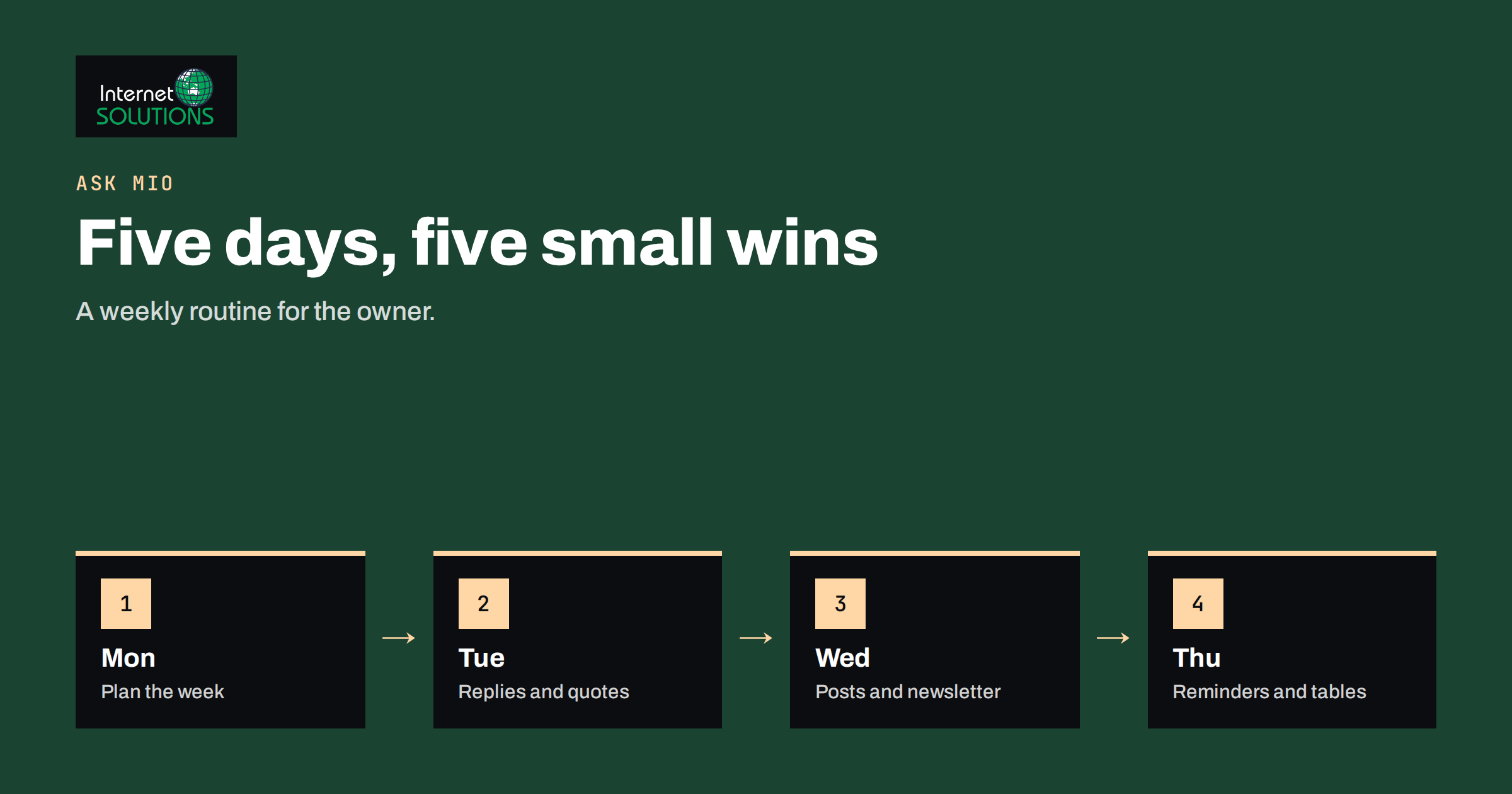
Ask Mio for small business owners works best when it is not treated as a clever toy but as a small, tireless office assistant with a fixed weekly routine. A person who runs a shop, a studio, a workshop or a consultancy usually does everything: sells, answers customers, writes quotes, chases invoices, posts on social media, plans the next month and fixes whatever broke. The work is made of many small writing and thinking tasks that interrupt each other, and the owner pays for it with evenings and weekends. An assistant that drafts the first version of replies, quotes, posts and plans does not remove the owner from the business, but it does shorten the distance between an idea and a finished, checked result.
This article describes a weekly routine that uses Ask Mio for the administrative and marketing side of a small business: what to hand over, what to keep, how to check the output and how to protect customer data. It is based on features described on the Ask Mio website, such as experts, ready-made jobs, tools, projects with memory and optional connectors, and it avoids promises about what any assistant can do on its own. The assistant drafts, you decide.
What You Have to Work With
Ask Mio offers chat, writing, research, code and design in one place, and it picks a suitable model for each task so that you do not have to choose. The parts that matter most to a business owner are these:
- Experts. Roles such as marketing strategist, copywriter, accountant, sales coach, customer support agent, project manager, translator and SEO specialist that shape how the assistant answers in a chat.
- Ready-made jobs. Short forms that produce finished material: e-mail reply, social media pack, website page copy, quote or invoice draft, flyer or one-pager in PDF form, spreadsheet or table, meeting notes to summary and others.
- Tools. A calculator, currency conversion with official ECB rates, date and working-day calculations, public holidays, a QR code generator and a page and SEO check among them.
- Projects and memory. A project keeps instructions and files together, so you do not repeat the tone of voice and business facts in every chat.
- Connectors. Optional links to services such as Google Drive, Gmail, Google Calendar and Microsoft 365, used only when you enable them and ask.
The free plan includes a monthly allowance of points and covers Chat and Write modes. File uploads, research with cited sources, code execution and some connector actions belong to paid plans, so check the current plan details before building a routine around them. Our guide to spending your monthly points wisely explains how the allowance works.
Step Zero: Create a Business Project
Before the first task, spend twenty minutes creating one project for the business, and put the standing facts in it. This is the best investment in the whole routine, because every later chat inherits it. Include:
- Who you are. The business name, what you sell, where you operate and who your typical customer is.
- Your voice. Three adjectives, a few sentences you like, and words you never use.
- Facts the assistant must not invent. Prices, opening hours, delivery terms, guarantees and contact details, listed accurately, with the instruction to ask when a fact is missing.
- Languages you use with customers.
- Rules. No promises about delivery dates unless provided, no discounts unless you state them, no medical, legal or tax claims.
Update the project whenever prices or policies change. A wrong price in the standing instructions will repeat in every draft, so treat it like a page of your website.
The Weekly Routine
| Day | Task | What Mio does | What you do |
|---|---|---|---|
| Monday | Plan the week | Turns your list of jobs into a schedule with priorities and time estimates | Decide what really matters and drop the rest |
| Tuesday | Customer replies and quotes | Drafts replies in your tone and builds quote drafts from your price list | Check prices, dates and promises, then send |
| Wednesday | Marketing drafts | Writes a social media pack and a short newsletter from one idea | Add real photos, edit for truth and publish |
| Thursday | Money and paperwork | Drafts payment reminders and structures a simple cash-flow table | Verify every figure against your accounting system |
| Friday | Review and templates | Summarises the week from your notes and turns good replies into templates | Save templates and note what to improve |
Monday: Planning
Paste your messy list of tasks, appointments and worries, and ask for a plan for the week, grouped by urgency and with realistic time estimates. Add the constraints: your working hours, fixed appointments, how many hours you can spend on marketing. Ask Mio to flag tasks that can be combined, delegated or dropped. With the Google Calendar connector enabled, it can see your upcoming events and free slots, which helps to fit tasks into real gaps. The output is a proposal. The decisions about what matters remain yours, and if a plan looks too full, say so and ask for a lighter version.
Tuesday: Customer Replies and Quotes
Keep a document of approved answers to common questions and ask Mio to draft replies that use it. The e-mail reply job produces a polite message in the right tone, and you can ask for versions of different length or in another language. For quotes, give the assistant your price list and the customer’s request, and use the quote and invoice draft job for a PDF with positions and totals. The article on Ask Mio for paperwork describes this in detail. Quotes and invoices are legal documents in many countries, with required fields and tax rules, so check the numbers, tax lines and terms against your own system before sending anything.
Wednesday: Marketing Drafts
Marketing is often the first thing to slip when work is busy. Give Mio one real topic, such as a new product, a project you finished or a seasonal offer, and ask for a social media pack for the networks you use, a short newsletter and a headline with a few variants. The ready-made jobs for social packs, ads and articles are described in our guide to ready-made jobs for marketing. Add your own photos and facts, remove any claim you cannot prove and read each post aloud. If it sounds like a brochure, rewrite it in plain words. For small businesses, authenticity beats polish, and one genuine detail from your work is worth more than five generic sentences.
Thursday: Money and Paperwork
Drafting reminders is a classic use. Describe the situation without personal data, and ask for three versions of a payment reminder at different levels of firmness. Use the calculator and currency tools for exact arithmetic and conversions, and ask for a simple table structure for cash flow, with formulas, which you then test on numbers you can verify by hand. Mio does not know your bank balance or your tax obligations, and it does not replace an accountant. Keep the professional judgment where it belongs, and verify every figure. Our article on fact-checking AI answers at work sets out a routine that you can apply to anything with numbers.
Friday: Review and Templates
End the week by pasting rough notes and asking for a summary of what was done, what is open and what to do first on Monday. The meeting notes job turns notes or a transcript into decisions, tasks and a follow-up email. Save the replies and posts that worked as templates in your project, and note what needed heavy editing, since that tells you what to add to the standing instructions. After a month, you will have a small library of tested texts that cut the time of each task further.
What to Keep for Yourself
An assistant is most useful when you are clear about what it must not do. Some decisions and tasks belong to the owner:
- Prices, discounts and promises. Mio can draft the wording, but you set the numbers.
- Legal, tax and employment matters. Use professionals and official sources. The assistant can help you prepare questions for them.
- Sensitive customer conversations. Complaints, disputes and bad news deserve your own words.
- Final approval of anything public. You are responsible for what goes out in your name.
- Relationships. Customers hire a person. Use time saved on admin to call a customer, not to avoid one.
Protecting Customer Data
Small businesses hold personal data about customers, employees and suppliers. Keep it out of prompts unless the task truly needs it. Use roles instead of names, remove addresses and identification numbers, and never paste payment card details. Where you do need to work with real data, follow your privacy policy and local data protection rules. The European Commission’s pages on data protection and the guidance of the European Data Protection Board are good starting points for businesses in Europe. If you enable connectors to your mail or files, remember that they give the assistant access to what the connected account holds, so enable only what you need and review permissions regularly. Our article on AI at work and data privacy lists what to leave out.
A Worked Example
A florist with one employee runs a shop and takes wedding orders. Her week used to include two evenings of paperwork: quotes for weddings, replies to enquiries, a weekly post and reminders to a few late-paying corporate customers. She creates a project with her price list, delivery rules, tone of voice and three sample replies she likes, and she writes the rule that Mio must ask when a date or price is missing.
On Tuesday, she pastes a wedding enquiry and asks for a reply and a draft quote. Mio asks two questions she had not answered, about the venue and the flower budget, then produces a friendly reply and a quote she corrects in two places. On Wednesday, she asks for a social pack from a photo of a finished bouquet and a note about the flowers in season. On Thursday, she asks for a firm but polite reminder for an invoice thirty days overdue, and checks the invoice number herself. The routine takes about three hours a week instead of eight, and she uses the time to visit two wedding venues.
Common Mistakes
- Skipping the project and re-explaining the business in each chat.
- Letting the assistant fill gaps in prices, dates or guarantees.
- Sending drafts without reading them aloud.
- Pasting personal or payment data without need.
- Treating suggestions about tax or law as advice.
- Using it for everything in the first week, then giving up. Start with two tasks and add one each week.
Frequently Asked Questions
Do I need technical skills to use Ask Mio?
No. You type or paste what you need in your own language and describe the result you want. Ready-made jobs use short forms.
Can it replace my accountant or lawyer?
No. It can help you prepare, explain and draft, but tax, legal and accounting decisions need qualified people and current official sources.
Is the free plan enough to start?
The free plan includes a monthly allowance of points and covers Chat and Write modes, which is enough to try replies, posts and planning. Paid plans add features such as file upload and research with sources.
How do I stop it inventing facts about my business?
Put the facts in the project, tell it to use only those and to ask when information is missing, and check every output. The instruction reduces errors, but the final check is yours.
Which language can I use with customers?
Write mode works in more than twenty-five languages. Have key terms, numbers and dates checked by someone who reads the target language well.
Where do I learn more about the features?
The Ask Mio page lists experts, tools and plans.
The Bottom Line
Ask Mio gives small business owners a practical weekly routine: plan on Monday, reply and quote on Tuesday, draft marketing on Wednesday, handle reminders and tables on Thursday, review and save templates on Friday. Set up one project with your facts and voice, start with two tasks, verify every number and every claim, keep personal data out of prompts and keep the decisions that matter for yourself. Used that way, it gives back hours each week for customers and for the work only you can do.