

 English
 Lietuvių
 Latviešu
 Eesti
Eesti Русский
 Polski
 Українська
 Deutsch
 Italiano
 Español
 Français
 Português
 Čeština
 Magyar
 Română
 Ελληνικά
 Türkçe
 日本語
日本語 العربية
 हिन्दी
 Bahasa Indonesia
 Bahasa Melayu
 ไทย
ไทย Tiếng Việt
 বাংলা
বাংলাAsk Mio for Paperwork: Quotes, Invoices, Flyers and Business Plans
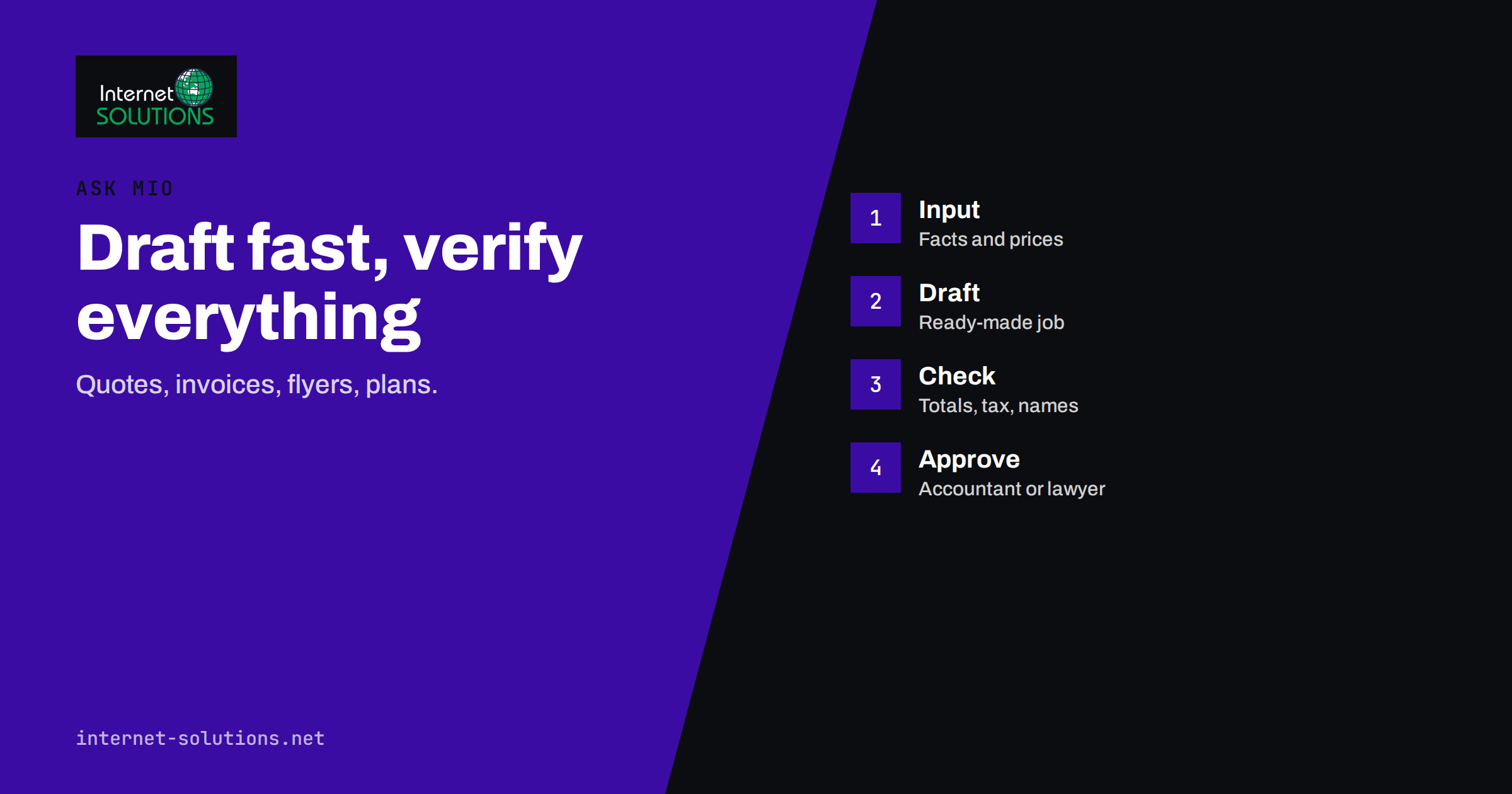
Ask Mio for paperwork is a practical use of an AI assistant that gets less attention than chat or writing, yet it saves real hours in a small business. Quotes, invoices, one-page flyers, business plans and contract checks are documents that every owner produces, usually late in the evening and usually from a blank page. Ask Mio has ready-made jobs for these documents: you fill in a short form and get a finished draft, as a PDF or a file you can open in a spreadsheet. This guide explains what those jobs do according to the Ask Mio features page, how to give them good input, how to check the output, and where a human, an accountant or a lawyer still has to have the last word.
The key idea is that Mio produces drafts. The numbers, the legal wording and the tax details are your responsibility, so the workflow in this article builds in checks at every step.
What the Ready-Made Jobs Cover
The Ask Mio features page lists twenty-four ready-made jobs, described as short forms that produce a finished article, deck, offer or plan. Several of them belong to the paperwork family.
| Job | What the features page says it produces | Typical use |
|---|---|---|
| Quote / invoice draft | A quote or invoice draft as a PDF, with positions and totals | Offers to new clients, simple invoices |
| Flyer / one-pager (PDF) | A designed A4 PDF: offer, product sheet or event flyer | Printed offers, product sheets, event notices |
| Business plan | A lean plan: problem, solution, market, model, numbers, risks | First plan for a loan talk, a partner or yourself |
| Contract / document check | A plain-language summary of a contract with risky clauses highlighted | First read of a supplier or client agreement |
| Spreadsheet / table | An .xlsx file: budget, plan, price list, comparison or tracker with several sheets | Price lists, budgets, trackers |
| Slide deck (PowerPoint) | A ready .pptx deck: title, agenda, content slides and speaker notes | Pitches and proposals |
| E-mail reply | A polite, ready-to-send reply in the right tone | Answers to quote requests |
| Website page copy | Hero, benefits, FAQ and call to action for a landing page | Pages that support an offer |
Two other parts of Mio help with the same work. The Accountant expert covers bookkeeping, VAT, invoices and simple financial models, and the Legal assistant explains contracts, laws and risks in plain language. The built-in calculator evaluates arithmetic exactly, and the currency tool converts money using official ECB rates for today or a past date. These matter because a quote with a wrong total costs more than the time it saved.
Quotes and Invoices: Draft, Then Verify
A quote or invoice draft starts with clear input. The better your form, the fewer corrections you will make. Prepare these items before you start:
- Your details: company name, address, registration and tax numbers, bank details, contact person.
- The client’s details: full legal name, address and any reference or order number they require.
- The positions: a description, quantity, unit and unit price for each line, using the same currency throughout.
- Tax: the rate that applies, or the reason why none applies, as your accountant has told you.
- Terms: validity date for a quote, payment deadline for an invoice, delivery or start date, and anything excluded.
- Numbering and dates: your numbering sequence and the date of issue.
When the PDF arrives, check it like a proof, not like a finished product. Recalculate each line total and the grand total by hand or with a calculator. Confirm that the tax rate and the tax amount are what you intended. Compare names, numbers, dates and bank details with your own records, character by character. An invoice is a legal and tax document with requirements that vary by country, such as mandatory fields, sequential numbering and the rules for cross-border sales. The European Commission’s Your Europe VAT pages explain the general EU framework, and your accountant or national tax authority has the final word on what your invoices must contain.
A sensible policy is to use Mio for quotes and for the layout and wording of invoices, and to issue your official invoices from your accounting system if the law or your accountant requires it. A draft is an excellent starting point for one-off documents, and for building a template you then reuse.
Quotes That Win Work
The best quotes are not just lists of prices. They show the client that you understood the problem. After you generate the draft, improve the parts that Mio cannot know:
- Open with one or two sentences that restate the client’s goal in their own words.
- Describe what is included and what is not, so there are no surprises.
- Give a clear timeline with the first step the client needs to take.
- Offer a small number of options, such as basic and extended, instead of one rigid price.
- State how long the offer is valid and how the client accepts it.
You can then ask Mio to write the covering e-mail with the E-mail reply job, giving it the client’s message and your key points. The reply uses the tone you choose, and you can send it after you have read it. For follow-up and lead handling on your website, see how Ask Mio helps with lead qualification.
Flyers and One-Pagers
The flyer job produces a designed A4 PDF for an offer, a product sheet or an event. A flyer succeeds when it communicates one thing, so give Mio one message. Provide the headline idea, the three or four facts that matter, the offer and its conditions, the dates, your contact details and, if you have one, a QR code destination. The QR code tool can create a code for a link, text, Wi-Fi details or contact, and a printed flyer with a tested code is far more useful than one with a web address in tiny text.
Review the flyer as a printed object. Look at it at actual size, check the margins for your printer, confirm the colours are readable in black and white and scan the QR code with two different phones. If you need to adjust the design or add your logo, use the output as a layout draft and finalise it in a design tool. For a business that uses printed flyers regularly, you can ask Mio for several versions with different headlines and compare them. Our article on Ask Mio design mode covers images, banners and posts.
Business Plans That Are Honest About the Numbers
The Business plan job creates a lean plan with six parts: problem, solution, market, model, numbers and risks. A lean plan is a good fit for a first conversation with a partner or a bank, and for clarifying your own thinking. Its strength is structure; its weakness is that it knows only what you tell it.
To get a useful plan, give Mio facts rather than hopes:
- Problem and customer: who has the problem, how they cope now and what it costs them.
- Solution: what you offer, in plain terms, and what makes it different.
- Market: the number of potential customers you can reach, with the source of the number. The Research brief job and Mio’s web search can help you find sources.
- Model: how you earn money, your prices and your expected sales in the first year.
- Numbers: startup costs, monthly costs, and your own assumptions for sales and margins.
- Risks: what could go wrong and how you would respond.
Treat every number in the draft as an assumption to challenge. Ask the Spreadsheet job for a budget workbook with several sheets, then test best, expected and worst cases. If you need an external reader, such as a lender, an accountant or an advisor, ask them to review the figures. The European Union’s Your Europe guidance on business plans lists what funders usually look for.
Checking Contracts Before You Sign
The Contract / document check job gives a plain-language summary of a contract with risky clauses highlighted. It is a useful first read when you receive a supplier agreement, a client contract or terms of service, especially when the text is long. Use it to understand the structure and to find the clauses to discuss: payment terms, liability limits, termination, automatic renewal, exclusivity, intellectual property and the applicable law.
Keep its limits in mind. A summary is not legal advice, it may miss details of local law, and it can only work with the text you give it. Treat highlights as questions to ask, not as verdicts. For a contract that matters, such as a long agreement, a lease or anything with large sums or personal liability, have a qualified lawyer review it. Mio’s Legal assistant can help you prepare questions for that conversation and explain terms in everyday words. Our article on summarising PDFs and contracts with Ask Mio shows a workflow that keeps the reading careful.
Keep Client Data in Mind
Paperwork contains names, addresses, prices and sometimes sensitive terms. Before you paste a document, decide what the task really needs. Remove details that are not required, such as bank account numbers, personal identification numbers and confidential figures, and add them back in the final version. The Ask Mio features page also says Mio reads your own files and accounts only when you ask it to, through connectors you switch on; use that control deliberately. Our guide to what to keep out of your prompts gives a practical list.
A Repeatable Paperwork Workflow
- Collect the input in a short checklist: parties, positions, prices, tax, dates, terms.
- Choose the job that matches the document: quote or invoice, flyer, plan, contract check, spreadsheet.
- Generate the draft and read it once for structure and tone.
- Verify the facts and numbers against your records, using a calculator for totals and the currency tool for conversions at a stated date.
- Add what only you know: a personal sentence, a client reference, a realistic deadline.
- Ask a professional where tax, law or large sums are involved.
- Save a clean template of anything you will use again, with the variable parts clearly marked.
- Keep a record of the final version you sent, in your normal filing system.
Mio can produce several documents in one conversation, which is handy when a single client needs a quote, a covering e-mail and a one-page summary. For an overview of what is available, see the Ask Mio page, and check the pricing page at askmioai.com for what each plan includes.
Frequently Asked Questions
Can Ask Mio create an invoice I can send to a client?
It can create an invoice draft as a PDF with positions and totals. Check every figure and detail, and make sure the document meets the requirements of your country and your accounting system. Your accountant should confirm the format you use.
Does Ask Mio replace my accountant or lawyer?
No. It helps you prepare documents and understand them, but tax rules, legal advice and responsibility for the final text remain with you and your professional advisors.
How accurate are the totals in a quote?
Mio has a calculator tool that evaluates arithmetic exactly, but errors can still come from the input, such as a wrong quantity or tax rate. Always recalculate and compare with your own records before sending.
Can I turn a quote into a presentation or a spreadsheet?
Yes. There are ready-made jobs for slide decks and spreadsheets, and you can ask Mio to create a workbook with a price list or budget from the same data.
What should I do before pasting a contract?
Remove personal data and confidential figures you do not need for the check, and keep the original safe. Use the summary to find clauses to discuss, and ask a lawyer to review important agreements.
Can Mio convert currencies in my quote?
Mio’s currency tool uses official ECB rates, for today or a past date. State the date and rate in the document so the client knows which rate applied.
The Bottom Line
Ask Mio’s ready-made jobs turn the paperwork you dread into drafts you can edit: quotes and invoices with positions and totals, one-page flyers, lean business plans, plain-language contract summaries and spreadsheets. Give each job clean, factual input, verify every number and legal detail yourself, protect confidential data and involve your accountant or lawyer where the stakes require it. Used that way, Mio shortens the blank-page stage and leaves you more time for the work the documents are meant to win.