

 English
 Lietuvių
 Latviešu
 Eesti
 Русский
 Polski
 Українська
 Deutsch
 Italiano
 Español
 Français
 Português
 Čeština
 Magyar
 Română
 Ελληνικά
 Türkçe
 日本語
 العربية
 हिन्दी
 Bahasa Indonesia
 Bahasa Melayu
 ไทย
 Tiếng Việt
 বাংলা
Business Email Compromise: How Invoice Fraud Works and How to Stop It
Business email compromise is one of the most expensive forms of cybercrime, and it rarely involves anything that looks like hacking. There is no ransomware screen, no virus alert and often no malicious attachment. A member of staff receives an email that appears to come from a supplier, a manager or a lawyer, asking for a payment to be made or for bank details to be changed. The request is plausible, the tone is right, and the money leaves the account before anyone notices. Law enforcement agencies such as the FBI’s Internet Crime Complaint Center have reported business email compromise losses in the billions of dollars per year worldwide, and small businesses are targeted as often as large ones because their payment checks are lighter.
This guide explains how business email compromise works, the common scenarios, the warning signs, and, most importantly, the process controls and technical settings that stop it. It is written for owners, finance staff and whoever looks after IT in a small company. The central message is simple: this fraud succeeds by exploiting trust and routine, so the defence is a routine that does not depend on anyone’s gut feeling.
What Business Email Compromise Is
Business email compromise, often shortened to BEC, is a fraud in which an attacker uses email to impersonate a trusted person or organisation and persuade an employee to send money or sensitive information. The attacker either controls a real mailbox, which is known as account takeover, or imitates the sender with a similar address or display name. The goal is financial: a wire transfer, a changed supplier bank account, gift cards, payroll redirection or access to confidential data that can be sold or used in further attacks.
It differs from ordinary phishing in two ways. First, it is targeted. The criminal studies the company, finds the names of the owner, the finance clerk and the main suppliers, and writes in their style. Second, it often contains no technical payload at all. A message that says “please update our bank details for the next payment” cannot be caught by an antivirus program, because it contains nothing but words. That is why training and procedures matter as much as filters. For the broader picture of mass phishing, see our article on phishing awareness for small teams.
The Most Common Scenarios
| Scenario | How it works | Typical target |
|---|---|---|
| Fake supplier invoice | An invoice arrives that looks like a regular supplier’s, with new bank details | Accounts payable |
| Changed bank details | “We have changed bank, please pay the next invoice to this account” | Finance staff handling supplier payments |
| Executive impersonation | A message from the “director” asks for an urgent, confidential transfer | New finance staff, assistants |
| Compromised mailbox thread | The attacker replies inside a real conversation with changed payment details | Customers waiting to pay an invoice |
| Payroll diversion | An “employee” asks to change the bank account for salary | HR and payroll |
| Gift card or voucher request | A “manager” asks staff to buy vouchers and send the codes | Any employee |
| Legal or acquisition pretext | A “lawyer” asks for a confidential payment related to a deal | Owners and directors |
The compromised thread scenario is particularly dangerous. If an attacker has access to a supplier’s real mailbox, they can wait for a genuine invoice, then send the same message with different bank details. Everything looks authentic, including the history of the conversation, because it is authentic apart from the one detail that matters. In that case, spotting a fake address is not enough, because the address is real.
How the Attackers Prepare
Understanding the preparation explains why messages look so convincing. Attackers gather information from public sources: the company website, social networks, press releases, job adverts, and registry data that lists directors. They learn who approves payments and who is travelling, since an executive who is abroad and hard to call makes a perfect cover story. They may register a domain that looks almost identical to the real one, for example with a letter swapped or a different top-level domain. Or they obtain a password from an earlier data breach and log in to a real mailbox that has no second factor.
Once inside a mailbox, the attacker often creates an inbox rule that hides replies, forwards copies of messages or moves security warnings to a folder where nobody will see them. They then read for days or weeks, learn the vocabulary, and strike at the moment of a large invoice. Because the whole operation depends on patience, it often goes unnoticed until the real supplier asks why they have not been paid.
Warning Signs Worth Training Staff to Notice
- A change of bank details, especially close to a payment date or by email only.
- Urgency and secrecy. “Do not discuss this with anyone” and “I am in a meeting, handle it now” are classic pressure tools.
- A sender address that is almost right, such as a different top-level domain, an extra letter or a free webmail account used by a “director”.
- A reply-to address that differs from the sender address.
- A request that bypasses the normal process, such as paying without a purchase order or approving without the usual second person.
- A payment to a new country or to a personal account for a company supplier.
- Odd timing or tone, such as a formal supplier suddenly writing casually, or messages sent outside their normal working hours.
- Attachments or links to “view the new invoice” that lead to a login page.
None of these signs is proof on its own, and a skilled attacker can avoid most of them. That is why the strongest defences do not depend on spotting them.
Process Controls That Actually Stop the Fraud
Technical filters reduce the volume, but the decisive protection is a payment process that treats every change of bank details as suspicious until verified in a different channel. The following controls cost little and work even when the email looks perfect.
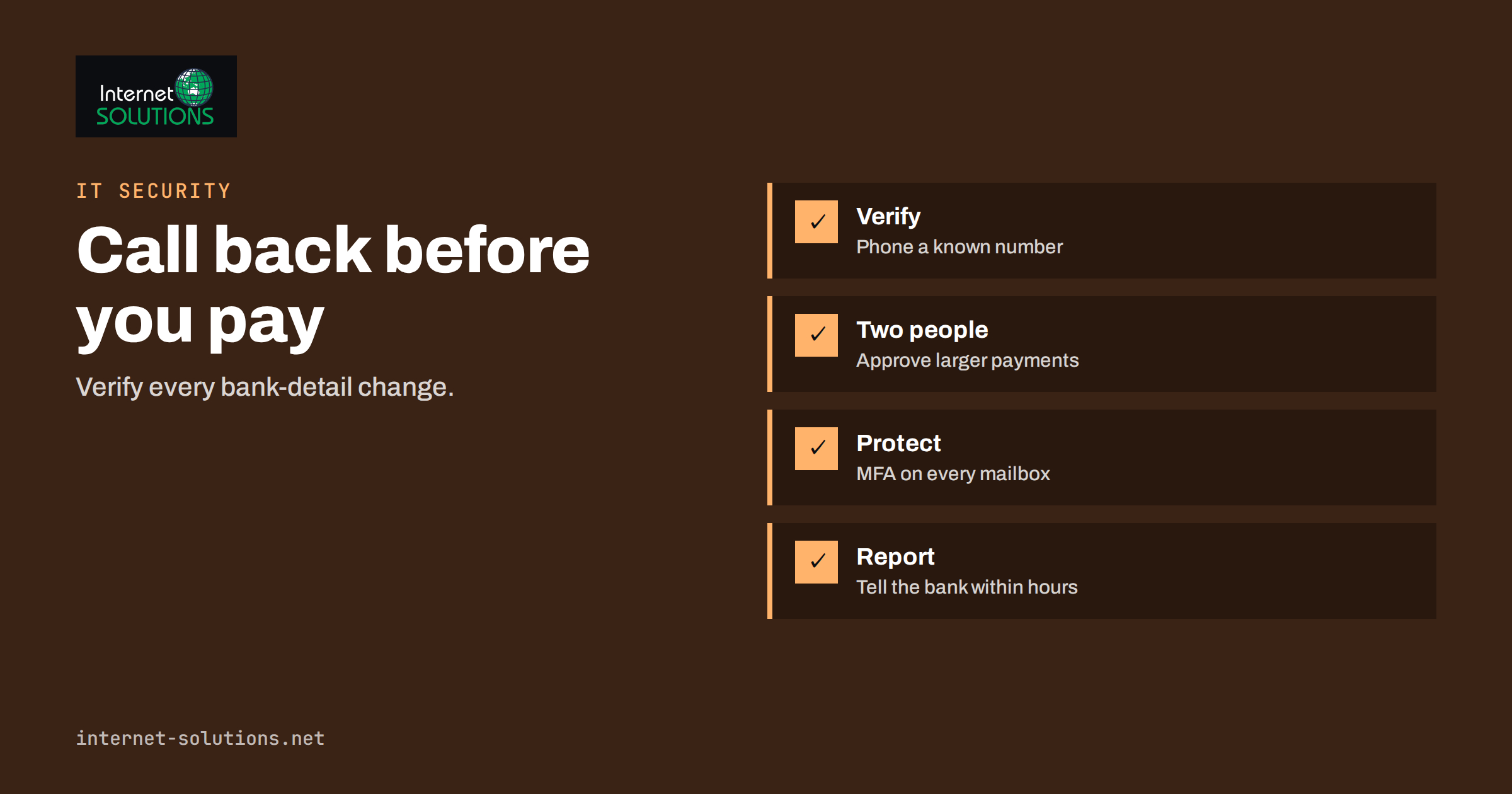
- Verify bank-detail changes by calling a known number. Use the phone number you already have on file, not the one in the email. Speak to a person you know, and record who confirmed the change and when.
- Require two people for payments above a threshold, and for any change to supplier bank details. The second person should see the verification record, not just the email.
- Separate duties. The person who creates or edits a supplier record should not be the person who approves the payment.
- Hold first payments to a new account. Wait a day, or send a small test amount after verification, before transferring a large sum.
- Write down what the owner will never ask for by email. A short policy such as “the director will never request an urgent transfer or vouchers by email” gives staff permission to refuse.
- Make it normal to ask. Staff who fear annoying a director will comply. A culture in which checking is expected, and thanked, is more valuable than any filter.
- Keep a supplier master list with verified contact people, phone numbers and bank details, reviewed at least once a year.
Technical Settings That Reduce the Risk
Process comes first, but a few technical measures close the doors that attackers most often use. Most of them are configuration, not new products.
Protect Your Own Domain From Impersonation
SPF, DKIM and DMARC are the standards that let receiving mail servers check whether a message claiming to come from your domain really did. With a DMARC policy at quarantine or reject, spoofed messages that use your exact domain are far less likely to reach your customers and staff. Our guide to SPF, DKIM and DMARC explains the setup. Remember that these standards protect against exact-domain spoofing. They do not stop look-alike domains, which is why registering obvious variants of your own domain and monitoring new registrations can help.
Protect Mailboxes From Takeover
Enable multi-factor authentication on every email account, especially for finance staff, owners and administrators, and turn off legacy protocols that cannot use it. Review mailbox rules, forwarding settings and connected applications on a schedule, because a hidden forwarding rule is a typical sign of compromise. Our article on multi-factor authentication and password managers covers the basics, and the NCSC phishing guidance gives a clear, free overview of what to do.
Mark External Mail and Filter Look-Alikes
Most mail platforms can add a visible warning to messages from outside the company and flag senders whose display name matches an internal person. This is not perfect, but it helps with the “director from a free webmail account” scenario. Set up alerts for new inbox rules and unusual sign-in locations.
What to Do If You Suspect a Fraudulent Payment
Speed matters. In many cases funds can be recovered if the bank is told within hours, and chances fall sharply after a day or two.
- Call your bank immediately and ask them to recall or freeze the transfer. Give the account details and the time of payment.
- Report it to the police or national cybercrime authority. In the United States, the Internet Crime Complaint Center accepts reports, and other countries have their own channels. A prompt report can help the bank request cooperation from the receiving bank.
- Secure the mailbox. Reset the password, sign out all sessions, enable multi-factor authentication, and remove unknown rules and forwarding addresses.
- Warn those affected, such as the real supplier or customer, using a verified phone number, since the email channel may be compromised.
- Preserve evidence. Keep the original messages with full headers, and note a timeline.
- Follow your incident plan. If you do not have one, our guide to a security incident response plan lists the first steps.
A Worked Example
A small manufacturing company buys components from a regular supplier. The accounts clerk receives an email, apparently from her usual contact, saying the supplier has moved to a new bank and attaching a letter with new details. The next invoice is due in three days and is large. The email address is correct, because the supplier’s mailbox has been taken over, and the writing style matches previous messages.
Without a control, the clerk would update the details and pay. In this company, the policy says that any bank-detail change must be confirmed by telephone using the number in the supplier file. The clerk calls the contact, who has no idea about a change of bank. The supplier then discovers its mailbox has been compromised, and it resets its accounts and warns other customers. The company has lost nothing, and the only cost was a five-minute call.
The same story without the policy is a common headline: a payment sent to a criminal account, a difficult conversation with the bank and a dispute with the supplier about who bears the loss. The difference is not intelligence or luck. It is a rule written down in advance.
Common Mistakes
- Verifying a change by replying to the same email thread or using a phone number printed in the message.
- Letting one person create suppliers, change bank details and approve payments.
- Relying on staff to recognise forged emails, without any written rule.
- Leaving mailboxes without multi-factor authentication because “we are too small to be a target”.
- Ignoring the supplier side. If your customers pay you, your own mailbox compromise can send fake bank details to them.
- Waiting to report because staff are embarrassed.
Frequently Asked Questions
Is business email compromise the same as phishing?
It is related but different. Phishing usually targets many people with generic messages to steal passwords or install malware. Business email compromise is targeted, often has no malicious link or file, and aims directly at moving money or obtaining sensitive data through trust.
Can small companies really be targets?
Yes. Small companies often have fewer payment controls and less training, which makes them attractive. Attackers choose targets that handle regular supplier payments, not only large corporations.
Does DMARC stop business email compromise?
It stops spoofing of your exact domain, which is valuable, but it does not stop look-alike domains, compromised real mailboxes or messages from free webmail accounts that use a director’s name. It is one layer among several.
How can I verify a payment request safely?
Use a different channel from the one the request came in on. Call a number you already had, or ask a colleague who knows the person to confirm face to face. Never use contact details supplied in the suspicious message.
Can the money be recovered?
Sometimes, if you act within hours. Contact your bank at once and report the fraud to the authorities. After the funds are moved on from the receiving account, recovery becomes much harder.
Do we need special software to stop it?
Not necessarily. Written payment rules, a call-back habit, multi-factor authentication and properly configured email authentication close most of the gap. Additional filtering tools can help, but they are not a replacement for process.
The Bottom Line
Business email compromise works because it looks like normal business. The reliable defence is a payment routine that verifies every change of bank details through a second channel, requires two people for larger transfers and gives staff permission to ask questions. Add multi-factor authentication on every mailbox, DMARC on your own domain and a clear plan for what to do within the first hour of a suspected loss. If you would like help reviewing your email settings, mailbox security and payment controls, our IT maintenance team can help you build a simple, written process that fits your size.