

 English
 Lietuvių
 Latviešu
 Eesti
Eesti Русский
 Polski
 Українська
 Deutsch
 Italiano
 Español
 Français
 Português
 Čeština
 Magyar
 Română
 Ελληνικά
 Türkçe
 日本語
日本語 العربية
 हिन्दी
 Bahasa Indonesia
 Bahasa Melayu
 ไทย
ไทย Tiếng Việt
 বাংলা
বাংলাCategory and Tag Pages for SEO: Archives That Help, Not Hurt
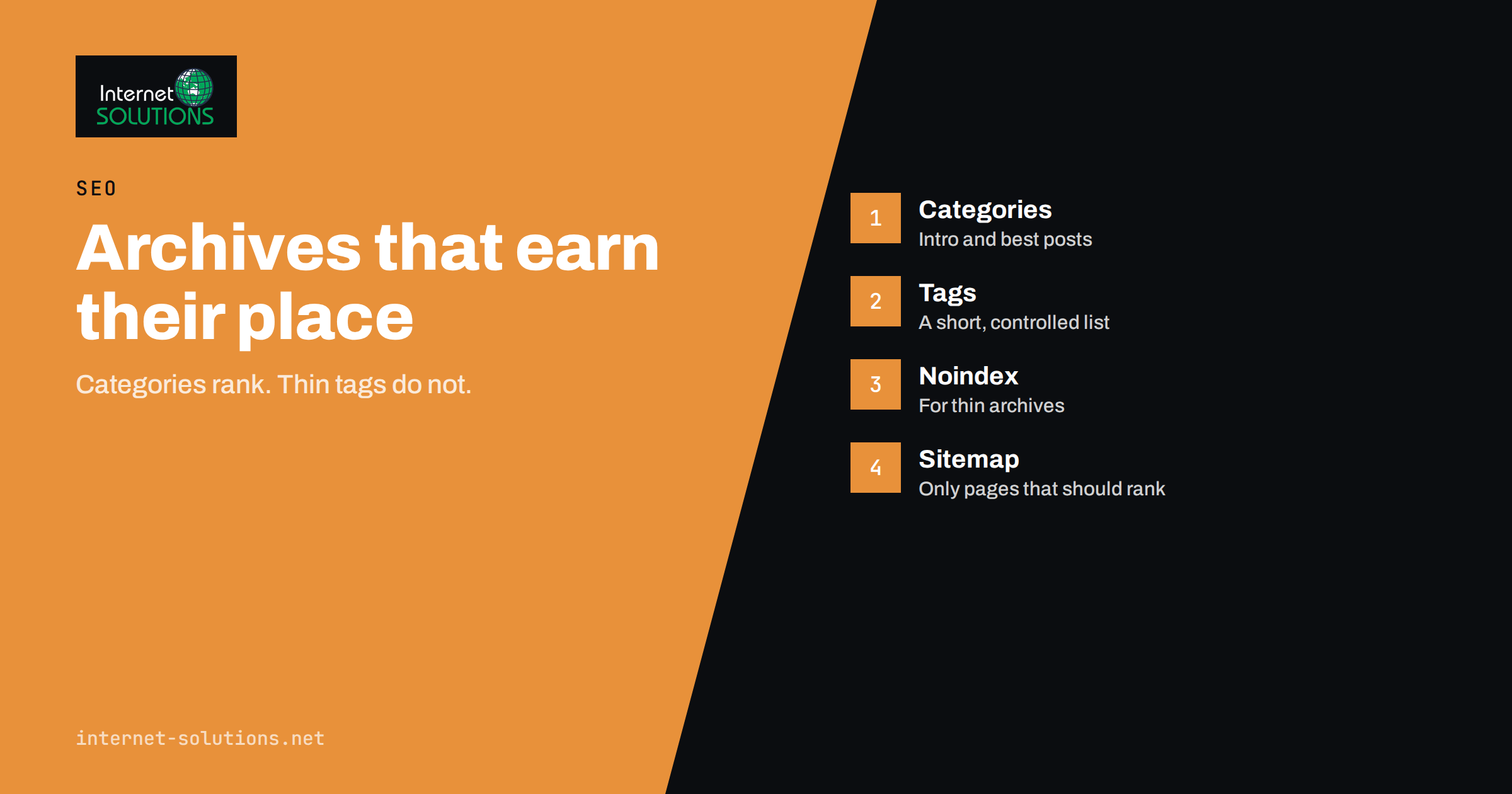
Category pages SEO is one of the most overlooked parts of a content site. Every WordPress blog, online shop and news site produces category and tag archives automatically, usually without anyone deciding what they should look like or whether search engines should see them. Done well, these pages are some of the strongest landing pages on a site: they collect related content, match broad searches and pass authority to individual articles. Done badly, they create thousands of thin, near-identical pages that compete with your real content and waste the time search engines spend on your site.
This guide explains how taxonomy archives work, which ones deserve to rank, how to write category pages that attract visitors, what to do with tags, and how to clean up an archive structure that has grown out of control. It is written for business owners and marketers who manage a WordPress-style site, but the principles apply to any platform that groups content into categories, tags or collections.
What Taxonomy Archives Are and Why They Matter
A taxonomy is a way of grouping content. In WordPress, the two built-in taxonomies for posts are categories and tags. Each category or tag gets its own archive page that lists the posts assigned to it, usually newest first, split across numbered pages. Online shops add product categories, brands and attributes, and many themes add custom taxonomies of their own, such as topics, locations or authors.
These archive pages matter for three reasons. First, they match broad searches. Someone searching for “running shoes” or “email marketing guides” is often better served by a page that lists many relevant items than by one article. Second, they shape internal linking: every post linked from a category page receives a link from a page that is itself usually close to the homepage in click depth. Third, they affect how efficiently search engines crawl your site. A site with 200 articles and 3,000 tag pages gives crawlers a great deal of low-value material to work through.
The problem is that archives are created by default. A tag used once becomes a page with one post and a title like “Tag: invoices”. A category with no description becomes a bare list of excerpts. Neither is helpful to a visitor, and neither gives a search engine a reason to rank it.
Categories, Tags and Custom Taxonomies Compared
Before changing anything, decide what each grouping is for. They solve different problems, and mixing them up is the root cause of most archive trouble.
| Grouping | Purpose | Typical number | Should it rank? | Common mistake |
|---|---|---|---|---|
| Category | Main structure of the site, like chapters of a book | 5 to 20 | Yes, if it has a clear topic and enough content | Too many overlapping categories, or “Uncategorized” left in use |
| Subcategory | A narrower section inside a category | 0 to 10 per category | Yes, when it matches a distinct search topic | Deep nesting that buries content |
| Tag | Cross-cutting labels, such as a product, person or tool | A controlled list, not unlimited | Only when it has real volume and a useful description | One-off tags that create thin pages |
| Custom taxonomy | Specific structures such as location, industry or format | Depends on the site | Often yes, if each page is substantial | Auto-generated pages with no unique text |
| Author or date archive | Browsing by writer or period | Automatic | Rarely | Leaving them indexable on a one-author site, where they duplicate the blog page |
A simple rule helps: categories are for navigation and ranking, tags are for connections. If you could not explain to a visitor why a tag page is worth visiting, it probably should not be a page that search engines index.
Which Archive Pages Deserve to Rank
An archive deserves to be indexed when it passes four tests.
- It matches a real search topic. Check the phrase in your keyword research and in Search Console. If nobody searches for it and no one would, it is a navigation aid only.
- It has enough content. A category with two posts is rarely a strong page. Aim for at least five to ten items before treating it as a landing page.
- It offers something the posts do not. A short introduction, a curated order and links to the best material make the page more useful than a raw list.
- It does not duplicate another page. If a category and a tag list almost the same posts, only one should rank.
Archives that fail these tests are not harmful as navigation. They simply should not be offered to search engines as pages worth ranking. That is what a robots meta tag with noindex is for, and it is covered later in this guide.
How to Build a Category Page That Ranks
Treat important categories as pages in their own right. A strong category page has the following parts.
- A clear title and heading. Use the phrase people search for, not an internal label. “Email Marketing Guides” beats “Newsletters, misc”.
- An introduction of 100 to 250 words above the list. Explain what the category covers, who it is for and where to start. This is the text search engines use to understand the page, and visitors use to decide whether to continue.
- Featured links to the best posts. Pin or highlight the three to five most important articles, then show the rest. This is where internal linking works for you; our guide on internal linking and site architecture explains how to choose which pages deserve the strongest links.
- A unique meta title and description. Do not accept the template default of the category name plus the site name. Write a snippet that makes the click worth taking, as described in our guide to title tags and meta descriptions.
- Clean pagination. Page two and later should be reachable by normal links, and each paginated page should have a self-referencing canonical address.
- Breadcrumbs. They show the path from the home page and help both users and search engines understand the hierarchy.
In WordPress, the category description field supports this. Many themes display it above the post list; if yours does not, a small template change is usually all that is needed. Keep the text useful rather than stuffed with keywords. One clear paragraph that answers “what will I find here?” outperforms a block of repeated phrases.
Handling Tags Without Creating Thin Pages
Tags are where most sites go wrong. Authors add whatever words come to mind, the list grows to hundreds of entries, and each one becomes an archive page with one or two posts. The result is a large number of thin pages that add little to the site and dilute its quality signals.
Use a controlled approach.
- Keep a written tag list. Decide in advance which tags exist, so writers pick from a list instead of inventing new ones.
- Set a minimum. A tag is only useful as a page once it has several posts. Until then it may exist, but should not be indexable.
- Merge near-duplicates. “E-mail”, “email” and “emailing” should be one tag. Most platforms let you merge or rename terms and keep the posts attached.
- Do not tag with the category name. A post in the category “SEO” with the tag “SEO” creates two pages that list the same content.
- Add a description to tags that stay indexable. Five or six sentences that introduce the topic turn a plain list into a useful page.
The practical outcome is a site with a short, meaningful tag list and many fewer pages to maintain. If you find that you do not use tags for navigation at all, you can turn off their indexing entirely and rely on categories and internal links.
Noindex, Canonical and Robots: Choosing the Right Tool
Three mechanisms are often confused, and each one does something different.
| Tool | What it does | Use it for | Watch out for |
|---|---|---|---|
Meta robots noindex | Lets the page be crawled but asks search engines not to include it in results | Thin tag pages, date archives, internal search results | The page must stay crawlable, or the tag is never seen |
| Canonical link | Points similar pages to the preferred address | Duplicate or near-duplicate versions of the same content | A hint, not a command; do not point to an unrelated page |
robots.txt Disallow | Stops crawling of a path | Infinite filter combinations and internal search | Blocked pages can still appear in results if linked, and a noindex on them cannot be read |
For thin archives, the right choice is normally noindex, follow, which keeps the page out of the index while allowing links on it to be followed. Google explains the options in its documentation on blocking search indexing with noindex and on consolidating duplicate URLs. If you are unsure how crawl rules and sitemaps work together, see our practical guide to robots.txt and XML sitemaps. A key point: keep noindexed pages out of the XML sitemap, which should list only the pages you want ranked.
Avoiding Cannibalization Between Archives and Articles
A category page and a long guide can compete for the same search. If the category “Google Ads” and a pillar article called “Google Ads guide” both target “google ads”, search engines have to choose, and sometimes switch between them. Decide which page is meant to rank for each phrase. As a rule, category pages suit broad, plural, browsing-type searches, such as “google ads tips”, while articles suit specific questions. When the two overlap, link from the category to the article with clear anchor text and consider a more specific title on one of them. Our article on keyword cannibalization shows how to detect and resolve these conflicts, and our guide to topic clusters and pillar pages explains how categories can support a pillar rather than rival it.
Online Shops: Product Categories and Filters
For e-commerce the same ideas apply with higher stakes. Product category pages are often the highest-converting landing pages on the site, and they also generate the most crawl waste when filters create endless URL combinations. Give each important category an introduction and a short buying guide below the products, a unique title and clear breadcrumbs. Allow only valuable filter combinations to be indexed, such as “red running shoes” if people search for it, and keep the rest crawlable but not indexable or blocked. Our guide to faceted navigation and pagination covers this in detail.
Cleaning Up an Archive Structure That Has Grown Out of Control
If your site already has hundreds of tag pages, take it step by step rather than deleting everything.
- Export the list. Get every category and tag with the number of posts it contains and, from Search Console, the clicks and impressions of the archive URLs.
- Sort into groups. Keep archives with traffic or real search potential. Merge duplicates. Mark thin ones with no traffic as candidates for noindex or removal.
- Redirect when deleting. If you remove a tag that has any history, redirect its address to the nearest relevant category with a permanent redirect. Our guide to 301 redirects explains how to avoid chains and mistakes.
- Fix the templates. Make sure new archives follow the rules you have chosen, so the problem does not return.
- Update the sitemap. Remove noindexed archives and submit it again in Search Console.
- Monitor. Over the next weeks, watch the coverage reports for unexpected drops and confirm that important categories keep their traffic.
Take care when changing a live site. Test the new noindex rules on a staging copy, and keep a record of what changed so you can reverse a decision if traffic falls.
A Quick Audit Checklist for Your Archives
- Does every indexable category have an introduction, a unique title and a unique description?
- Is there a written tag policy, and do writers follow it?
- Are archives with fewer than a handful of posts set to noindex?
- Are author and date archives handled deliberately, not left as defaults?
- Do noindexed pages stay out of the XML sitemap?
- Do paginated pages have working links and self-referencing canonicals?
- Do category pages link to the best posts, and do posts link back to their category?
- Is the category structure still shallow, ideally no more than two levels?
If you would like help reviewing the structure of a large site, our SEO service includes technical audits of exactly this kind.
Frequently Asked Questions
Should I noindex all my tag pages?
Not necessarily. Tag pages with real content, a useful description and search demand can rank. Most sites, however, have many thin tags that are better kept out of the index. Review them by traffic and number of posts, then decide.
Do category pages really need a text introduction?
For categories you want to rank, yes. A short introduction explains the topic to visitors and gives search engines context that a plain list of excerpts cannot. A single focused paragraph is usually enough.
How many categories should a blog have?
Most business blogs work well with five to twenty, each with a clear purpose and several posts. If you cannot describe the difference between two categories in one sentence, merge them.
Is it a problem if a post is in several categories?
It is allowed, but it can create duplicate listings and confusing URLs if the category appears in the post address. Assign one primary category and use tags or internal links for secondary connections.
Will deleting tags hurt my rankings?
Deleting thin, untrafficked tags rarely hurts. If a tag had traffic or links, redirect it to a relevant category rather than letting it return an error. Check Search Console afterwards.
Should category pages appear in my XML sitemap?
Yes, when they are indexable and valuable. Leave out any archive that carries noindex, because the sitemap should contain only pages you want in the results.
The Bottom Line
Category pages and other archives are an asset when you manage them on purpose and a liability when you leave them as defaults. Give your main categories real introductions, unique titles and links to your best content. Keep tags on a short, controlled list and stop thin archives from reaching the index with noindex rather than letting them dilute the site. Check for overlap between archives and articles, redirect anything you remove, and review the structure whenever the site grows. A tidy archive structure makes your content easier to find, easier to crawl and easier to rank.