

 English
 Lietuvių
 Latviešu
 Eesti
Eesti Русский
 Polski
 Українська
 Deutsch
 Italiano
 Español
 Français
 Português
 Čeština
 Magyar
 Română
 Ελληνικά
 Türkçe
 日本語
日本語 العربية
 हिन्दी
 Bahasa Indonesia
 Bahasa Melayu
 ไทย
ไทย Tiếng Việt
 বাংলা
বাংলাServer-Side Tracking: Meta Conversions API and Enhanced Conversions
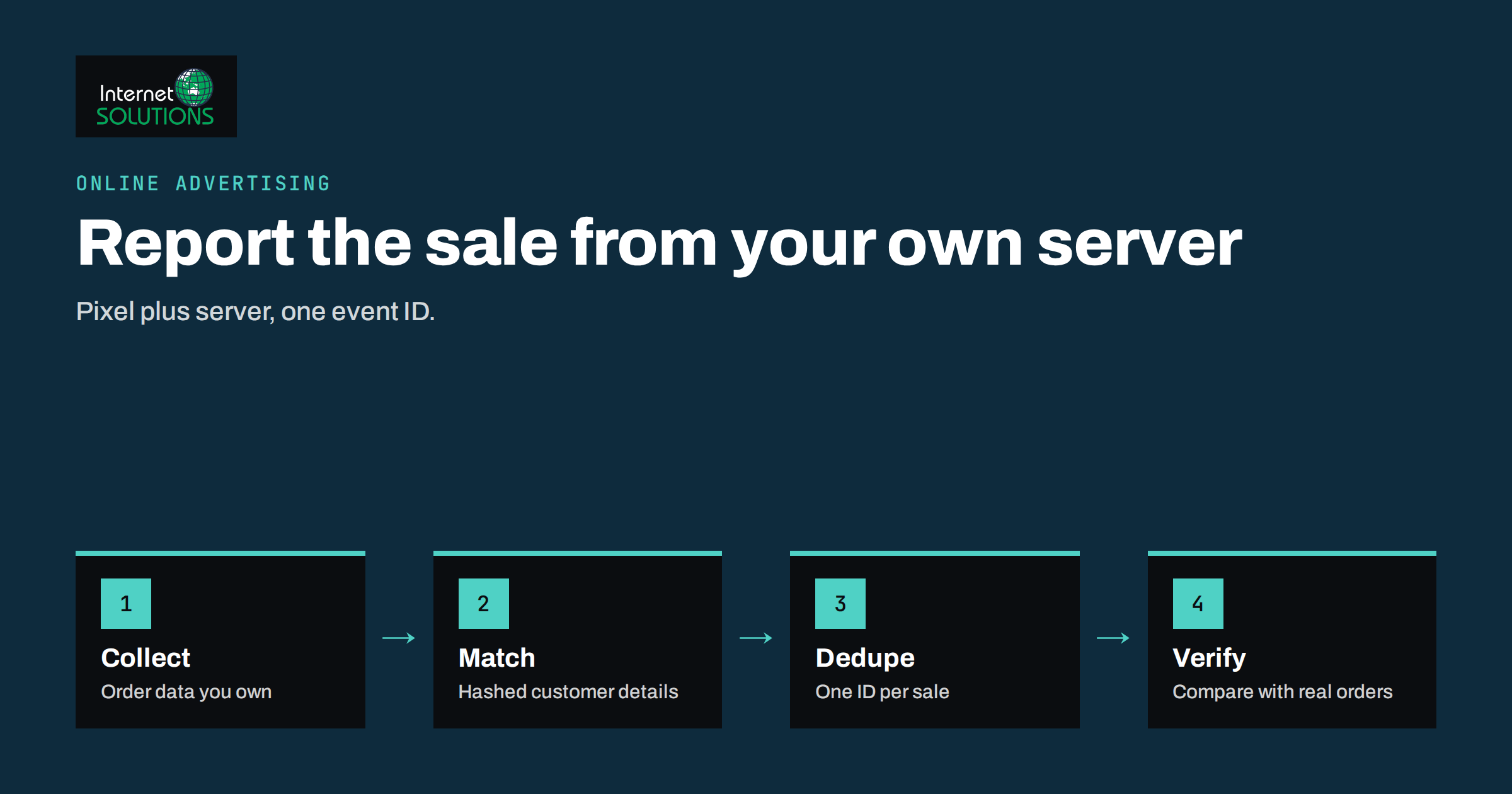
Server-side tracking means that some of the measurement data about your visitors and customers is sent to advertising platforms from a server you control, rather than only from the visitor’s browser. For an advertiser it is the difference between hoping a browser script fires and deliberately reporting a sale that your own system has recorded. Meta calls its version the Conversions API, and Google’s closest equivalent for most small advertisers is enhanced conversions. Both exist for the same reason: browser-only tracking loses events, and ad platforms need reliable conversion data to optimise bidding.
This guide explains how server-side tracking works in plain language, what problem it really solves, what it does not solve, how to set it up step by step, and how to check that it is working without double-counting sales. It is written for owners and marketers who run Google Ads or Meta campaigns and already have a basic pixel or tag in place.
Why Browser-Only Tracking Loses Data
A classic tracking setup places a small piece of JavaScript on your pages. When a visitor buys something, the script runs in their browser and sends a message to the ad platform. That chain has several weak points, and each one removes a few conversions from your reports.
- Ad and tracker blockers. Browser extensions and some privacy-focused browsers block requests to known advertising domains, so the message never leaves the device.
- Cookie restrictions. Several browsers limit how long cookies set by scripts survive, which breaks the link between the original ad click and a purchase made days later.
- Consent choices. Where visitors are asked for consent, those who decline are not measured by marketing tags. That is correct behaviour, not a bug, and server-side tracking does not change it.
- Slow or interrupted pages. If the visitor closes the tab before the confirmation page finishes loading, the tag may never run.
- Tag errors. A theme update or a changed checkout can quietly stop a tag from firing, and nobody notices for weeks.
The result is that the platform sees fewer conversions than really happened. Smart bidding then optimises on incomplete data, and reports understate performance. If you have not yet put the basics in order, read our guide to conversion tracking that holds up first, because server-side tracking builds on a working foundation rather than replacing it.
What Server-Side Tracking Actually Is
In a server-side setup, an event such as a purchase or a lead is also reported by a server. The server might be your web application, your e-commerce platform’s backend, a tag management server container or a service that sits between your site and the ad platforms. The event is sent directly to the platform’s API together with identifiers that help the platform match it to an ad interaction.
It helps to separate three things that are often mixed together:
- Server-side event sending. Your server sends the conversion to the platform. This is what Meta’s Conversions API does.
- First-party data enrichment. The conversion is accompanied by customer details such as a hashed email address, which improves matching. This is the core of Google’s enhanced conversions.
- A server-side tag manager. A container that runs on a server you host and forwards events to several platforms. It is a convenient way to implement the first two, but it is not required.
None of these gives you permission to track people who have declined consent, and none makes the data anonymous. They change how data travels and how reliably it is matched, not whether the law applies.
Meta Conversions API in Practice
The Conversions API lets a server send events to Meta, such as page views, leads, add-to-cart actions and purchases. Meta’s own documentation describes it as a way to create a direct connection between your marketing data and Meta’s systems, and recommends running it alongside the Meta Pixel rather than instead of it. You can read the official overview in the Conversions API documentation.
The redundant setup
The common pattern is redundancy: the pixel reports from the browser and the server reports the same event. This captures events if one route fails. It also creates the main risk, which is double counting. Meta solves it with deduplication: both the pixel event and the server event carry the same event name and the same event identifier, and Meta keeps one of them. If the identifier is missing or different, the sale can be counted twice and your cost per result will look better than it is.
Matching information
Each event can include customer information parameters, such as email address or phone number, which must be normalised and hashed before sending according to Meta’s specification, plus browser identifiers where available. The more reliable matching data an event carries, the more often Meta can connect it to a person who saw or clicked an ad. Only send data you are allowed to collect and use, and describe it in your privacy notice.
Ways to implement it
- Platform integrations. Many e-commerce and form platforms offer a built-in connection. This is the quickest option for a small store.
- A tag manager server container. Suitable when you also want to control several platforms from one place.
- Direct integration. Your developer sends events from your application code. It gives the most control and needs the most maintenance.
Google Enhanced Conversions in Practice
Enhanced conversions supplement your existing conversion tag with hashed first-party data. When someone completes a purchase or fills in a form, the tag collects fields such as an email address, hashes them in the browser or on your server, and sends them to Google together with the conversion. Google then compares the hashed values with signed-in Google accounts to improve attribution. The official explanation is in Google’s enhanced conversions help article.
There are two variants worth knowing about. Enhanced conversions for web improves online sales and sign-ups measured by a tag on your site. Enhanced conversions for leads is designed for businesses where the real sale happens later, offline, and the lead’s details are uploaded afterwards. If your business works that way, combine this with an offline conversion process so that the value of closed deals flows back into your Google Ads account.
Comparing the Approaches
| Approach | Where data is sent from | Main benefit | Main risk | Effort |
|---|---|---|---|---|
| Browser pixel or tag only | Visitor’s browser | Simple, quick to install | Blocked or lost events | Low |
| Meta pixel plus Conversions API | Browser and your server | Fewer missed events, better matching | Double counting without deduplication | Medium |
| Google enhanced conversions | Tag with hashed first-party data | Better attribution of existing conversions | Collecting more personal data than needed | Low to medium |
| Server-side tag manager | A server container you host | One place to manage several platforms | Hosting cost and maintenance | Medium to high |
| Offline conversion import | Your CRM or spreadsheet | Reports real sales that happen later | Delays and manual errors | Medium |
Step-by-Step Setup
Step 1: Decide what you need to measure
List the two or three events that matter, usually a purchase, a lead and perhaps a booking. Do not try to send every possible event on day one. Platforms optimise best on a small number of meaningful conversions.
Step 2: Confirm your consent and privacy position
Before sending any customer data, check that your cookie banner and privacy notice cover marketing measurement and that tags respect the visitor’s choice. Our article on cookie consent and GDPR compliance explains what a business website needs. If a visitor has declined marketing cookies, do not send their data from the server either.
Step 3: Choose the simplest route that works
If your store platform has a maintained Conversions API connection, use it before considering custom development. Choose a server container or direct integration only when you have a reason, such as multiple platforms or special order data.
Step 4: Make the identifiers match
Generate one event identifier per conversion, for example the order number, and send it with both the browser event and the server event. Use the same event names. For Google, make sure the conversion action uses the right data fields and that email addresses are sent consistently.
Step 5: Test with real transactions
Both platforms provide diagnostic tools that show incoming events and warn about missing parameters. Place a test order, then look for the event in the platform within a few minutes. Check that it appears once, with the right value and currency.
Step 6: Compare totals after a week
Compare conversions reported by the platform with orders in your shop for the same period. Expect differences because platforms count only attributed events, but the gap should be stable and explainable. A sudden jump above your real order count signals double counting.
Common Mistakes
- Sending events without deduplication. This inflates results and teaches the algorithm to chase phantom conversions.
- Replacing the browser tag too early. Keep both until the server route has been verified for several weeks.
- Hashing incorrectly. If values are not trimmed, lower-cased and hashed in the required way, matching fails silently.
- Ignoring consent. Server-side delivery does not remove the need for a lawful basis.
- Wrong values. Sending order totals with tax, shipping or the wrong currency changes return-on-ad-spend figures.
- No owner. Integrations break after theme, plugin or checkout changes. Someone must check them monthly.
What to Expect From the Results
Set expectations honestly. Server-side tracking usually recovers some conversions that were previously invisible and improves the quality of matching, but it is not a magic fix that doubles your reported sales. The benefit is greatest for stores with many privacy-conscious visitors, long consideration periods and spend large enough that better data can change bidding decisions. For a very small account with a handful of sales a month, a correct basic setup and a clear conversion definition matter far more than server-side plumbing.
Also remember that attribution is a model. Even with perfect data, platforms can claim credit for the same sale, and your analytics tool will report a different number. Treat platform figures as optimisation signals and your own order records as the source of truth. A weekly review of platform conversions against real orders keeps everyone honest. If you run Meta campaigns, review the structure and creative as well, because better data cannot rescue weak offers; see our notes on Facebook ads for the wider picture.
Privacy and Governance Checklist
- Document which events and which customer fields are sent, to which platforms, and why.
- Send only the fields you need for matching, and hash them before they leave your systems.
- Respect consent and opt-out choices on the server as well as in the browser.
- Limit who can edit the integration and keep access credentials in a password manager.
- Review the setup after every checkout, theme or consent banner change.
- Keep a short record of the configuration so a new colleague or agency can understand it.
Frequently Asked Questions
Is server-side tracking legal without consent?
No. Moving the sending point to a server does not change whether you need a lawful basis to collect and share personal data. If consent is required for marketing measurement in your market, it is required here too. Ask a qualified adviser about your specific situation.
Do I still need the Meta Pixel if I use the Conversions API?
Meta generally recommends using both together so that either route can fill gaps in the other, with deduplication in place. A server-only setup can work, but it loses browser signals that help with matching.
What are enhanced conversions?
They are an addition to your existing Google conversion tracking that sends hashed first-party customer data, such as an email address, alongside the conversion so Google can attribute it more accurately.
Will it fix my reports completely?
No. It reduces data loss and improves matching, but platform reports will still differ from your shop and from analytics. Use your order records as the final check.
Do I need a server-side tag manager?
Not necessarily. Many stores get most of the benefit from a maintained platform integration. A server container makes sense when you manage several platforms and want central control, and it comes with hosting and maintenance work.
How do I know it is double counting?
Compare reported conversions with real orders over the same days. If the platform reports clearly more than you sold, or the diagnostics tool shows duplicate events without a matching identifier, fix the deduplication first.
The Bottom Line
Server-side tracking is a way to make conversion reporting more reliable, not a loophole around privacy rules. Start with a clean browser setup, add Meta’s Conversions API and Google’s enhanced conversions where your volume justifies it, send one identifier per conversion so events deduplicate, respect consent in every route and verify against real orders every week. Done carefully, it gives your ad platforms better data to optimise on, and gives you a more trustworthy picture of what your advertising really earns.